ICX 8100 Stacking Topologies
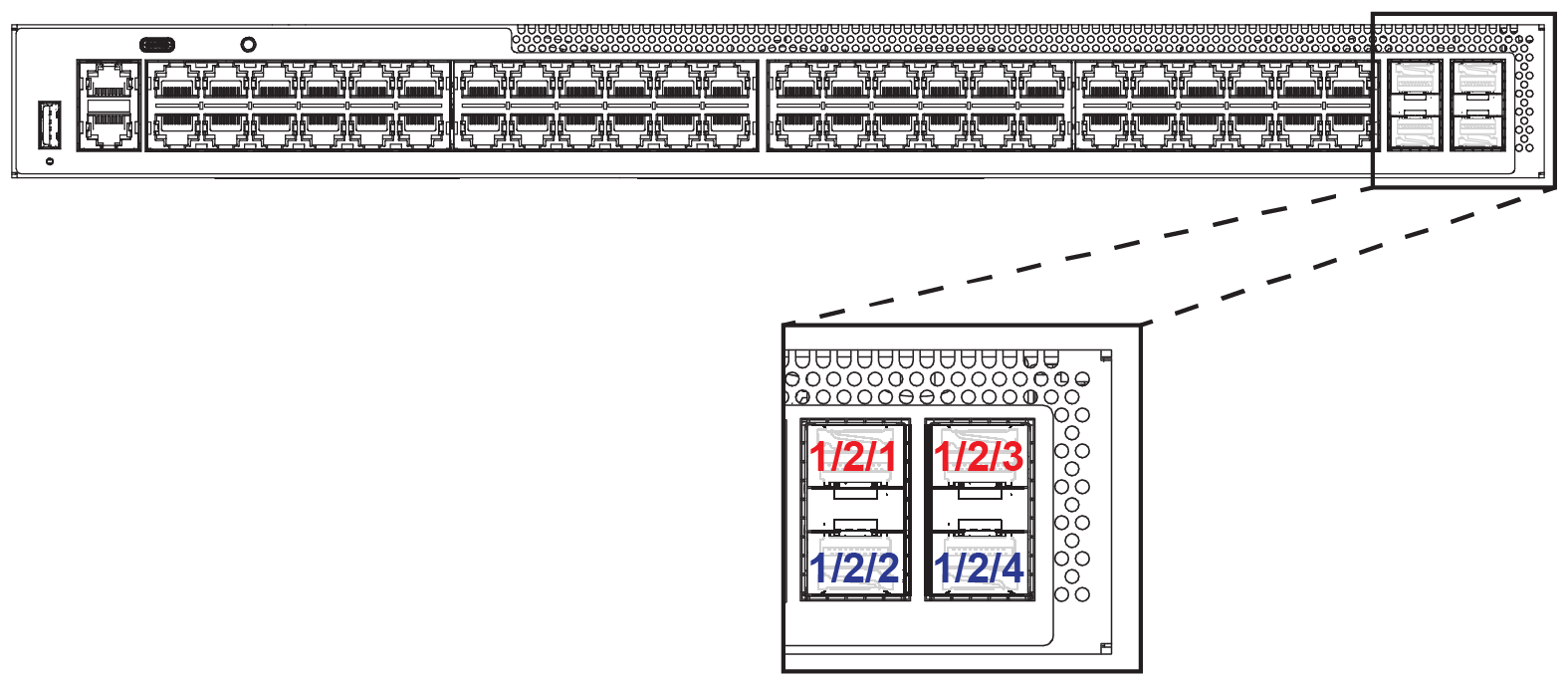
The following figure shows the location of available stacking ports on the ICX 8100-48-X, ICX 8100-48P-X, and ICX 8100-48PF-X devices. The valid-stack ports are x/2/1 and x/2/3, shown in red in the figure. The ICX 8100-48-X, ICX 8100-48P-X, ICX 8100-48PF-X, ICX 8100-24-X, and ICX 8100-24P-X devices have the same physical port configuration for stacking on front panel Module 2.
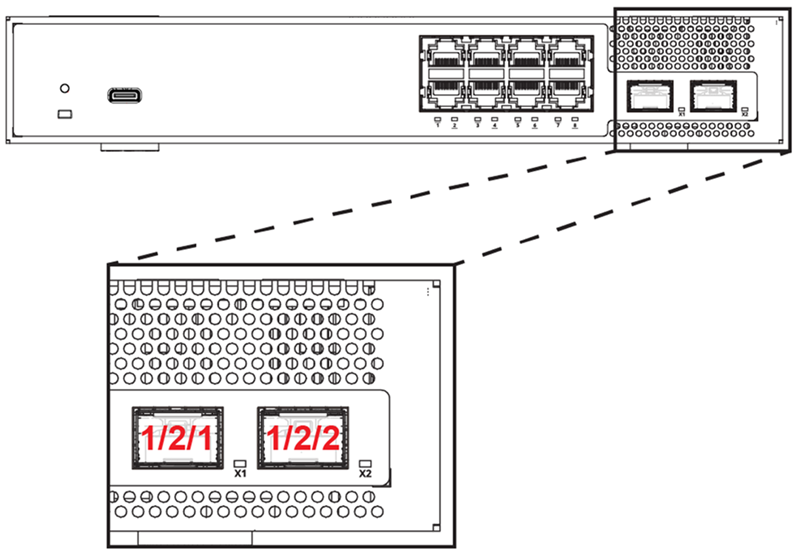
The following figure shows available stacking ports for an ICX 8100-C08PF-X device. The ICX 8100-C08PF-X and ICX 8100-C16P-X have the same physical port configuration for stacking on front panel Module 2.
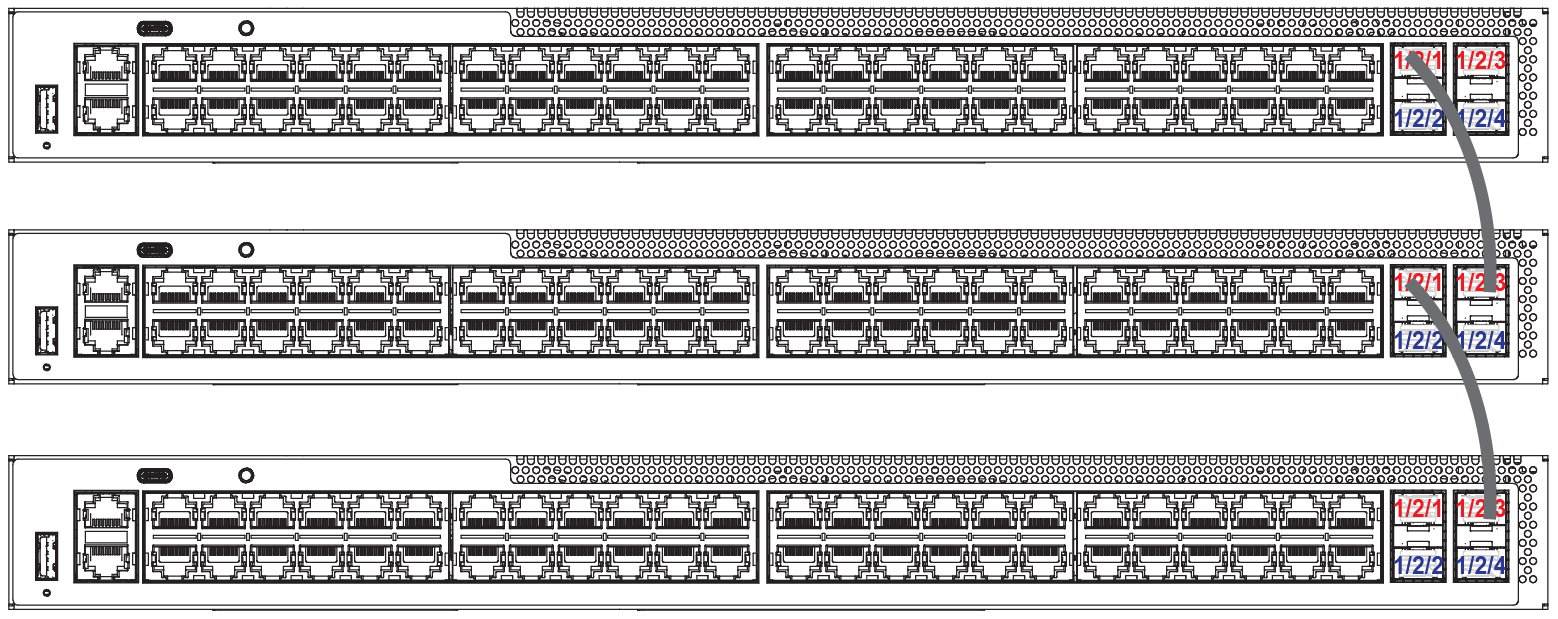
The following figure shows a three-unit linear stack of ICX 8100-48-X devices.
The following figure shows a three-unit ring stack of ICX 8100-C08PF-X devices.
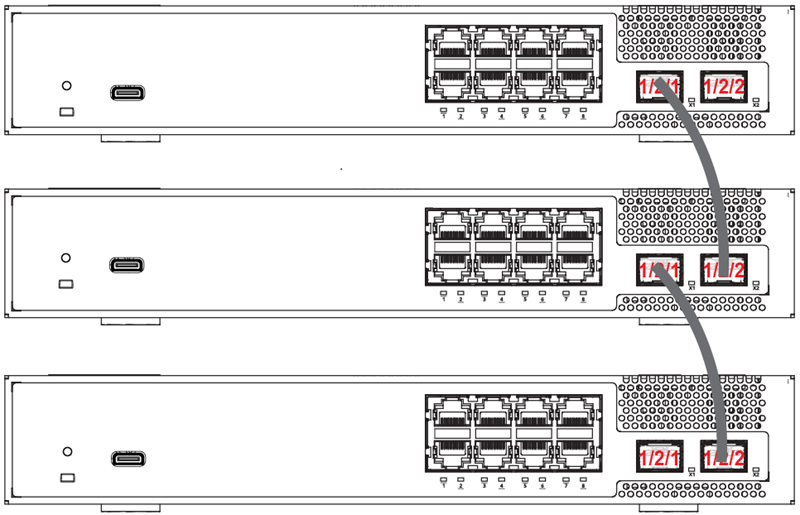
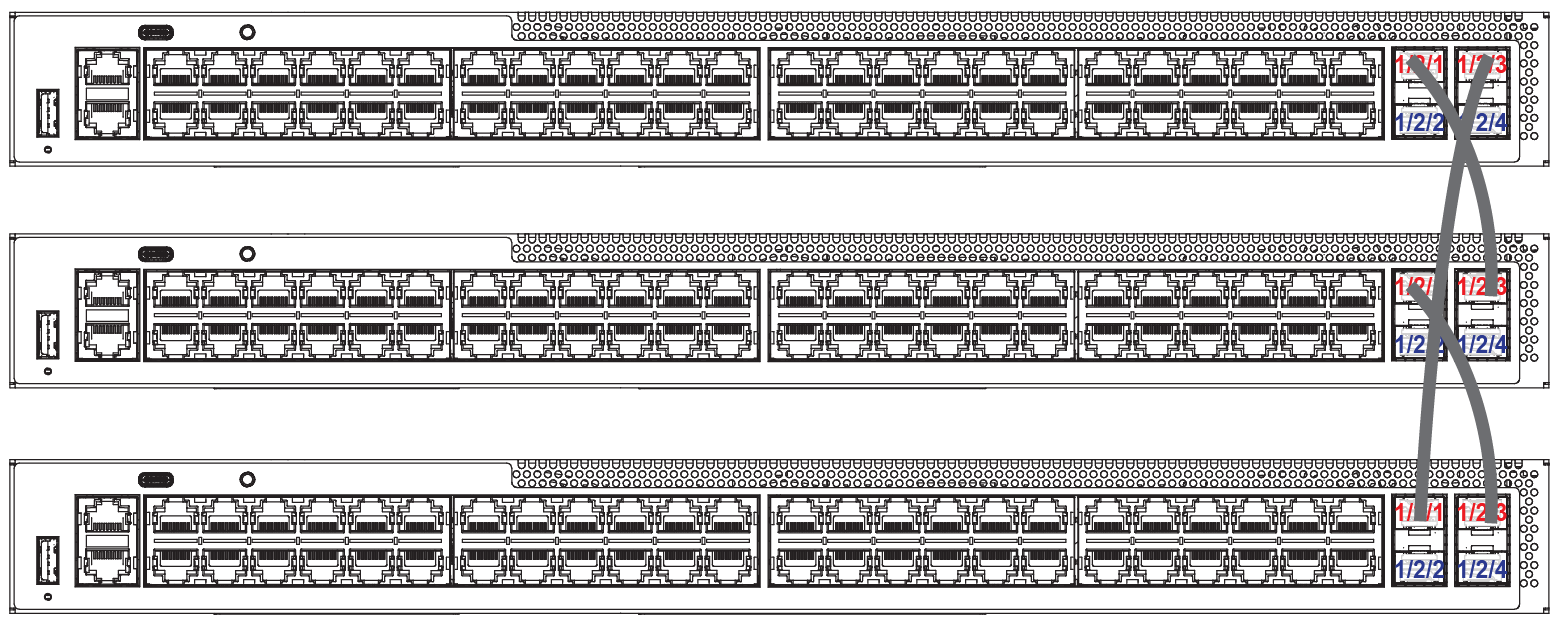
The following figure shows a three-unit ring stack of ICX 8100-48-X devices.
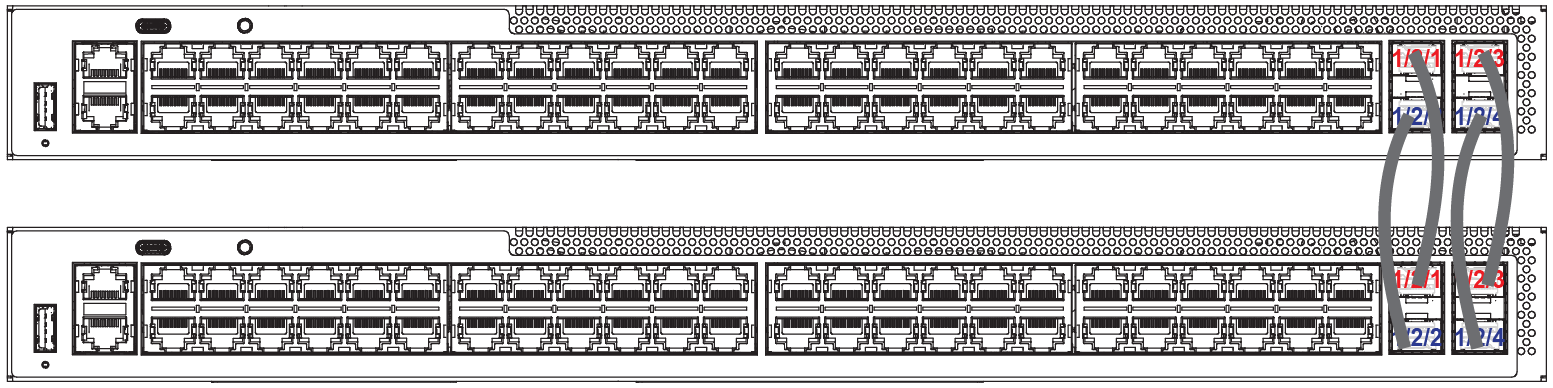
The following figure shows a two-unit ICX 8100-48-X stack with a four-port linear-topology trunk. For more information on linear-topology trunks, refer to Configuring Two-unit Stack Linear-topology Trunks.