Generating an AP Report
You can generate reports for APs to analyze their health and performance.
- After you to login to the Web interface, select Reports from the menu in the left.
- Click
AP in the sub-menu.
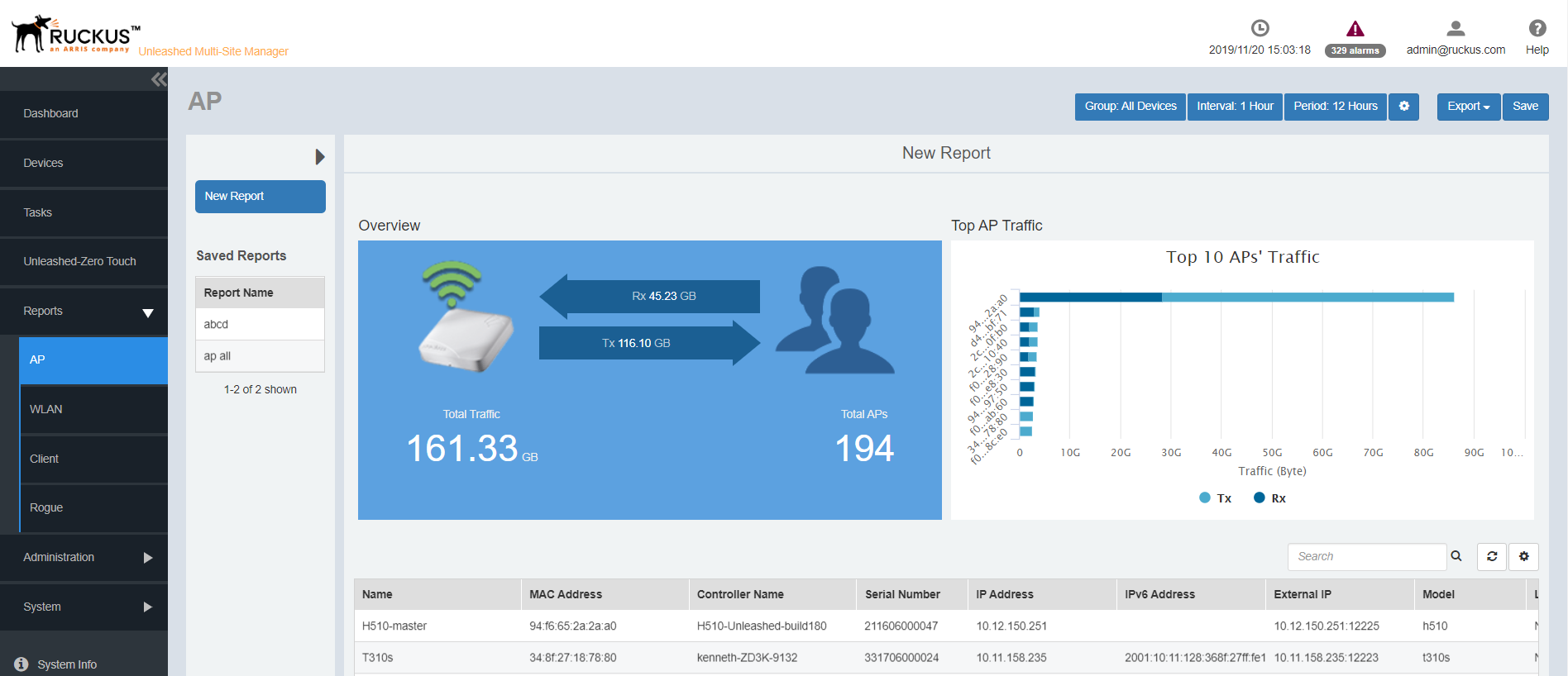
The AP reports page is displayed with a Set Report Option (
 ) area, Table area and a Graph area.
The Reports Option area displays the Group, Interval and Period.
The Table area displays additional information about the APs such as their name, IP address, controller name, serial ID, mesh type, tunnel mode and so on.
You can also click on Export and select CSV or PDF to have the reports saved as a CSV or PDF file respectively.
- Configure the report settings as described in
Configuring Report Options.
The table area displays information about the APs such as the name, IP address, Model, Mesh type, Controller and so on. The Graph area displays trends pertaining to the APs performance such as top 10 APs by traffic, traffic analysis of APs based on their model, clients, firmware, AP count and so on.
- Generate the report as described in Saving Reports and Generating Reports.