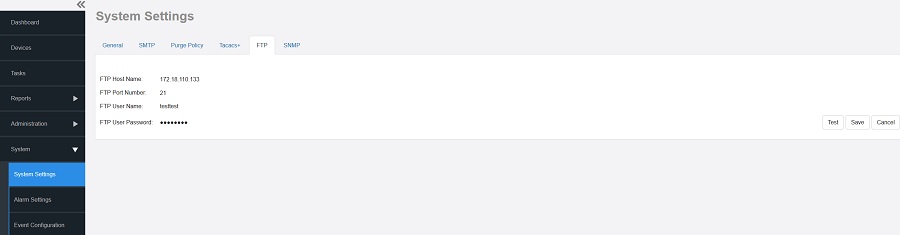
FTP Server Settings You must configure FTP server settings for your Ruckus devices to communicate with an FTP server. Go to Administration > System Settings. Click FTP section. Editing FTP Server Settings Enter the FTP parameters: FTP Host Name - IP or the host name of the FTP server. FTP Port Number - The port number of the FTP service. The default value is 21. FTP User Name - Login. FTP User Password - Server password. Click Test to verify that the software is able to use the FTP server settings that you configured. If an error appears, then check your settings and update them with the correct settings. Click Save. Parent topic: Configuring System Settings