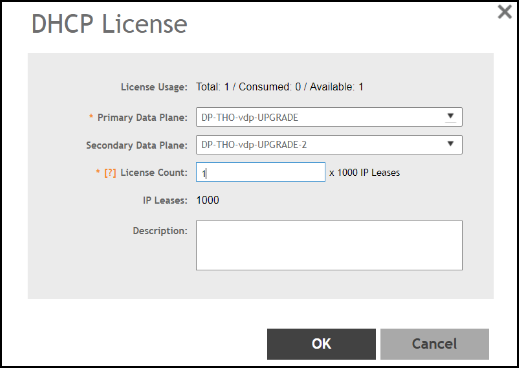
Creating DHCP License Assignment

A DHCP/NAT license assignment determines the number of DHCP address leases available to Data Planes in a SmartZone Controller Cluster. The license assignment controls how the system allocates and tracks DHCP/NAT resources.
You assign DHCP licenses at the cluster level. The default license supports 1,000 DHCP address leases. You can assign up to 101,000 leases per cluster.
    Note:
  • You must have a DHCP license uploaded to the controller and available for assignment, otherwise, the Create and Wizard buttons are grayed-out.
  • You can assign one DHCP license to a maximum of two DP instances that belong to the same DP Group.
Complete the following steps to create or modify a DHCP license assignment.
  1. In the controller web UI, select Administration > Administration > Licenses > DP DHCP/NAT Licenses Assignment.
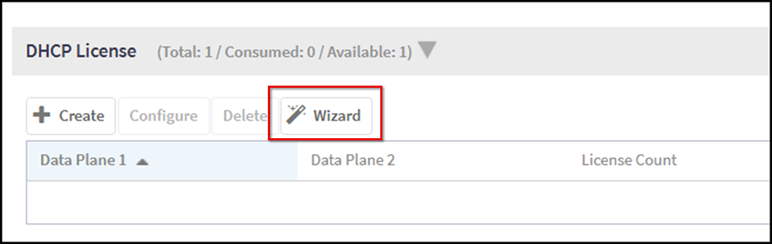
  2. From the DHCP License section, click Wizard.
    The DP DHCP Wizard page opens.

    Launching the DP DHCP License Wizard

  3. In the wizard, do the following:
    1. Data Planes: Select up to two Data Planes of the same DP Group to include in the assignment.
    2. Service Profile: Select or create a DHCP profile for the Data Planes.
    3. License:
      • Enter the desired License Count (range: 1–101). Each license provides 1,000 IP leases.
      • (Optional) Enter a description for the assignment.
    4. Review: Confirm your selections.
  4. Click OK to save the license assignment.
    The new assignment appears in the DHCP License list.
  5. (Optional) To edit an assignment, select it and click Configure.
    • Update the Primary or Secondary Data Plane, License Count, or Description as needed.
    • Click OK to save changes.

    DHCP License Assignment