Support Bundle
Support Bundle allows you to gather the
bundle log files from the controller and APs.
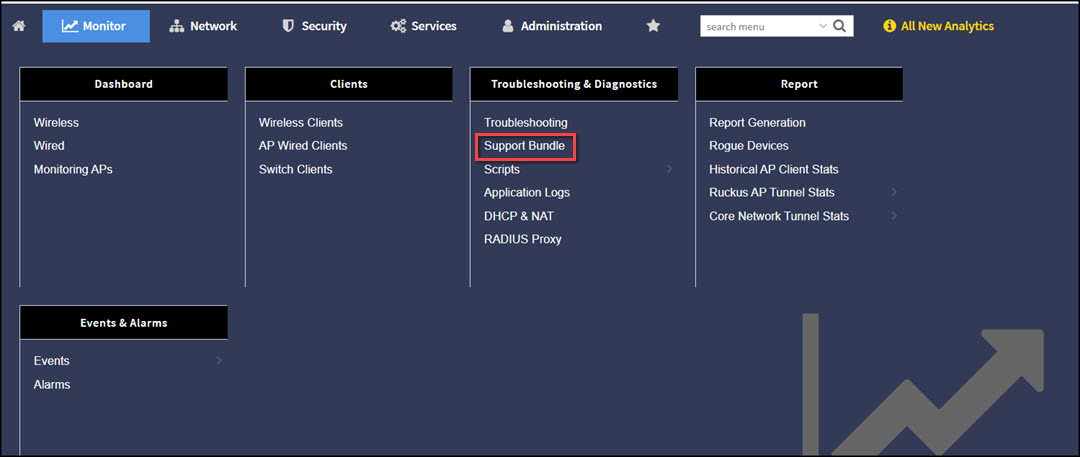
- From the controller web interface, go to .
- Configure the following
options:
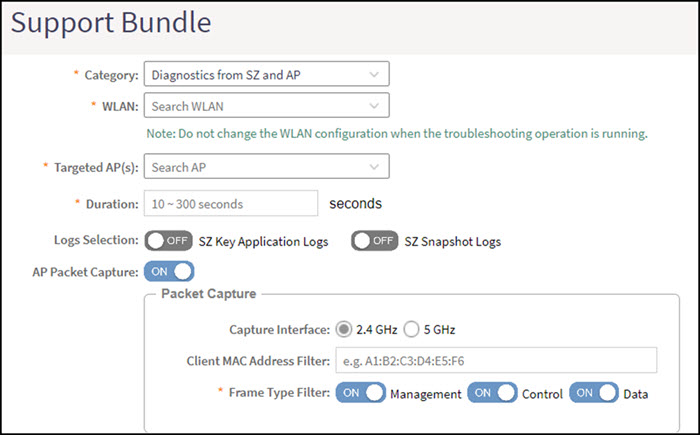
- Category: Select the type of support bundle from the list.
- WLAN: Select the WLAN on which the log collection will be performed from the list.
- Targeted AP(s): Select the APs from the list. The list contains the APs that have served the selected WLAN and are limited to the same zone.
- Duration: Enter the time period for log selection (in seconds). The minimum value is 10 seconds, and the maximum value is 300 seconds.
- Logs Selection: Set SZ Key Application Logs or SZ Snapshot Logs to ON, this allows the application to collect different types of logs. If you use SZ Key Application Logs, a message is displayed to indicate that the application log level changes and this affect the application performance.
- AP Packet Capture: Set AP Packet Capture to ON, and complete the following options:
- Click OK.
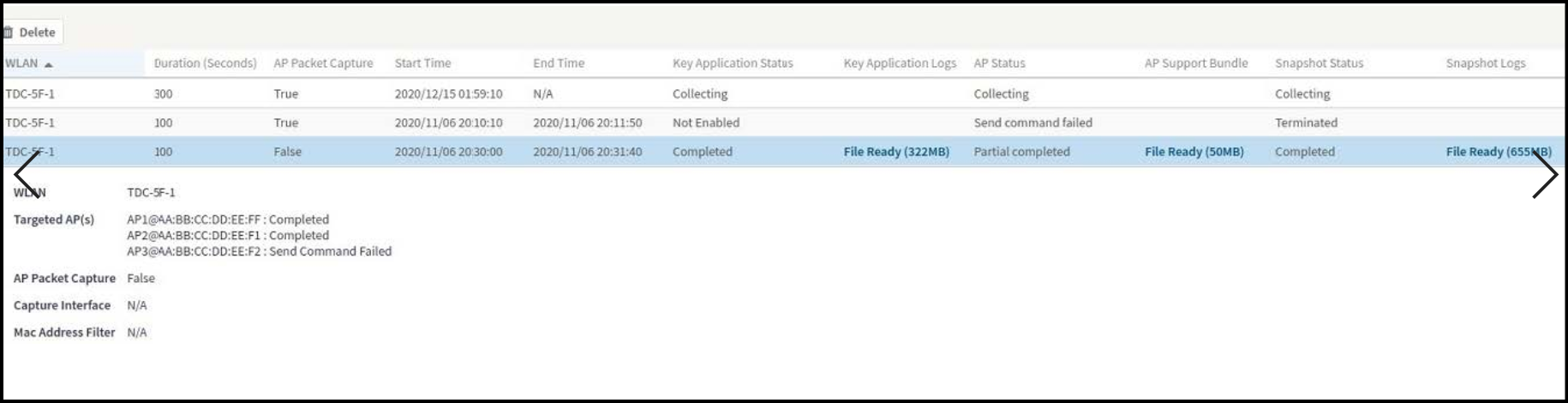
- To download Support Bundle output files, click File Ready in the Key Application Logs or AP Support Bundle columns.