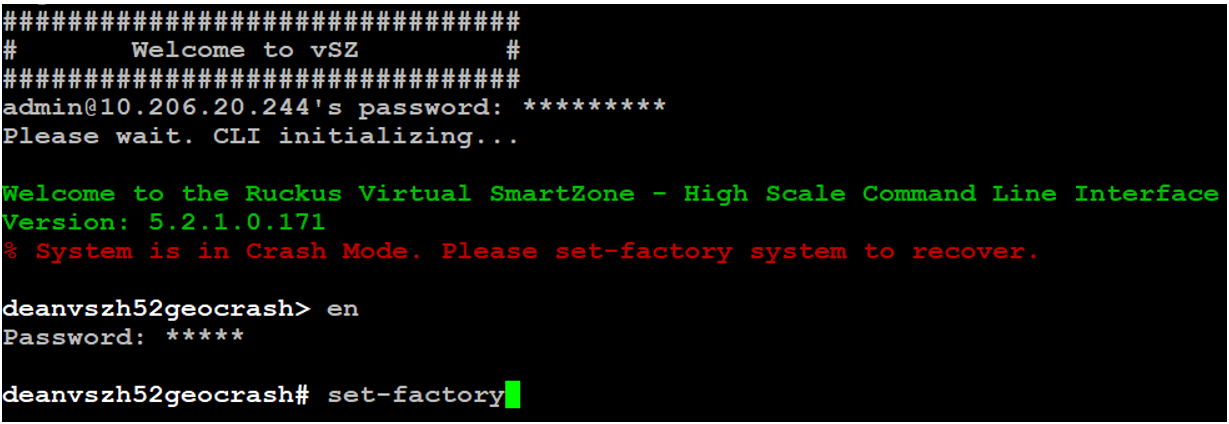
SmartZone Cluster Mode
The two cluster modes are -
Crash mode
The system cluster enters this mode when system meets unexpected error during fresh install or reboot flow. The system runs into ir-recoverable error and should be set to reset-factory settings.
System enters into Crash mode in any one of the below conditions:
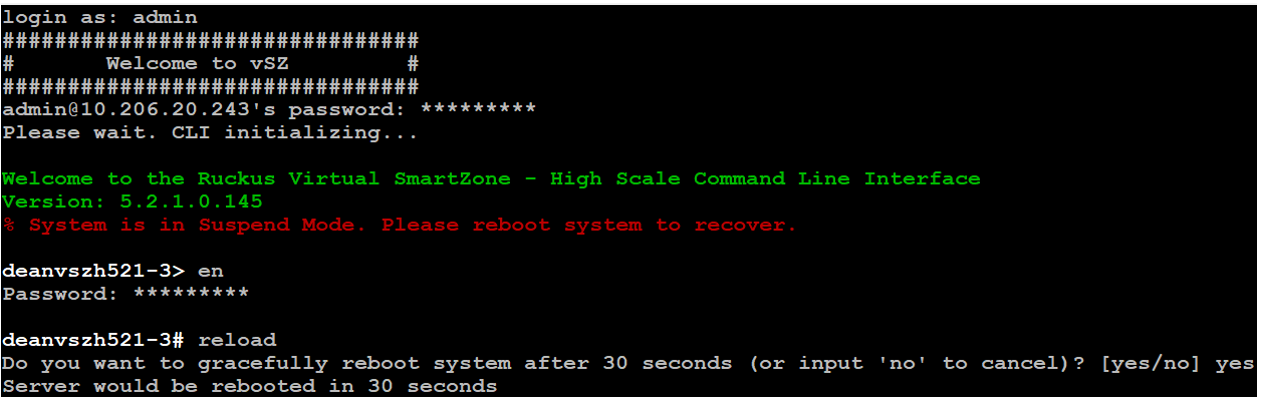
Suspend mode
The system enters this mode if there is an environment error during reboot flow. The configurer sets up suspend flag and stops all applications. The system can be recoved by rebooting as it is a temporary fail.
System enters into Suspend mode in any one of the below conditions:
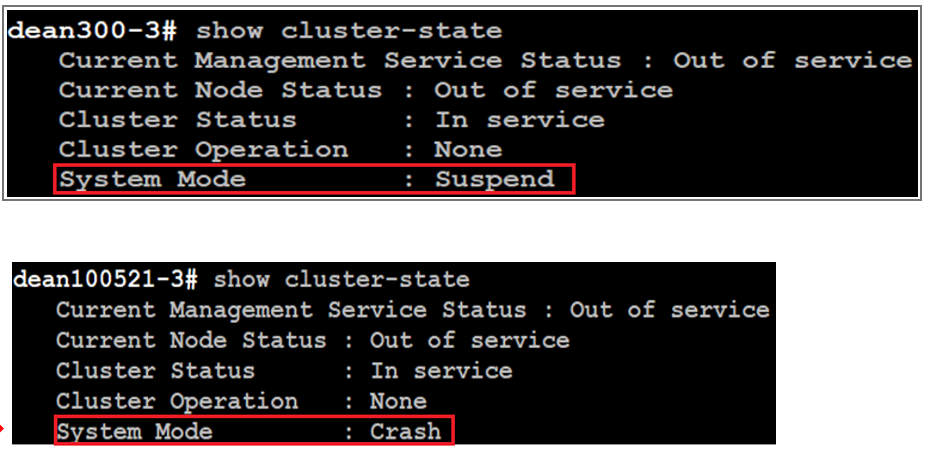
To check status of the cluster state, use
show
                  					cluster-state
command.
To recover system in case of Suspend mode, use
reload command. System automatically detects suspend flag and
clears before launching applications.
To reset system to factory settings in case of Crash mode, use
set-factory command.