Configuring Registration Rules Based on AP Model
Complete the following steps to add APs to a cluster based on AP model.
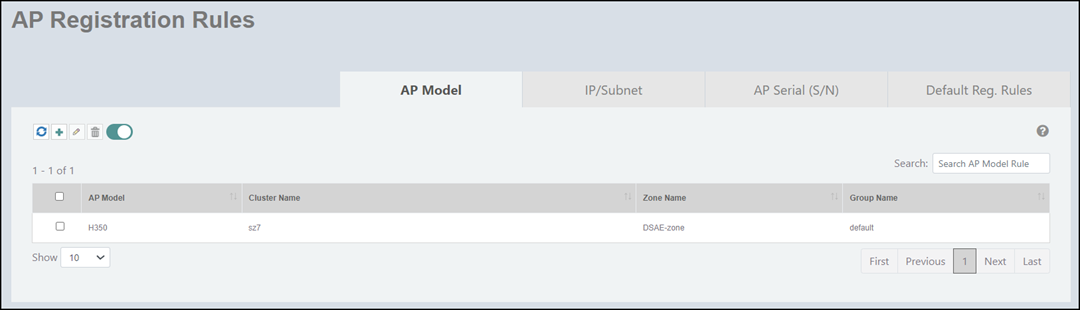
- On the menu, go to Inventory > AP Reg. Rules.
- In the AP Model tab,
click the
 icon.
icon.
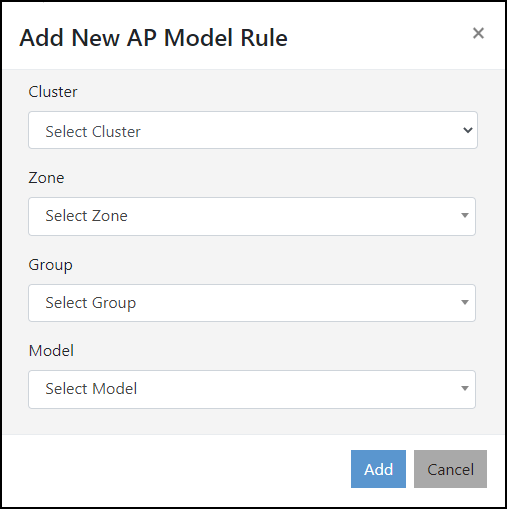
- Complete the following fields to
add a registration rule based on AP model.
- Cluster: From the list, select a cluster to which you want to add the AP.
- Zone: From the list, select an AP zone.
- Group:
From the list, select a group to which you want to add the
AP.
Note: Adding a new AP to the Group level through Configuring Registration Rules Based on AP Model is supported in SmartZone 3.6.2 and later versions.
- Model: Enter an AP model or select the AP model from the list.
- Click Add to add the
new AP model rule. An information dialog box is displayed indicating that the AP model is successfully created.
- Click Ok.