Using the Access Points Tab
You can use the Access Points tab
of the Managed Access > Network Segmentation portion of the Cloudpath UI to view
assigned APs and ethernet ports, and to make any changes to these assignments.
Navigate to Managed Access > Network Segmentation, click the wrench icon for the Network Segmentation group, and go to the Access Points tab. A view like the one shown in Access-Points-Tab View of the Network Segmentation Group is displayed.
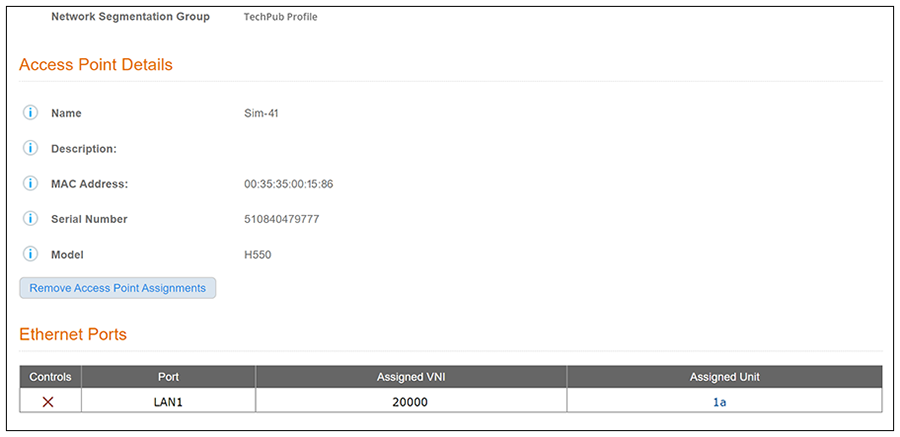
You can then click the magnifying glass of an AP of interest. The screen below shows an AP that is already in use. Because it is in use, it contains a button you can use if you wish to remove the AP assignment. You can also remove any assigned ethernet ports by clicking the X next to the desired port.