Configuring the Integrated System in the Cloudpath UI
For configuring Network Segmentation, you
must begin by adding your SmartZone system as an integrated system in the Cloudpath
UI.
Note: You can configure only one integrated
system. The integrated system must be a SmartZone cluster management interface.
Follow the steps below to configure SmartZone as an integrated system:
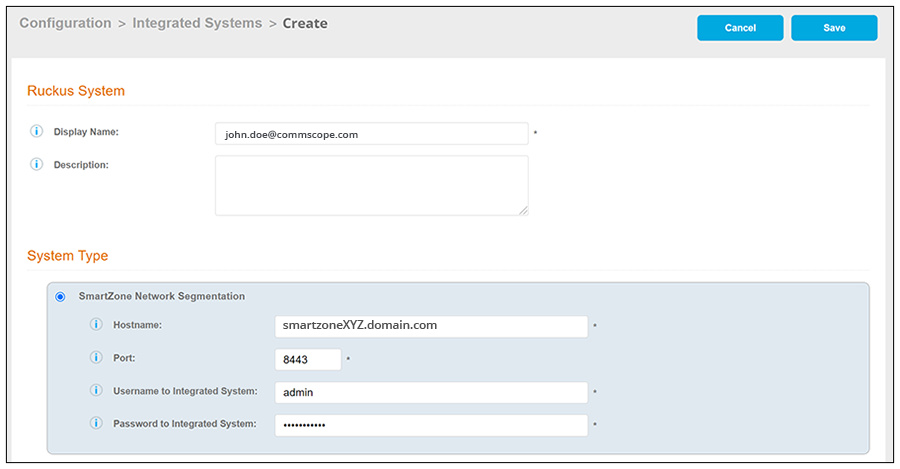
- In the Cloudpath UI, navigate to Configuration > Integrated Systems, and click Add Ruckus System.
- In the ensuing screen, do the following:
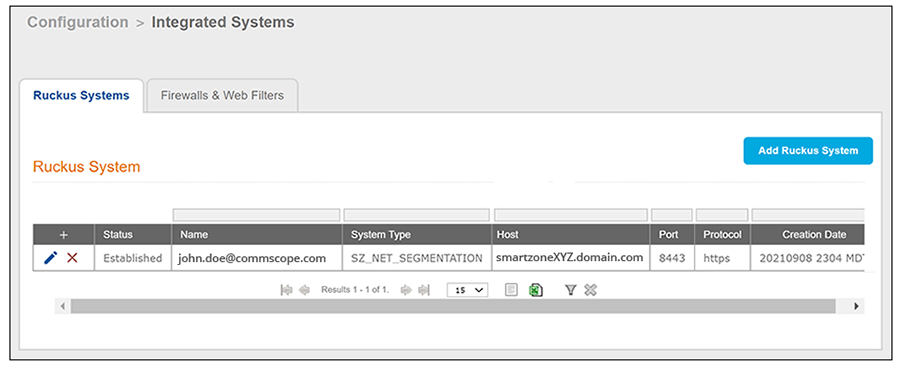
- Click Save. You are taken to a list view that shows the newly configured integrated system: