Creating Network Segmentation Profile on the vSZ Controller
Network Segmentation was designed
specifically to target Multi Dwelling Unit (MDU) deployments. Network Segmentation
is currently using external Dynamic Pre shared Key (DPSK) to place a single tenant
and their devices into their own individual VXLAN (iLAN).
Data Plane (DP) will play the role of Home DP or Partner DP. Each DP plays the home DP role and has its own VXLAN Network Identifier (VNI) range. Home DP facilitates MDU UE, connect with each other based on the same VNI number.
Steps for the creation of Segmentation:
- Go to Services> Hotspots & Portals > Network Segmentation> Network Segmentation Profiles
- Click Create.
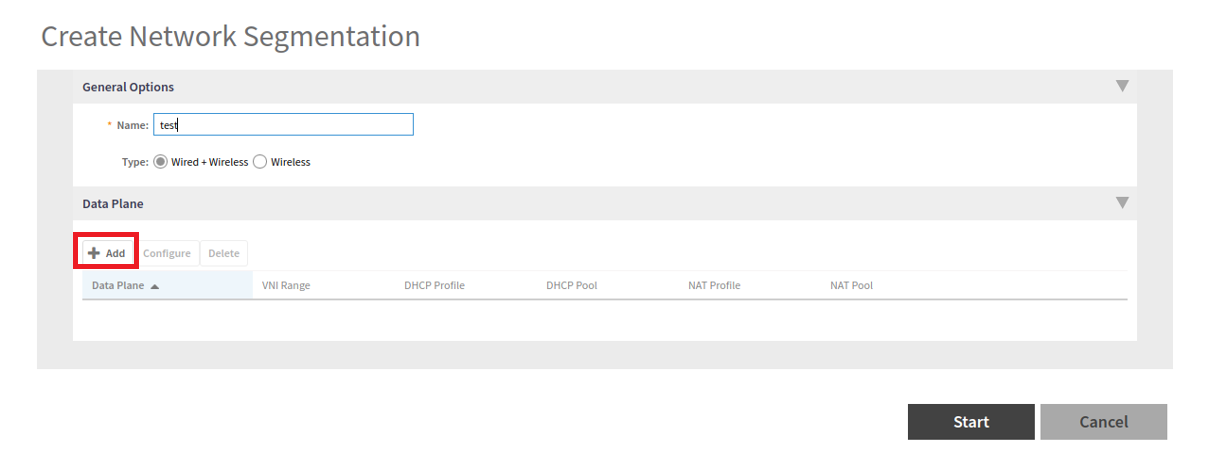
- Enter a Network Segmentation Profile name in the Name field.
- Click "Add".
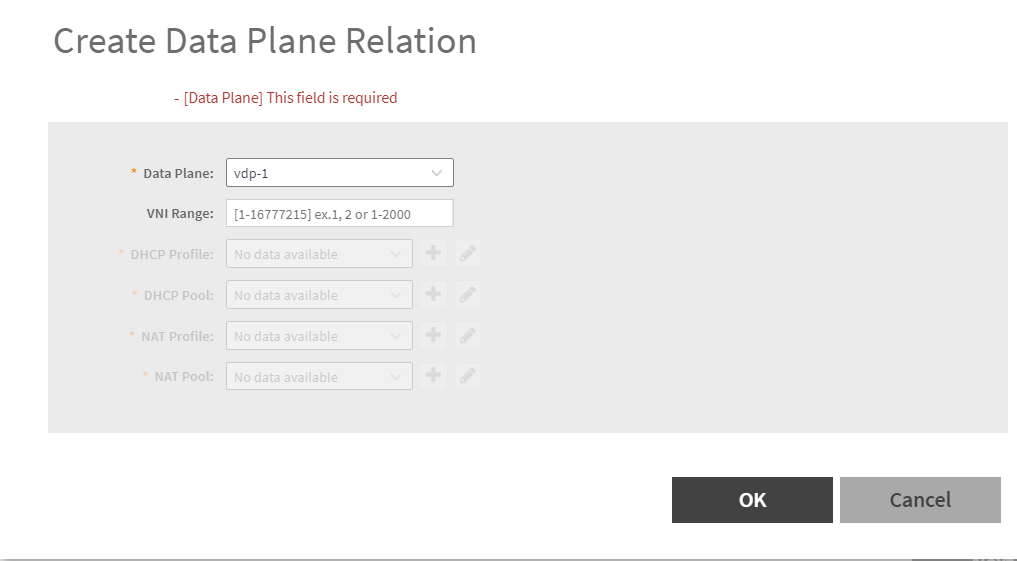
- Select the Data Plane details
- Enter the VNI range; ensure your VNI range is large enough to accommodate all units in the property. Each unit gets its own unique VNI.
- Select/Create DHCP Profile and Pool.
- Select/Create NAT Profile and Pool.
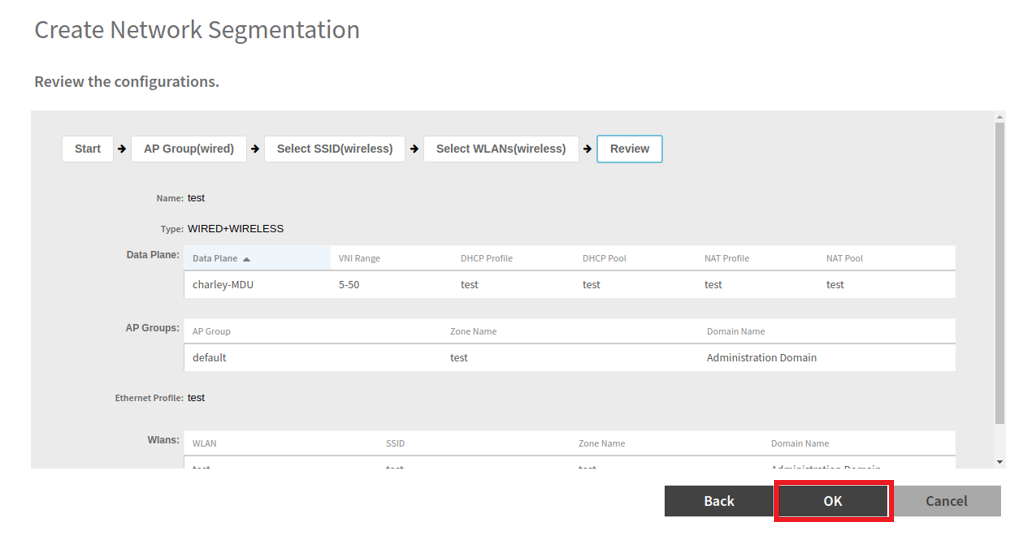
- Click "OK".
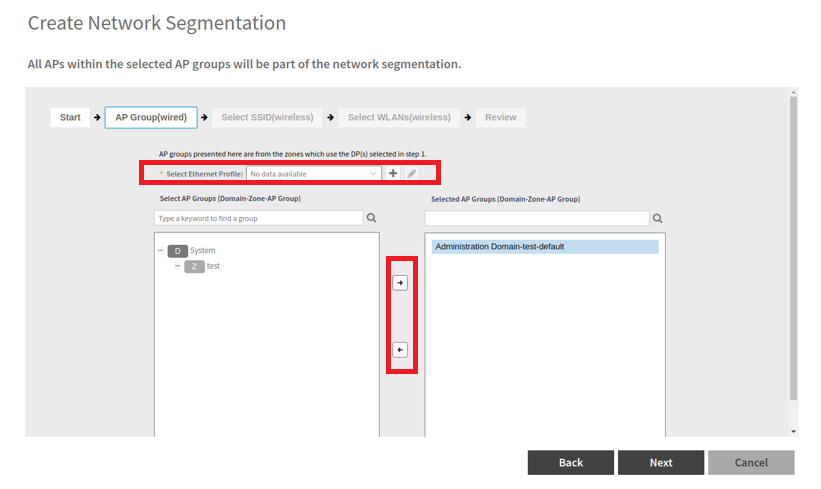
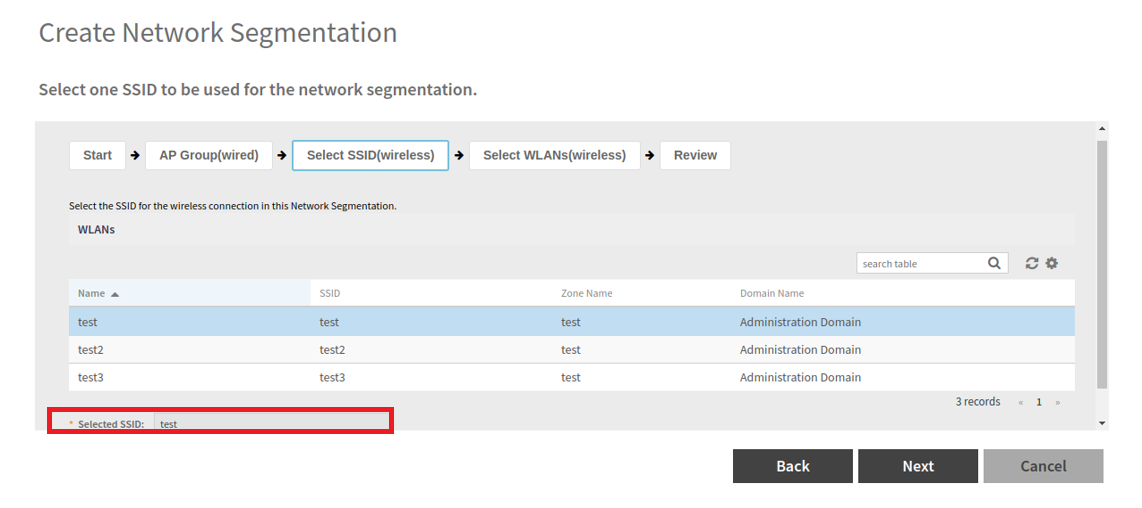
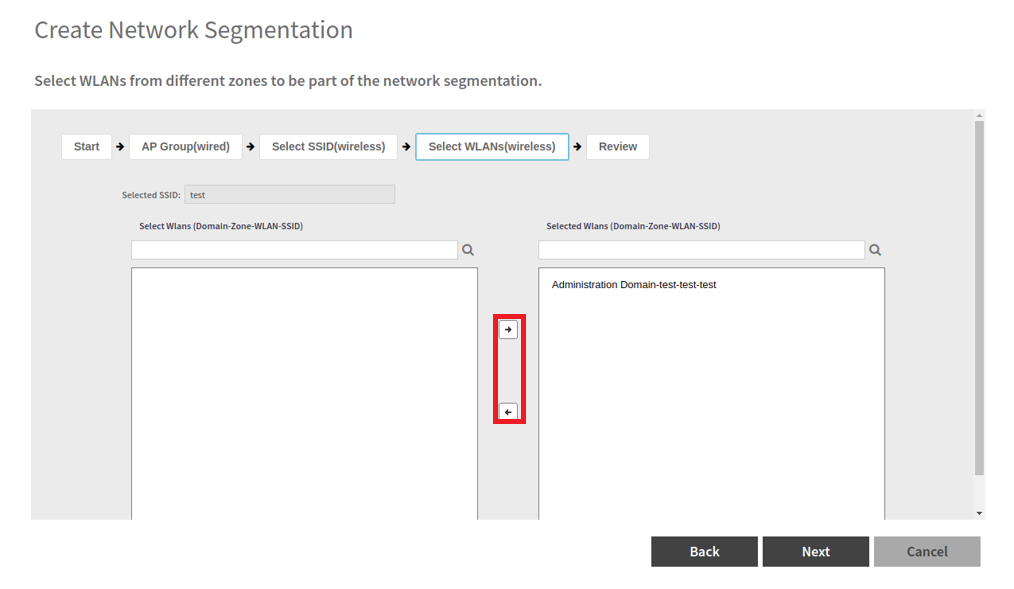
- "Select AP
Group(s) that will be used for Network Segmentation , refer
to the figure below.
Note: This step is not applicable for Wireless group.
- Create/Select an ethernet profile with enabled Network Segmentation and select AP Model's port to apply.
=GUID-CD1F32AF-02F6-42CC-9D95-DB30D5B98090=1=en-US=Low.png)