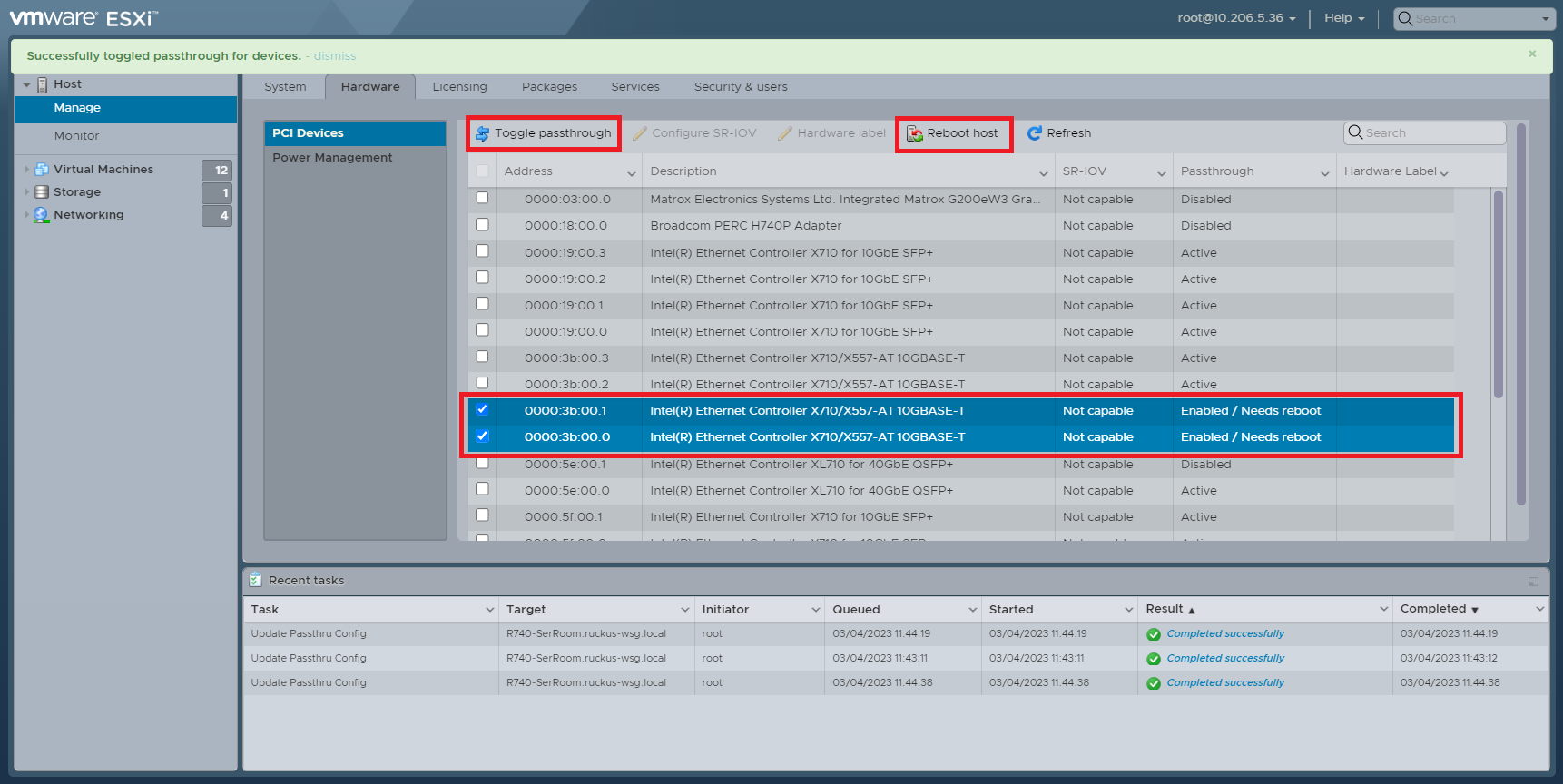
Enabling PCI Passthrough on the ESXi Server
For certain NIC ports, you need to enable
PCI passthrough on the ESXi hardware page first. Before enabling or disabling the
PCI
passthrough, you must reboot the entire ESXi system if the ESXi version is lower than
7.0.
- On the ESXi Management page, click Manage.
- Select the Hardware tab.
- Click PCI devices to display all PCI devices on ESXi.
- Select the NIC ports that you want to use as PCI ports.
- Click Toggle
Passthrough to activate PCI mode for selected NIC port.The system prompts the user to restart the ESXi system.
- Click Reboot host to
restart ESXi.The ESXi system reboots.