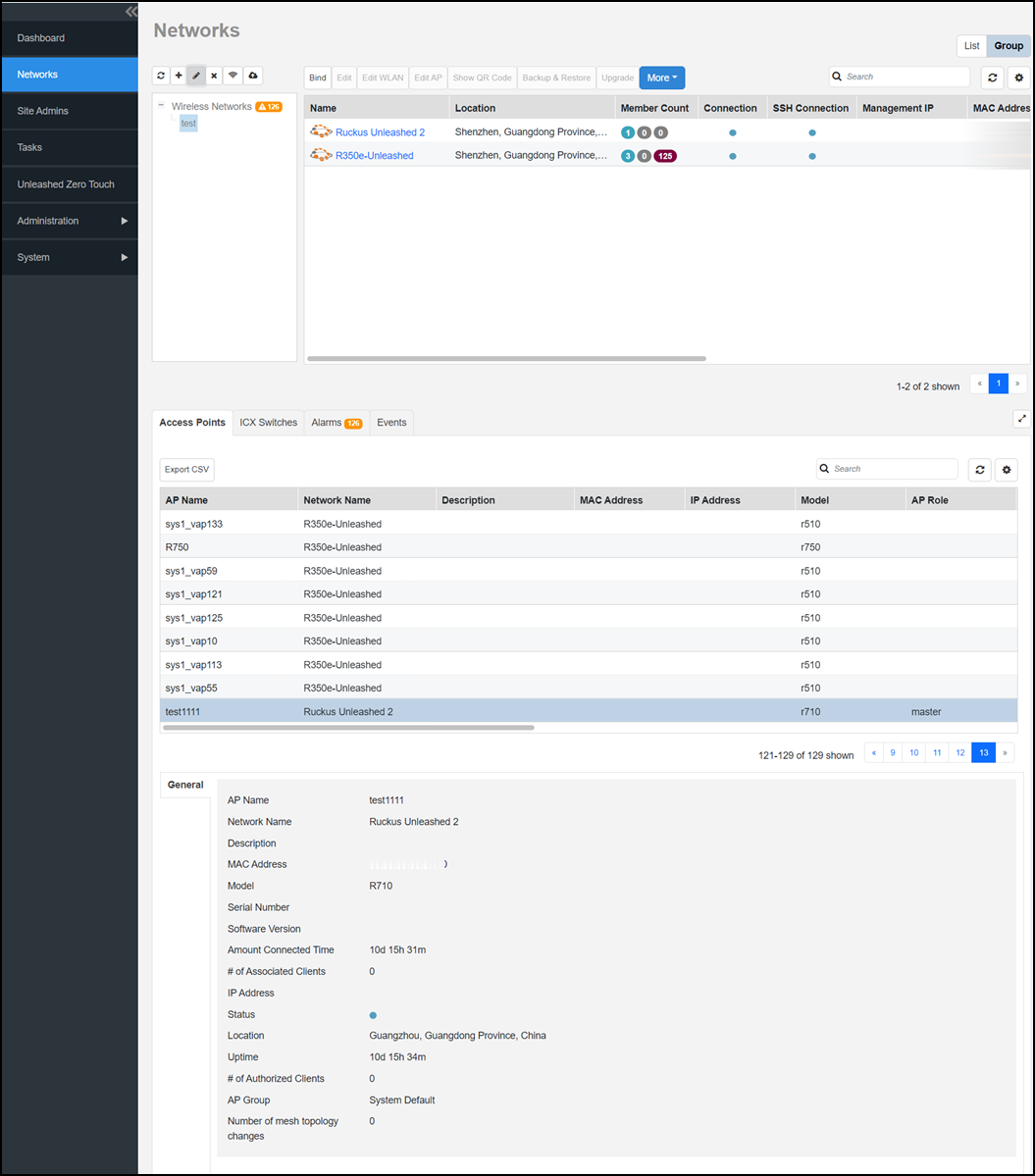
Viewing Group Details
When you select a group, you can view
details about the APs associated with the group, as well as alarms and events associated
with the group. You can also view the switches managed by Unleashed.
- After you log in to the Remote
Management Services web interface, select Networks from the main menu. The Networks page appears, listing all the networks managed by the Remote Management Services for Unleashed.
- From View Mode, select Group to view the groups of networks.
- From the network tree hierarchy,
select a group that you created. The following information tabs are available for the group:
- Access Points: Displays information about the APs in the group, such as the AP name, model, IP address, status, software version, and so on. Additionally, you can also view general information about the AP, such as controller name, IP address, location, state of the AP, effective date, and so on.
- ICX Switches: Displays the details of the switches managed by Unleashed. The Backup and restore options are supported in the ICX switches tab.
- Alarms: Displays alarms that are Active and those that were generated earlier (under the History tab). You can select an alarm from this list and click Acknowledge to accept the alarm. A success message is displayed when it is accepted.
- Events: Displays the events generated.