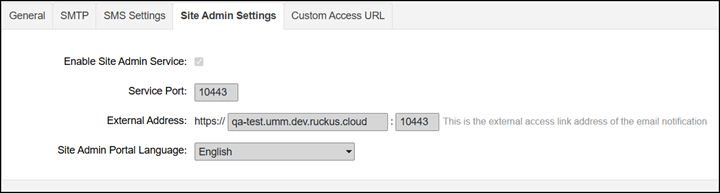
Site Admin Settings
With this feature, an authorized user
who is not a Brand Admin or a Domain Admin can view or manage the Unleashed devices
in RMS.
This authorized user is called a Site Administrator.
You are viewing a cached version of this page.
You are currently offline. This page was loaded from cache.
On the System Settings page, click the Site Admin Settings tab, and check the Enable Site Admin Service option to enable this feature. A link to the Site Admin login page is then issued to the user.
The Service Port is the port address for the Site Admin login page (default is 10443).
Did you find what you were looking for?