Creating a Guest Pass Operator
Guest Pass operators are individuals
within an organization who have the authority to generate Guest Passes for visitors.
This task describes how to create a user role for a category of user that is allowed to generate and manage Guest Passes.
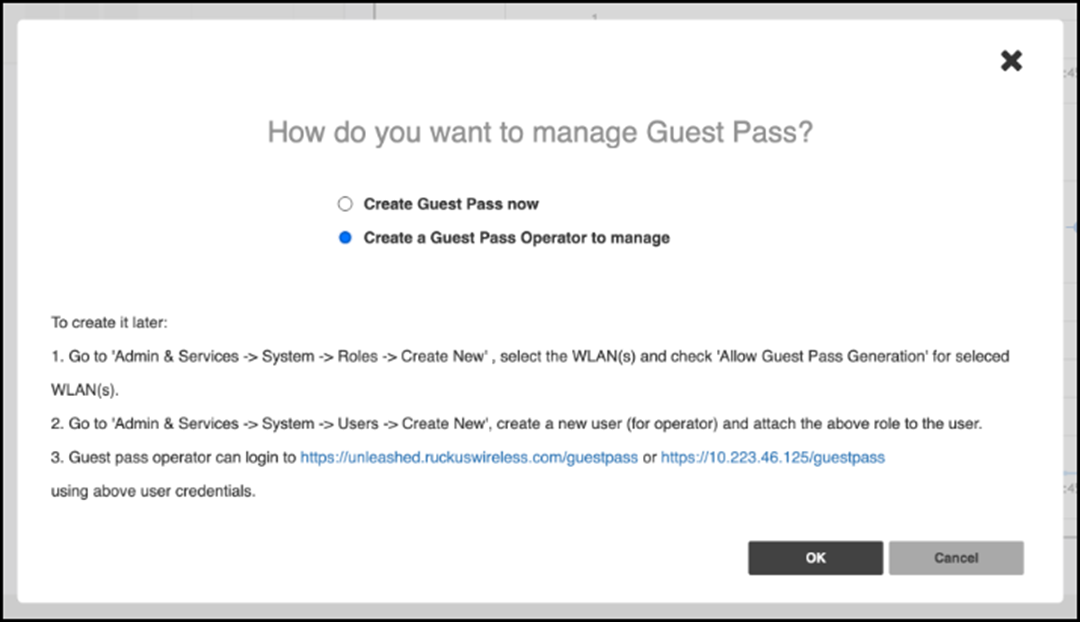
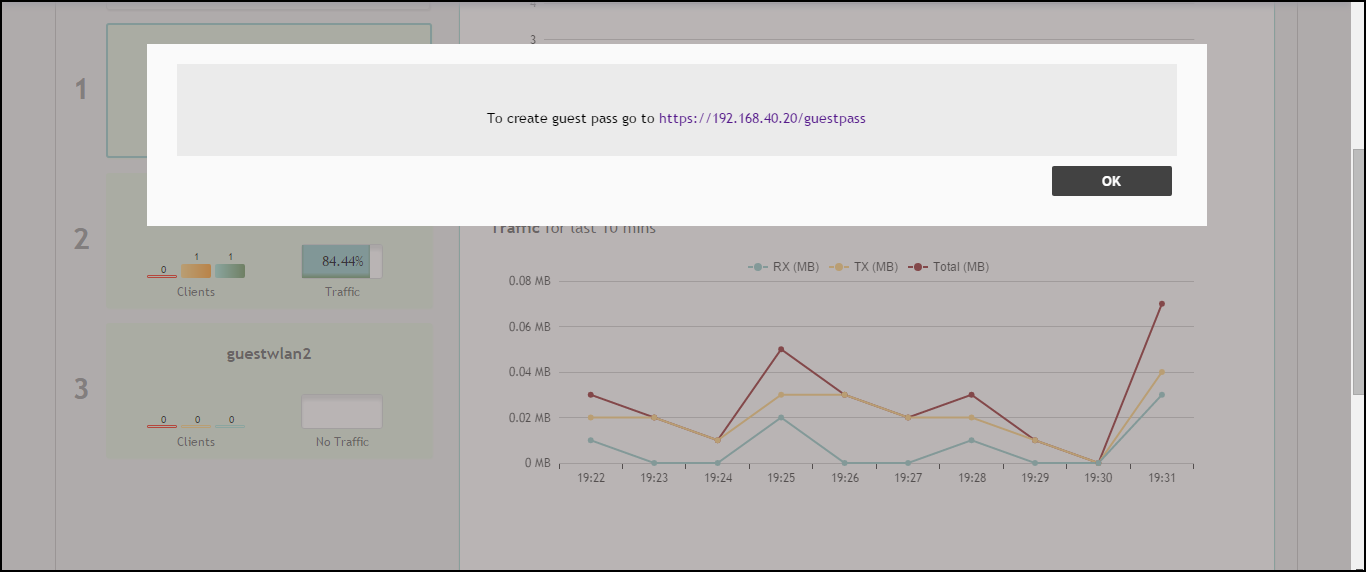
- After configuring Email and SMS settings, you will be prompted to configure a Guest Pass operator.
- Click OK to configure the Guest Pass operator role or click Cancel to configure these settings later. Refer to Configuring User Roles for more information.
-
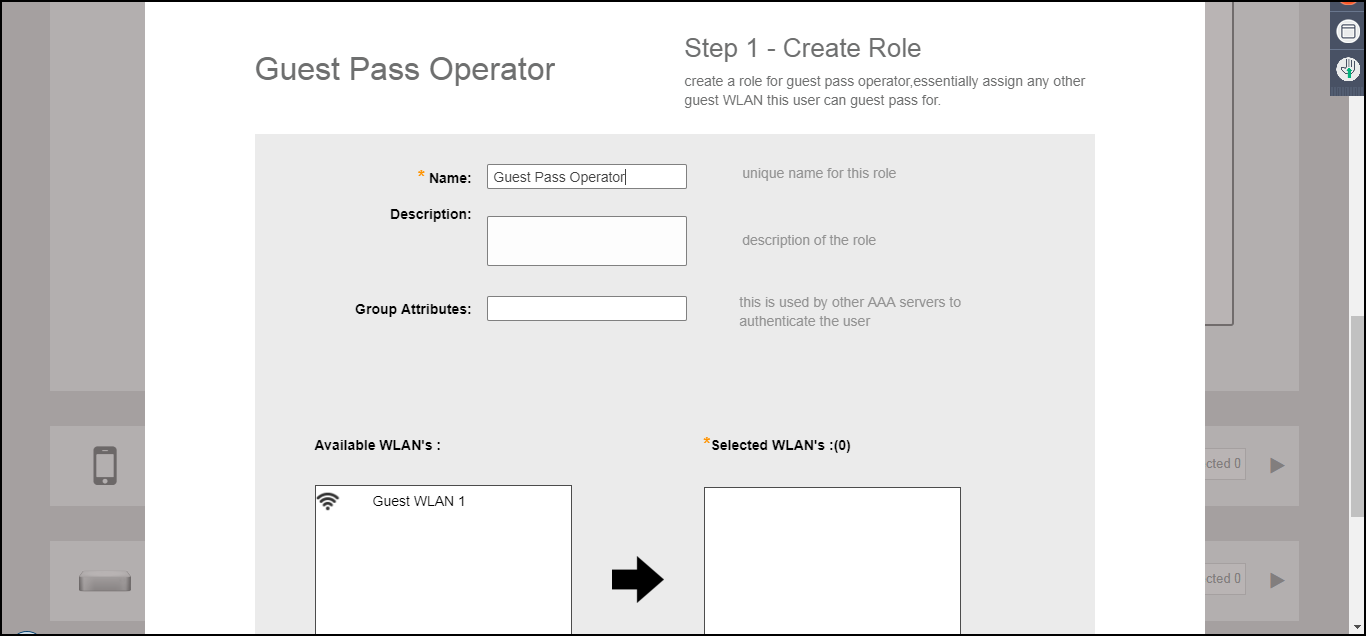
UnleashedConfigure the following settings to create a role for the Guest Pass operator:
- Name: Enter a unique name for the operator role.
- (Optional) Description: Enter a brief description for the role.
- (Optional) Group Attributes: Used by AAA servers to authenticate the user.
- Available WLANs: The list of available WLANs that the operator is allowed to choose from.
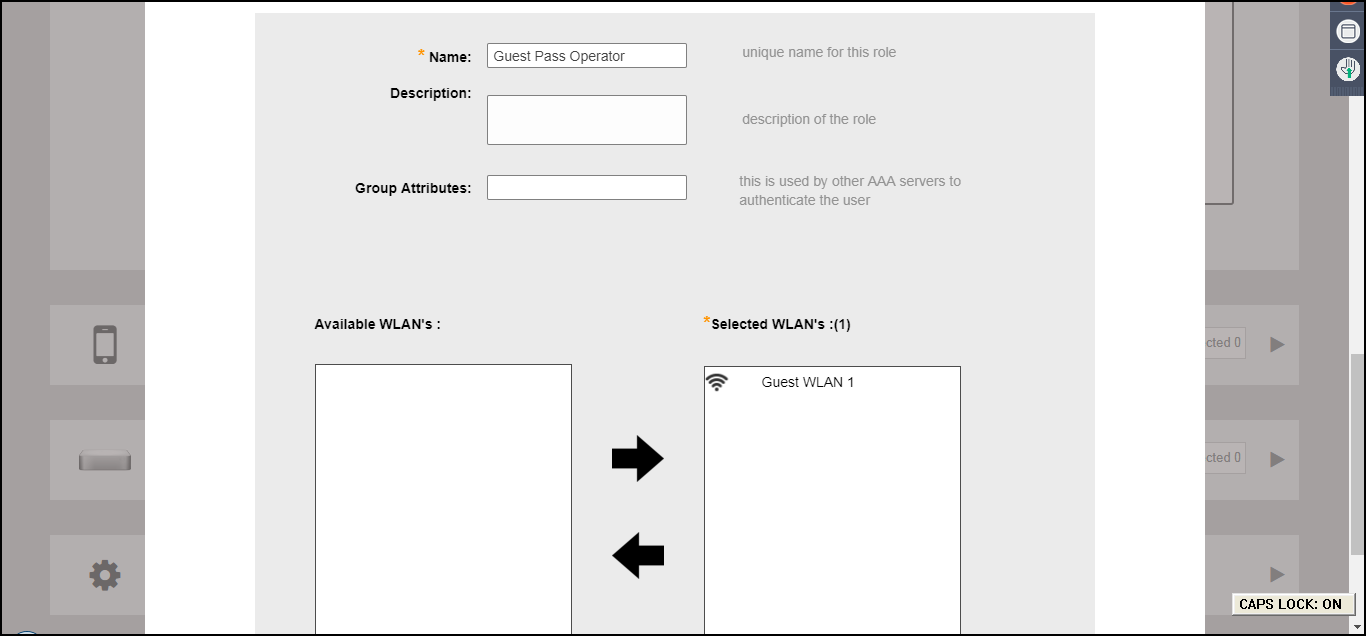
- Selected WLANs: The list of WLANs for which the operator can issue guest passes.
-
UnleashedUse the arrows to move WLANs to/from the list of Available WLANs to Selected WLANs for which the Guest Pass Operator will be allowed to issue guest passes. (The list of available WLANs only includes unique password type guest WLANs.)
-
UnleashedClick Next to continue.
-
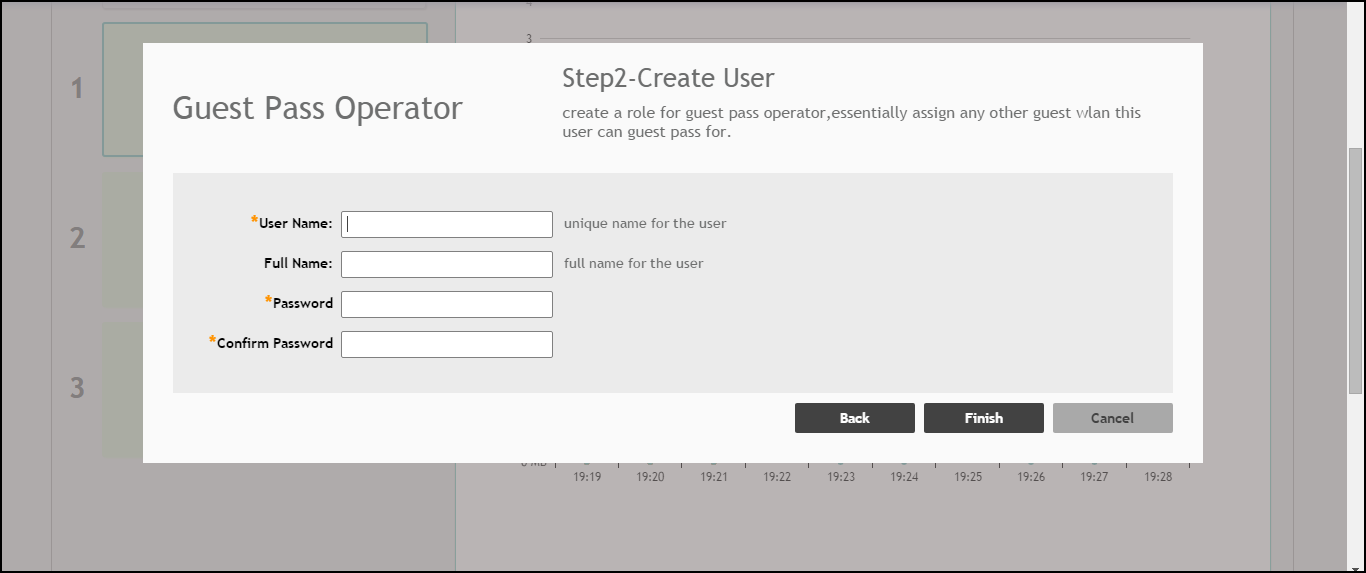
UnleashedOn the next screen that appears, Guest Pass Operator - Step 2: Create User, enter a user name and password to create a user with this role.
-
UnleashedSelect to create additional users for the operator role.