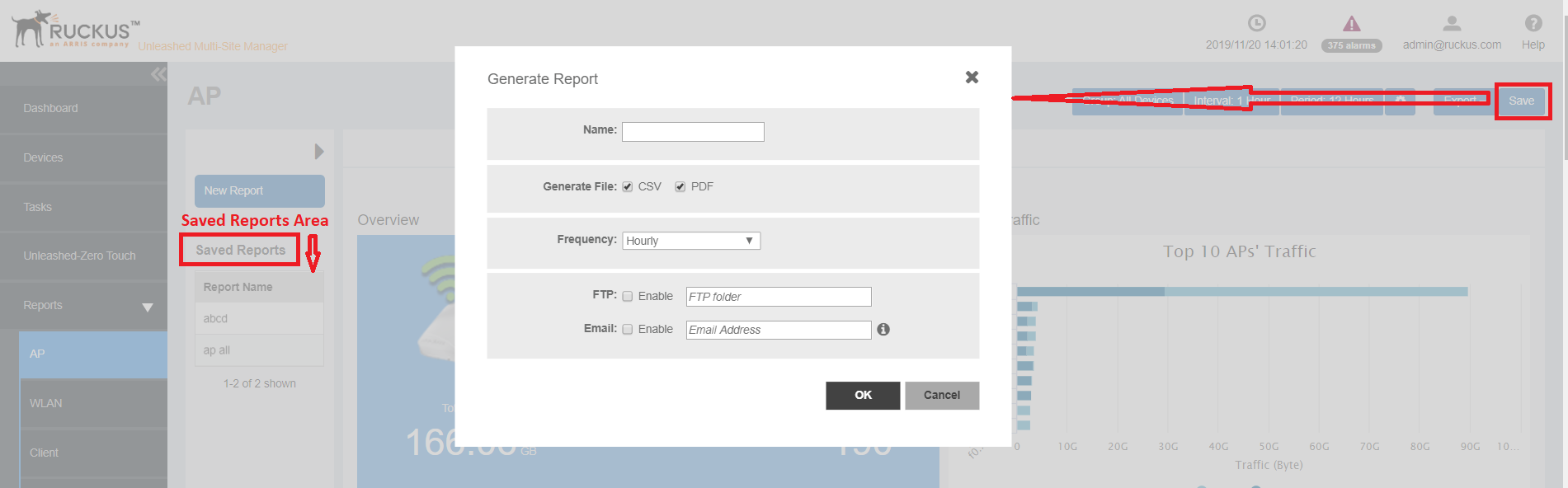
Saving Reports and Generating Reports
You can periodically save the reports that you generate.
- From the Reports Option area, click Save.
- In Name, provide the name of the report.
- In Generate File, select the format in which you want to generate the report. Options include PDF and CSV.
- In Frequency, select how often you want the report to be generated. Options include Hourly, Daily, Weekly and Monthly.
- Enable the FTP and Email Address check boxes based on where you want to save the generated report.
- Click OK.