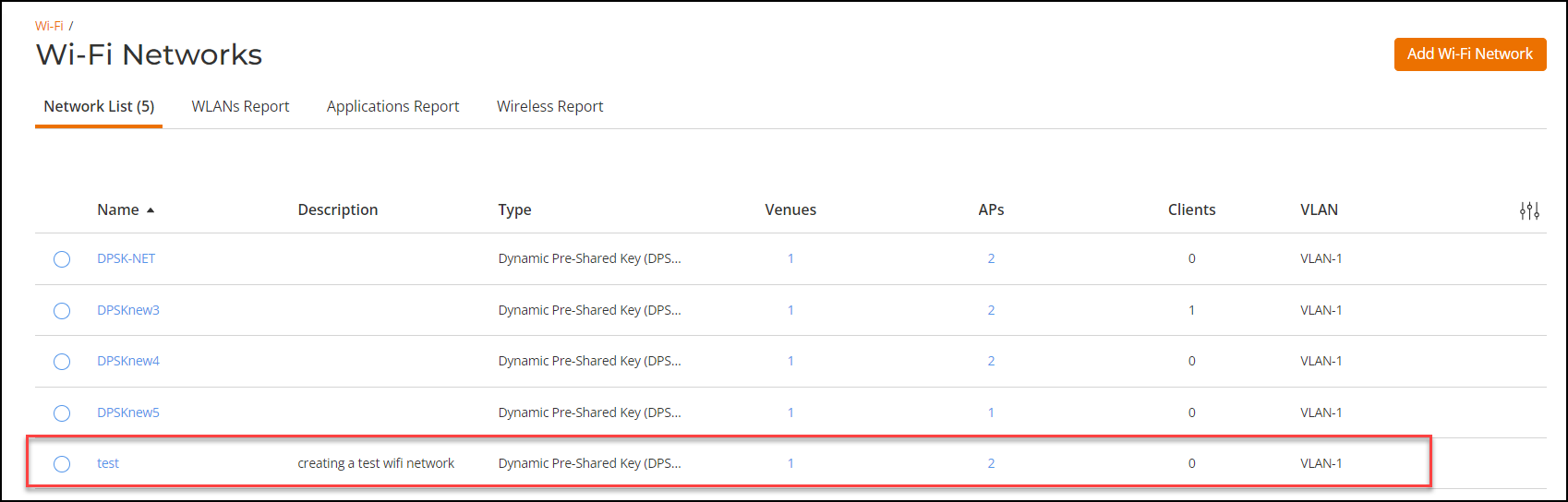
Creating a New DPSK Network
Create a new DPSK network using the newly
created DPSK service from Wi-Fi networks.
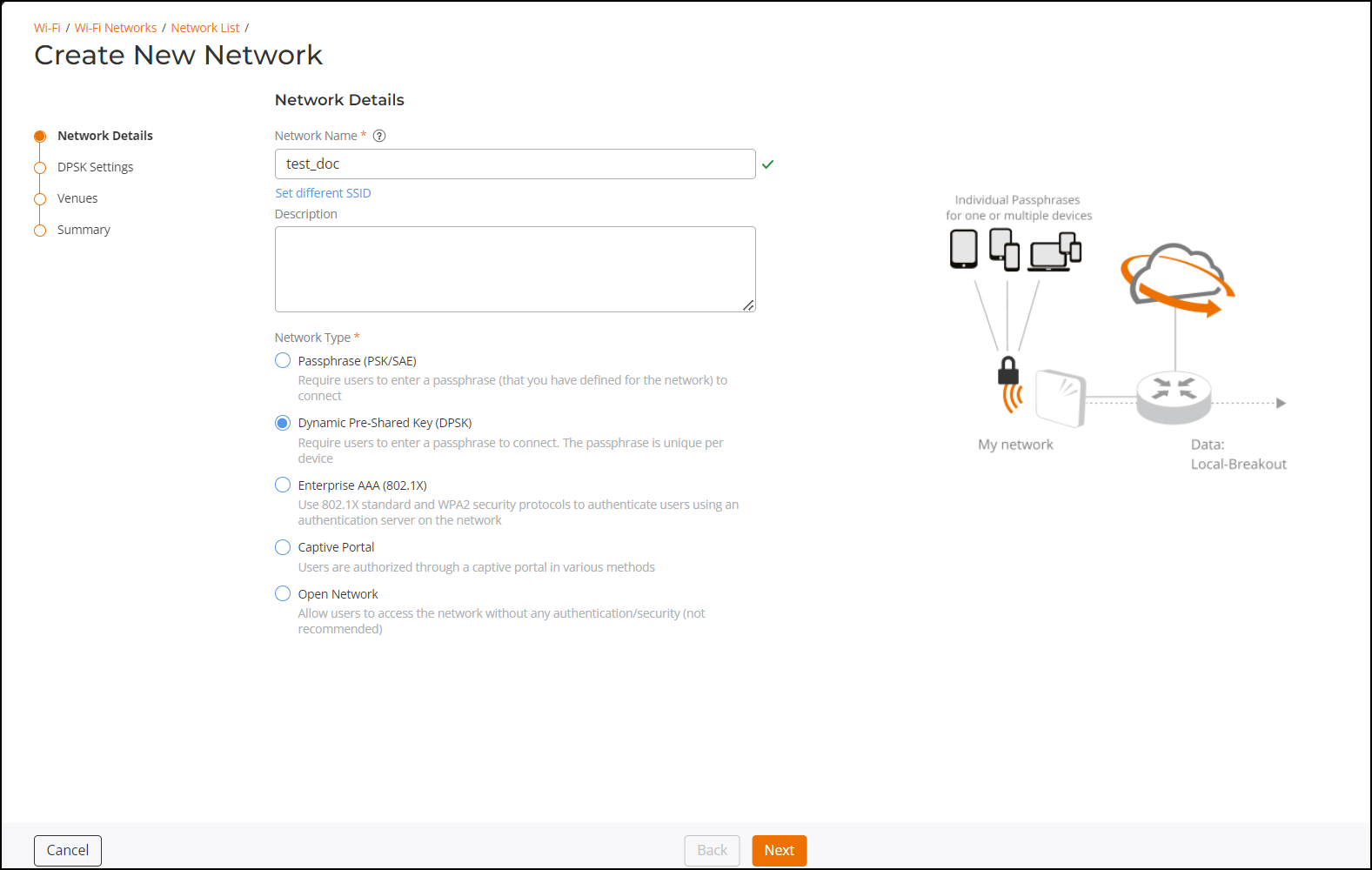
Network Details
Enter the following details in this section.
- Network Name - By default, network SSID is used as the network name, however, enter a network name for easier usage. Length of the network name is limited to 2-32 characters.
- Description - Enter a purposeful description for the network name.
- Network Type - Select a network type from the options listed in the network type.
DPSK Settings
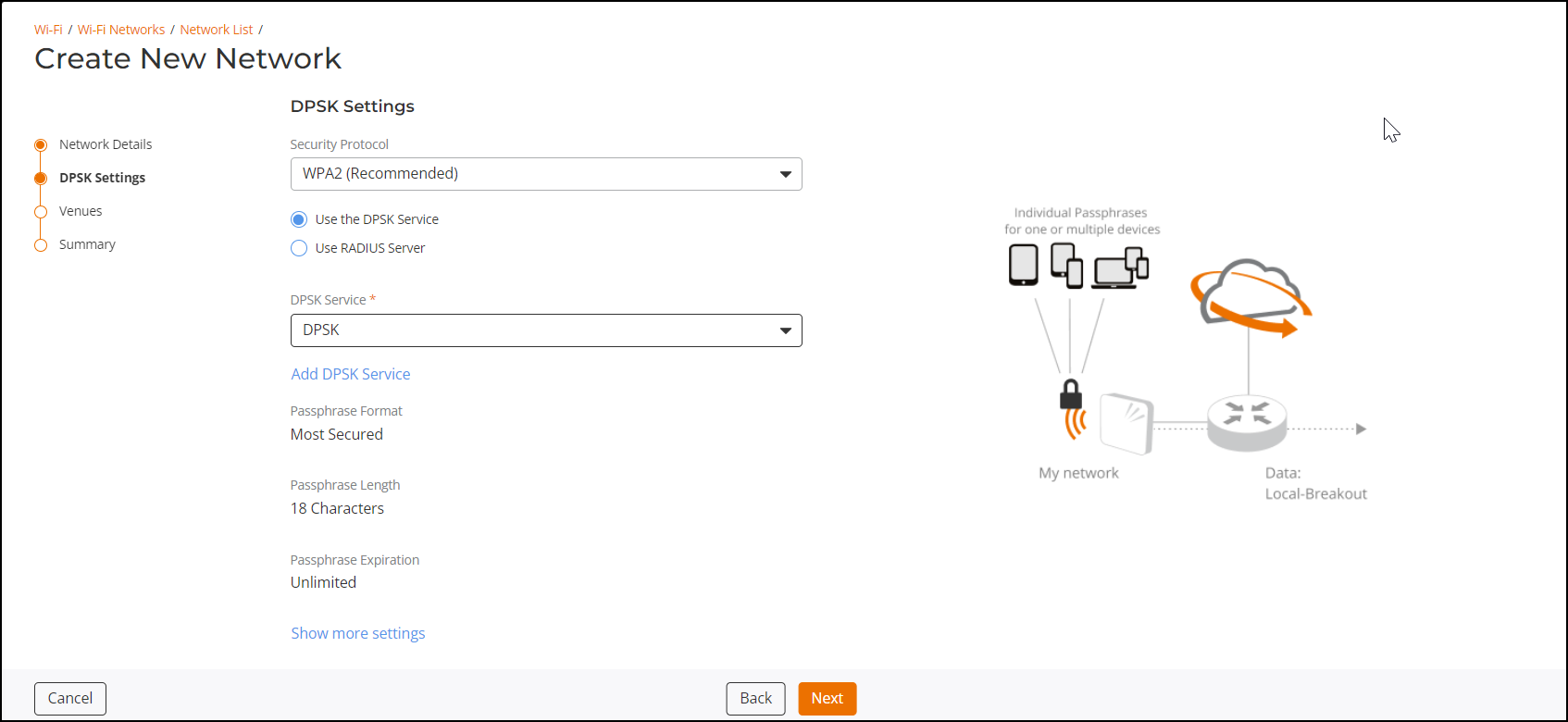
Enter the following details in this section.
- Security Protocol - Select the protocol from the drop-down list. Recommended protocol is WPA2 (Wi-Fi Protected Access 2) as it is an encrypted security protocol that protects internet traffic on wireless networks.
- DPSK Service - Select the DPSK service from the drop-down list. The list displays all the DPSK service names which are created in the .
The other options are auto selected as per the DPSK service.
Venues
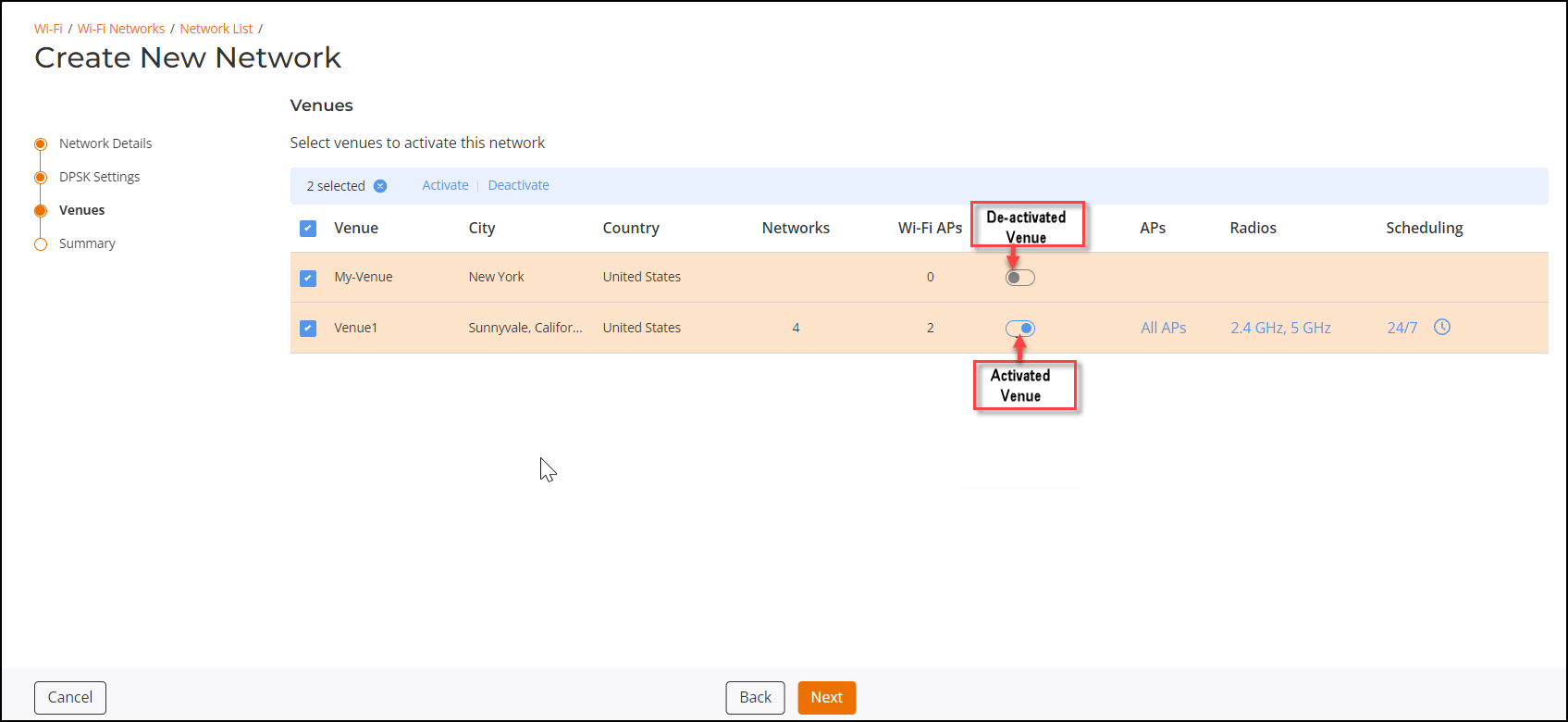
Select the venue or venues (multiple venues can be selected) and click Activate. Likewise, select the a venue or venues and click Deactivate to shutdown the venue or venues.
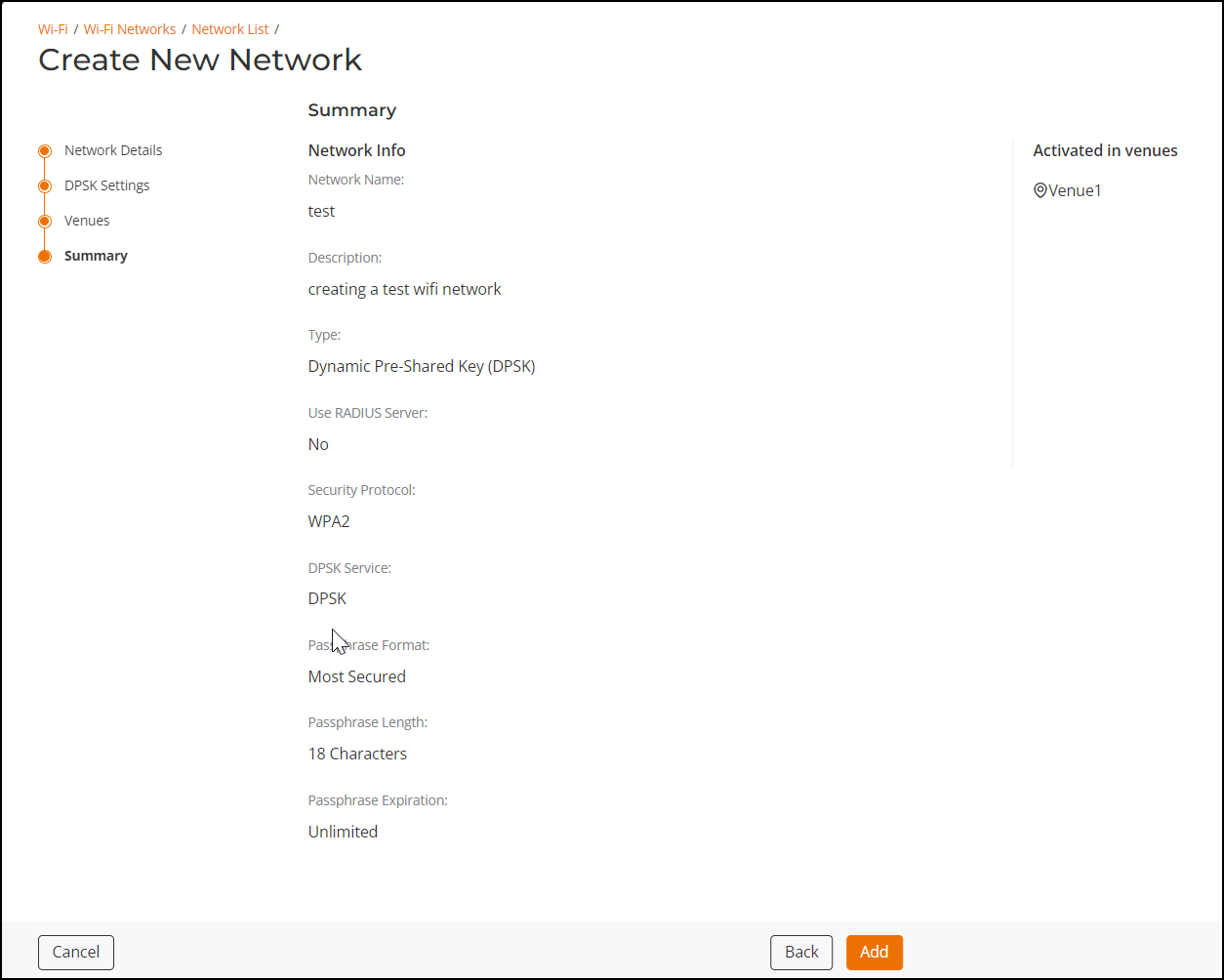
Summary
The summary section displays the complete configuration of the newly created DPSK network. Verify the content and click Add.
The newly added Wi-Fi Network is displayed in the Wi-Fi Networks list.