Activating and Editing the SESimagotag Plugin
The RUCKUS IoT Controller supports the SESimagotag plugin. The RUCKUS IoT Controller communicates with the SES Control Daemon (SCD) application to execute operations initiated by the SCD.
Prerequisites: Prior to starting this task, obtain the APC URL and APC Port number. Refer to Getting the APC URL and APC Port from the VUSION Manager Cloud Platform for more information.
To establish a connection to a vendor infrastructure, the administrator must perform the following steps.
- From the RUCKUS IoT Controller main menu, click Admin.
- In the left navigation pane, click Plugins.
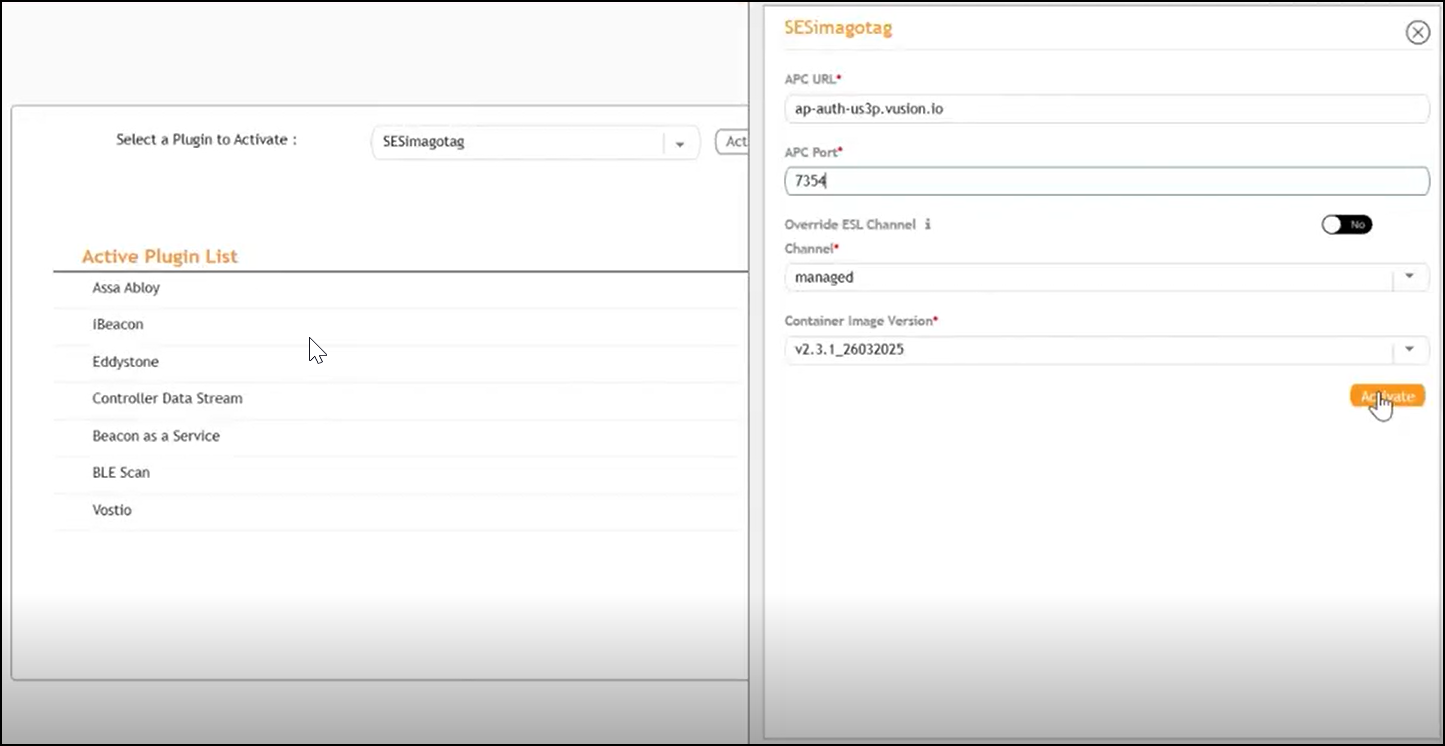
- From the Select a Plugin to Activate list, select the SESimagotag plugin and click Activate.
- After the SESimagotag plugin is
activated, enter the following configuration parameters.
- In the APC
URL field, enter the endpoint URL.Note: Refer to Getting the APC URL and APC Port from the VUSION Manager Cloud Platform to retrieve the APC URL.
- In the APC Port field, enter the port
number.Note: Refer to Getting the APC URL and APC Port from the VUSION Manager Cloud Platform to retrieve the value for APC Port.
- For the Override ESL Channel, switch the toggle to Yes if you want to enable manual selection of the Electronic Shelf Label (ESL) communication channel.
- For the Channel field, if the Override ESL Channel option is enabled, then select a channel ranging from 0 through 10 from the drop-down list.
- In the Container Image Version field, the version number of the SESimagotag container image is auto-populated.
- In the APC
URL field, enter the endpoint URL.
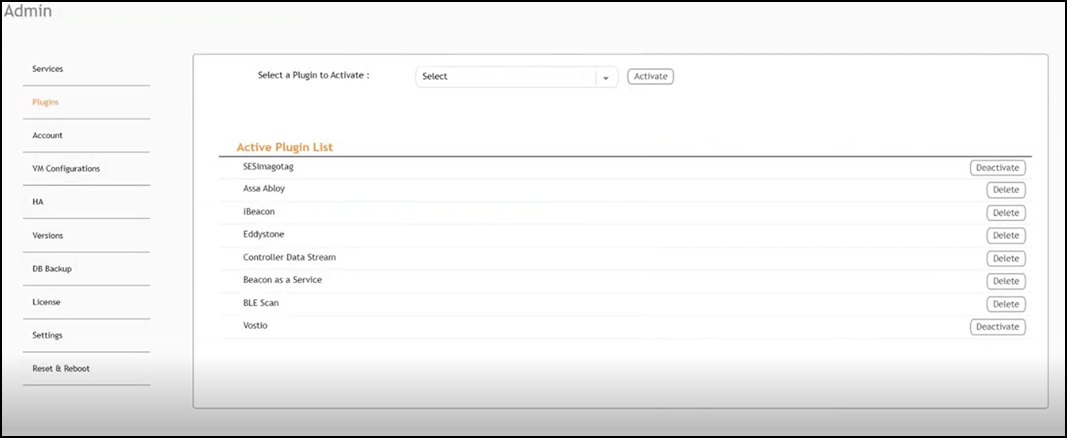
- Click Apply. The SESimagotag plugin is added in the Active Plugin List.
- (Optional) To deactivate the plugin, select it and click Deactivate.
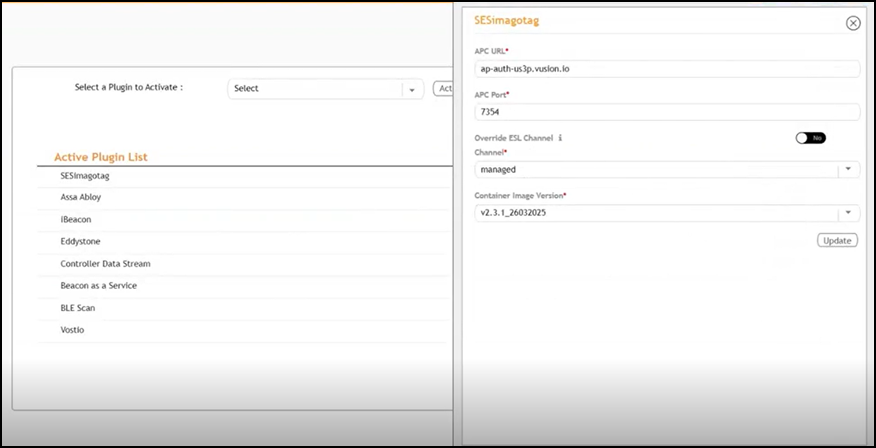
- (Optional) To edit the configuration of the SESimagotag plugin, select it and click Update.