Verify Authentication Method
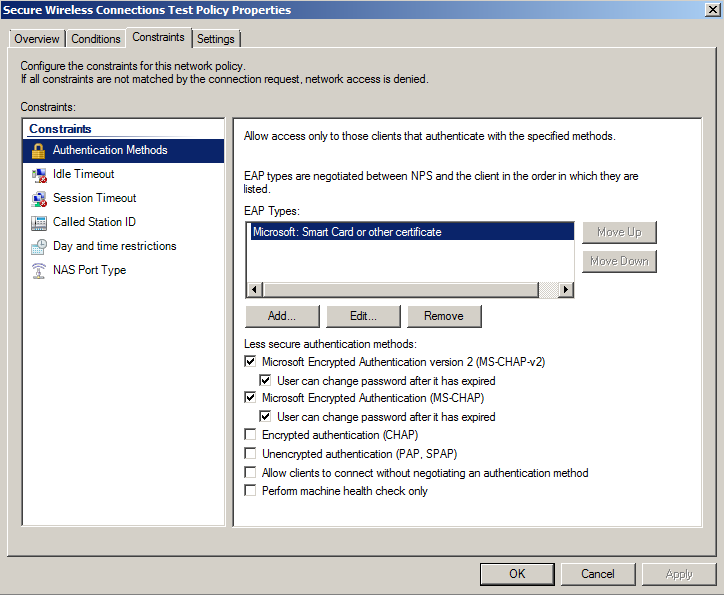
- On the tab, select Authentication Methods.
- Verify that the Microsoft Smart Card or other certificate EAP Type is listed.
- If it is not listed, perform the following steps:.
- click Add.
- On the Add EAP Type window, select Microsoft Smart Card or other certificate.
- Click OK.
- Select the Microsoft Smart Card or other certificate EAP Type.
- Use the
Move Up button to place it at the top of the list.
EAP Types are negotiated between NPS and the client in the order in which they are listed.
- Click OK.