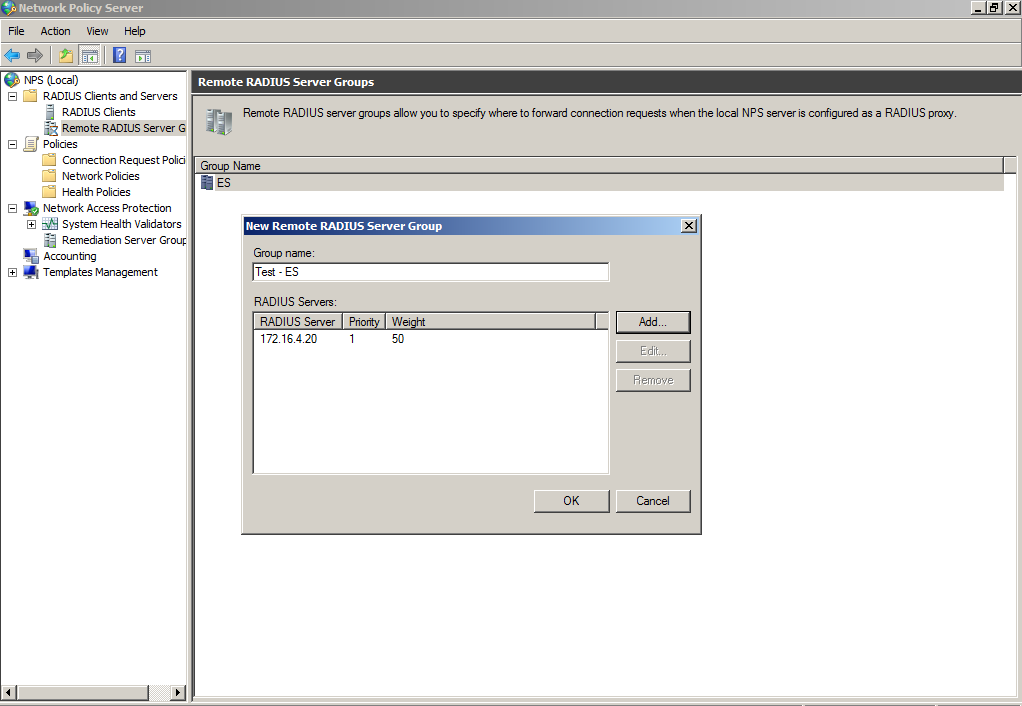
Add a Remote RADIUS Server Group for RADIUS Proxy
Remote RADIUS server groups allow you to specify where to forward connection requests
when the local NPS server is configured as a RADIUS proxy.
- On the NPS (local), expand RADIUS Clients and Servers, and select Remote RADIUS Server Groups.
- From the Action menu, select New.
- In the New Remote RADIUS Server Group window, enter a Group name (for example, enter ES), and click Add.
- In the Add RADIUS server window, on the Address tab, enter the IP address of the NPS acting as a RADIUS server.
- On the Authentication/Accounting tab, enter the Shared secret of the NPS, and confirm. Click OK.
- Click OK in the New Remote RADIUS server window.