Connecting to the Wi-Fi Network
The wi-fi network can be accessed in a
number of ways.
Common methods for connecting to the wi-fi network are:
- You, as property owner, tell the
tenant the name of the wi-fi network. The tenant receives the wi-fi pass phrase
for the unit and the pass phrase for their guests (if you configured separate
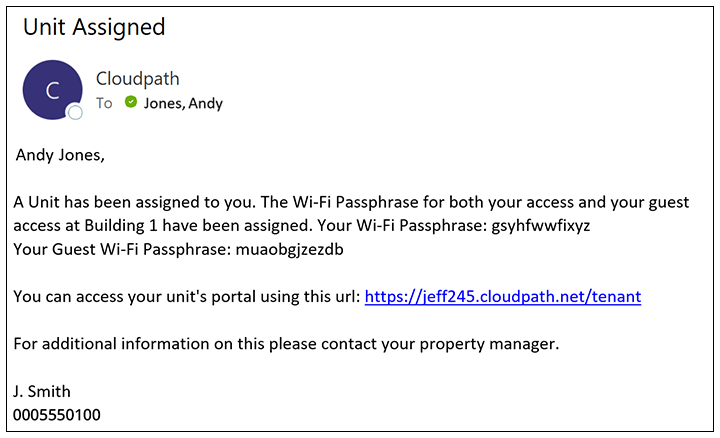
guest access) via an email and/or text message notification. An example of such
a notification is shown below.
Note: If you wish to make any changes to the default information provided in any of the notifications, go to the Custom Messaging tab of the applicable property (Managed Access > Properties, click Wrench icon for property).added above note for 5.9
Tenants can then proceed to connect their devices, and they can inform their guests of the guest passphrase so that they can connect their devices.
- For devices that are
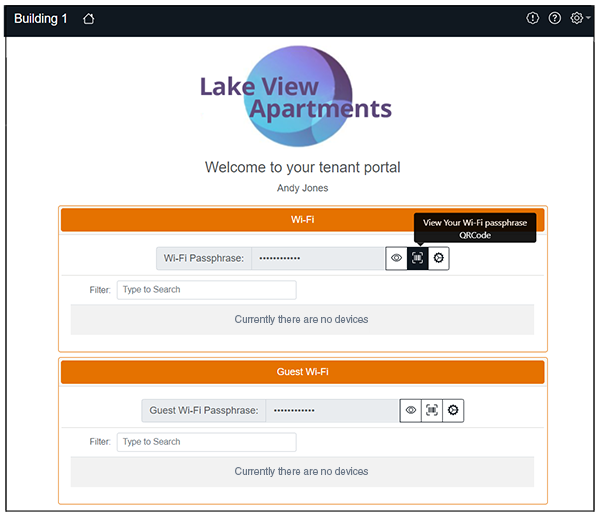
QRCode-compatible, they can scan the QRCode to instantly connect to the wifi.
The QRCode can be obtained by clicking the middle of the three icons (
 )
that appear to the right of the "Wi-Fi Passphrase" field or "Guest Wi-Fi
Passphrase" field, as applicable, as shown in the example tenant portal home
page below.
)
that appear to the right of the "Wi-Fi Passphrase" field or "Guest Wi-Fi
Passphrase" field, as applicable, as shown in the example tenant portal home
page below.
The following screen shows an example of the tenant portal home page after some devices have been connected:
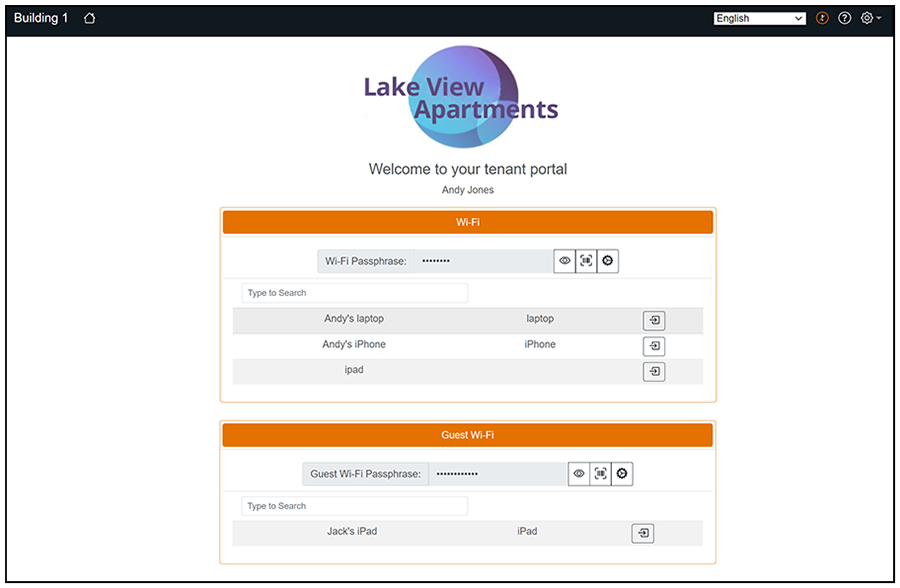
screen updated to show new right-arrow icon
Note: When devices first connect to the
wi-fi, they appear with their MAC addresses only. You can provide more specific naming
if you wish. For more information, refer to Using the Tenant Portal.