Managing MAC Registrations
Managing MAC registrations comprises your
ability to add, import, edit, delete, revoke, and unrevoke MAC addresses for a specific
MAC
Registration List.
- In the navigation bar, click
.The My Services page is displayed.
- In the My Services page, click the MAC Registration List tile.
- Click on the name of the MAC
Registration List for which MAC addresses must be managed.The Overview tab displays by default.
- Click the MAC
Registrations tab, choose one from the following options.All MAC addresses defined for this MAC Registration List are displayed in the table.
- Perform the necessary action by
following one of the following sets of instructions:
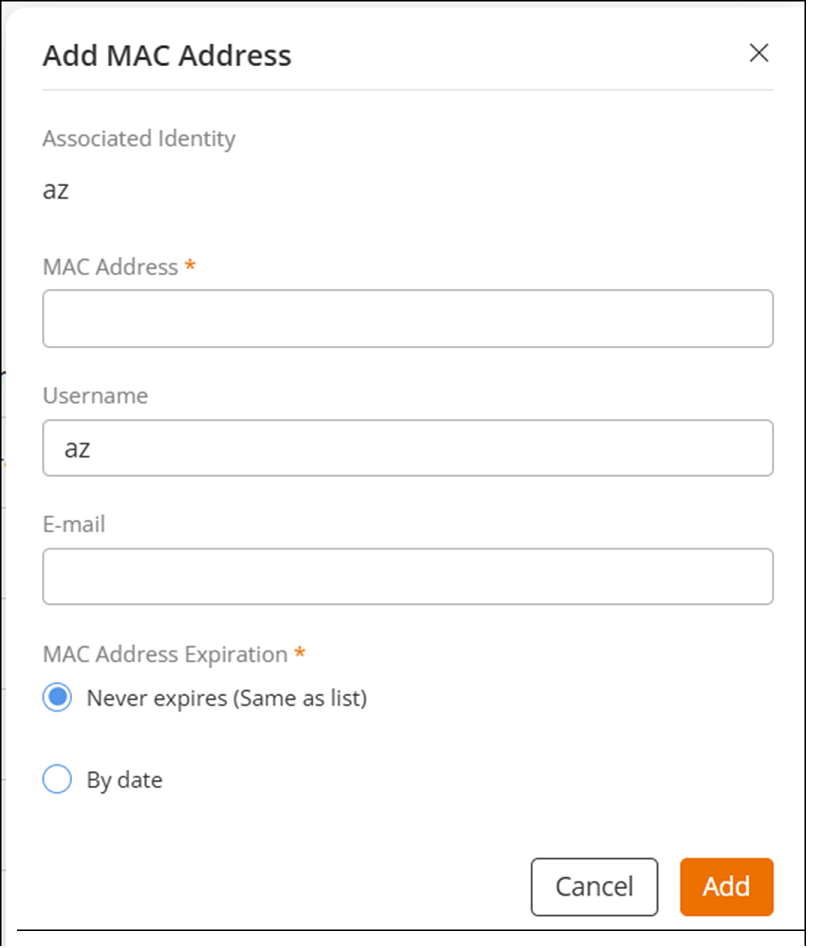
- Add a single MAC address.
- Import multiple MAC addresses.
- Click Import From File; the Import from File sidebar is displayed.
- Click Download template to download the CSV template locally.
- Using a spreadsheet program, open the CSV file, complete the following fields (MAC Address, Username, E-mail, MAC Address Expiration Date, Device Name, and Location), and save the CSV file.
- In the Import from File sidebar, click Browse, and then locate the CSV file, and then click Open. Alternatively, drag and drop the CSV file to the gray box in the Import from File sidebar. Click Import to save the MAC registrations.
- Edit a MAC address.
- Delete a MAC address.
- Revoke a MAC address.
- Unrevoke a MAC address.