Editing or Deleting a Wi-Fi Operator Profile
Using the Edit and Delete options, you can
update or delete an existing Wi-Fi Operator profile.
Complete the following steps to edit or delete a Wi-Fi Operator profile:
- From the navigation bar, select .
- In the Wi-Fi Operator page, click a specific Wi-Fi Operator checkbox and then click Edit. Alternatively, in the Wi-Fi Operator page, click a specific Wi-Fi Operator name and then click Configure.
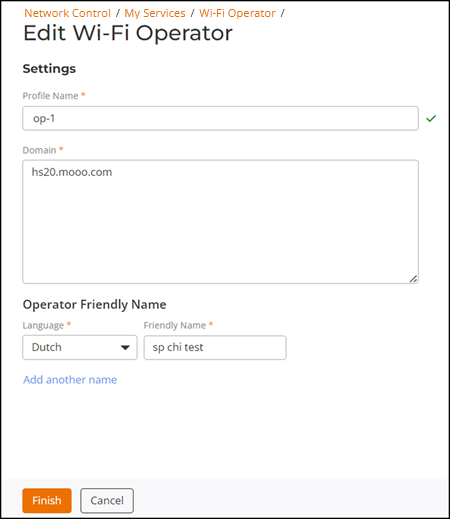
- In the Edit Wi-Fi Operator page, update the required fields, such as Profile Name, Domain, Language, and Friendly Name, and then click Finish.
- To delete a Wi-Fi operator from the Wi-Fi Operator page, click a specific Wi-Fi Operator checkbox and then click Delete.
- In the Delete dialog box that appears, click
Delete.A message confirming successful deletion is displayed.