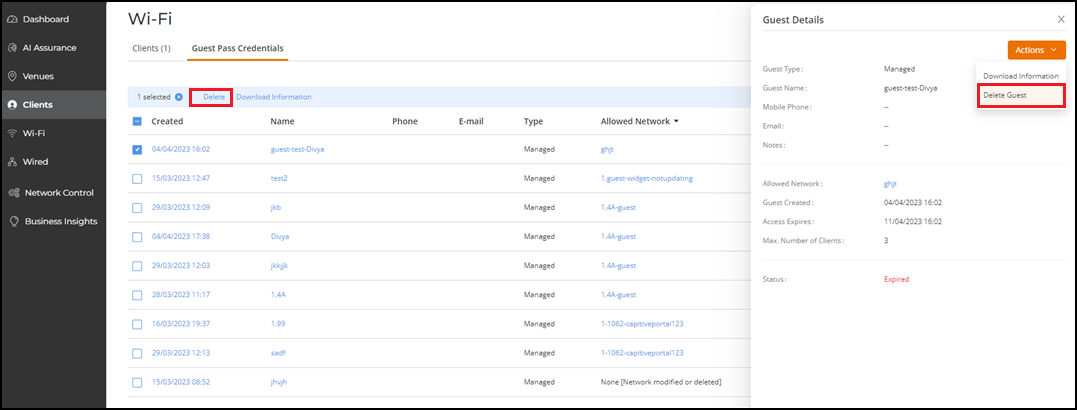
Deleting a Guest User
If a user no longer needs the guest
account, you can delete the account from RUCKUS One.
Note: If you want to temporarily disable
the guest user account, refer to Disabling a Guest User.
To
delete a guest user, complete the following steps. - On the navigation bar, select
. The Guest Pass Credentials page is displayed. A table with a summary of all guest users that have been created is displayed.
- Click the check box for a specific guest user, then click the Delete option that appears above the table. Alternatively, click the name of the guest user and in the Guest Details sidebar, click .