Adding an Identity
You can create and configure an identity
in the RUCKUS One
web interface and assign a VLAN and an identity group to the client.
- On the navigation bar, select .
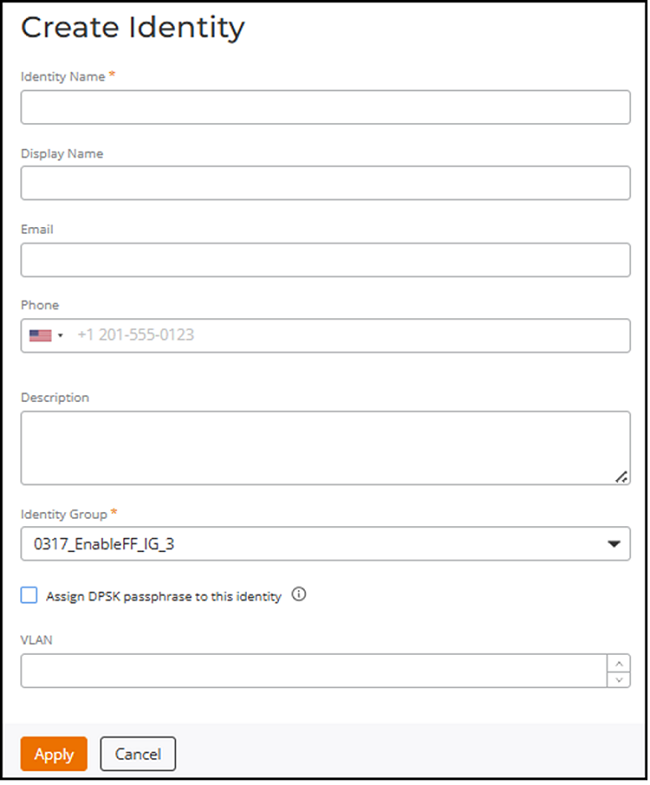
- Click Add Identity.
- Enter an Identity Name.
- (Optional) Enter a Display Name.
- (Optional) Enter a valid Email address.
- (Optional) Enter a valid Phone number.
- (Optional) Enter a Description.
- Select an Identity Group from
the Identity Group drop-down list.To add an Identity Group, refer to Adding an Identity Group.
- Click the Assign DPSK passphrase to this identity checkbox to assign a DPSK passphrase to this identity.
- (Optional) Select a VLAN ID ranging from 1 through 4094.
- Click Apply to create an identity.