Setting up Cloudpath as an AAA Authentication Server

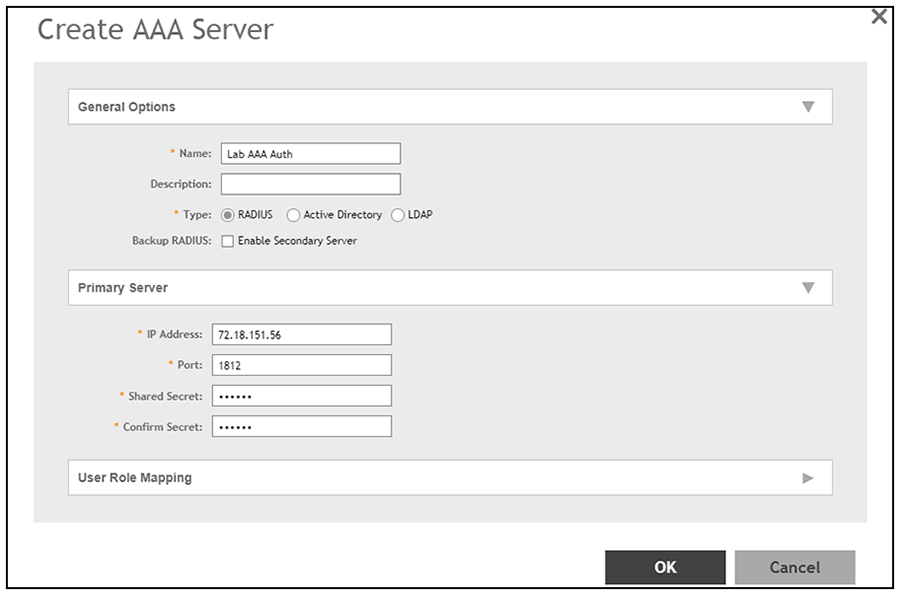
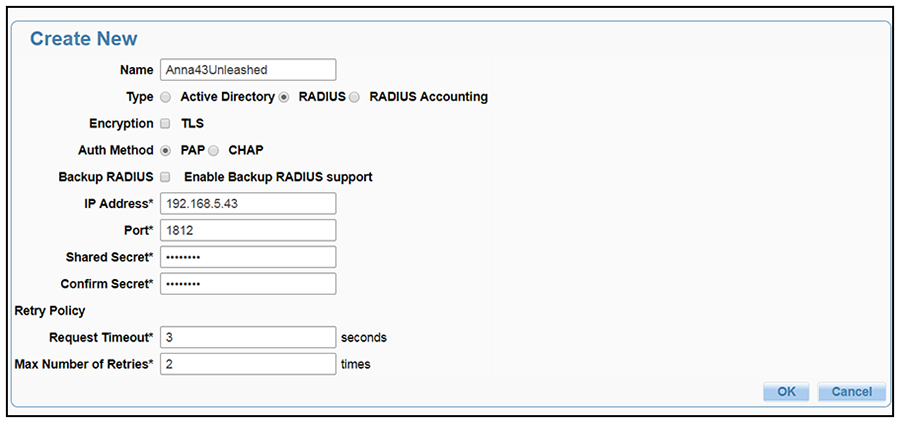
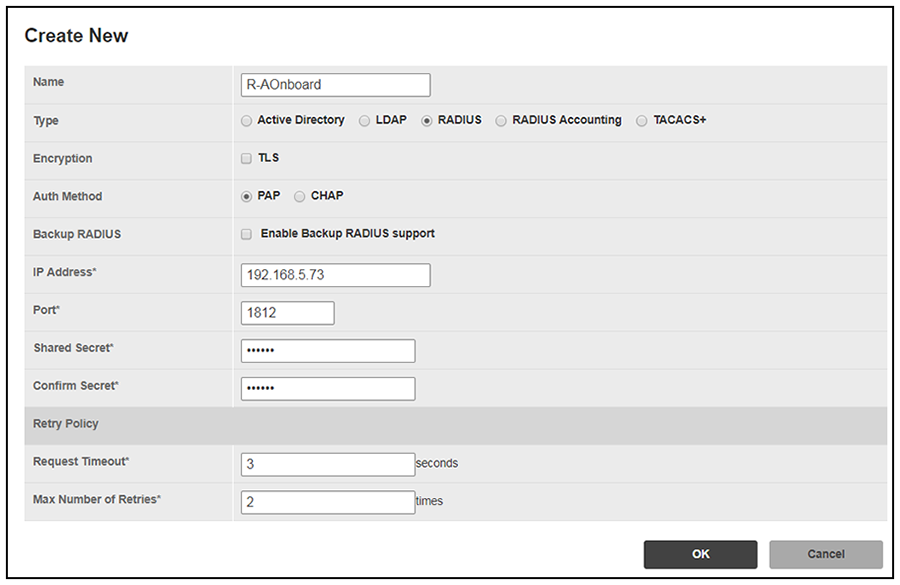
Create an AAA authentication server for the Cloudpath onboard RADIUS server. The following images show this configuration on the Ruckus ZoneDirector, SmartZone, and Unleashed controllers.
On ZoneDirector, go to Services & Profiles > AAA Servers. On SmartZone, go to Services & Profiles > Authentication. On Unleashed, go to Admin & Services > Services > AAA Servers > Authentication Servers.
Paths to screens added. New screen shots from latest controller versions.

Create AAA Authentication Server on ZoneDirector

Create AAA Authentication Server on SmartZone

Create AAA Authentication Server on Unleashed

Enter the following values for the Authentication Server:
  1. Name
  2. Type = RADIUS
  3. Auth Method (not applicable for SmartZone) = PAP
  4. IP address = The IP address of the Cloudpath ES.
  5. Port = 1812
  6. Shared Secret = This must match the shared secret for the Cloudpath ES onboard RADIUS server. (Configuration > RADIUS Server).
  7. Leave the default values for the remaining fields.