How to View MAC Registration Records
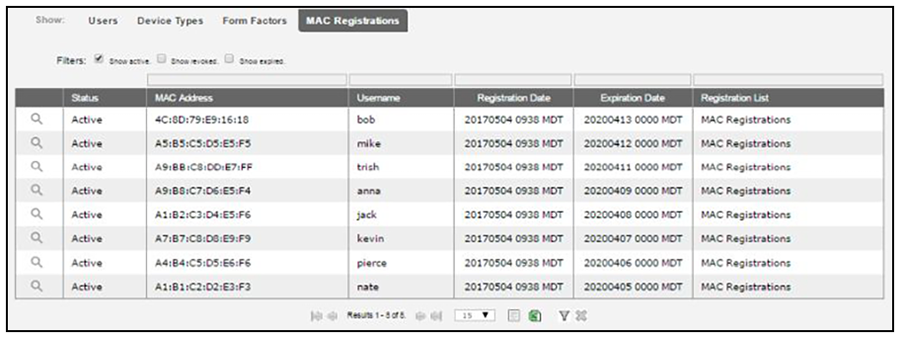
- Go to Dashboard > Users And Devices, MAC Registrations tab.
- The MAC Registration table shows the status and validity information for each MAC address. You can view active, expired, and revoked registrations, and sort the registration data using the table filters.
- Click the view icon to see details.
- You can also access MAC registration information in the enrollment record. Go to .