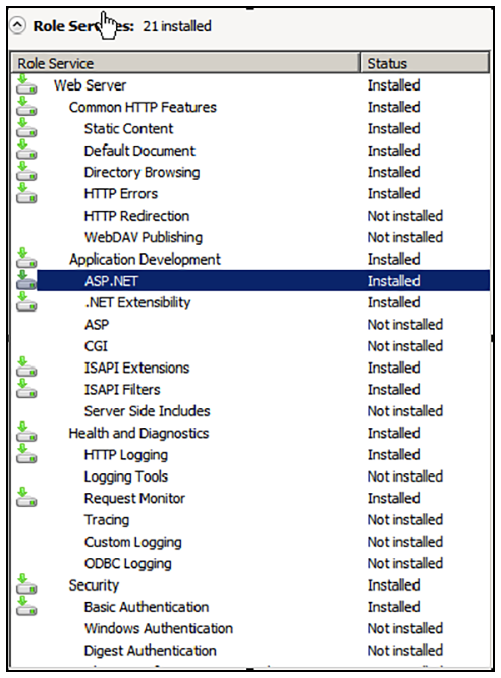
Verify Role Services Perform the steps in this procedure to verify the role services in the Service Manager. Open the Server Manager. In the left tree view, expand Roles, and select Web Server (IIS). Role Services Installed on the IIS In the right window, scroll down to the Role Services section. In the list, locate ASP.NET, and verify that it has the Installed status. Parent topic: Configuring the Web Server