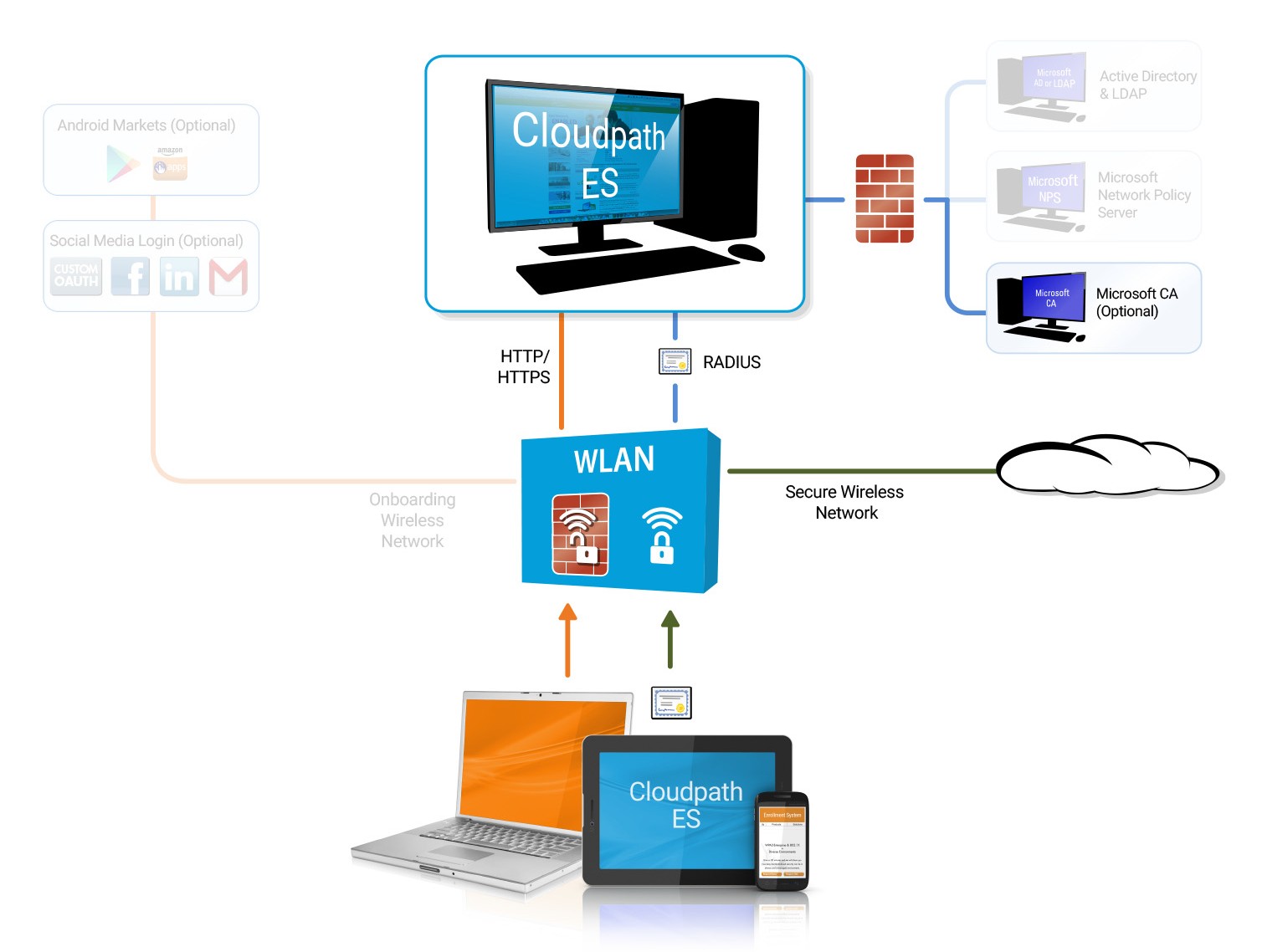
Overview of Issuing Certificates with the Integration Module for Microsoft CA
To implement certificate-based authentication on your WPA-2 Enterprise and 802.1X network, through EAP-TLS, you must set up a certificate infrastructure, which includes a certificate authority (CA) for issuing client certificates.
The Cloudpath Integration Module for Microsoft CA allows Cloudpath to request TLS client certificates from your existing Microsoft CA infrastructure.
While configuring a user’s device, Cloudpath prompts the user for credentials. It then generates a CSR, authenticates to the CA, and sends the CSR to the CA via the Integration Module. The Integration Module, in coordination with the CA, authenticates the user and, if valid credentials are provided, signs a certificate for the user. The characteristics of the certificate generated are dictated by the certificate template utilized. The certificate is then streamed back to the Cloudpath Wizard, which installs it and configures the SSID to utilize it.