You are viewing a cached version of this page.
You are currently offline. This page was loaded from cache.
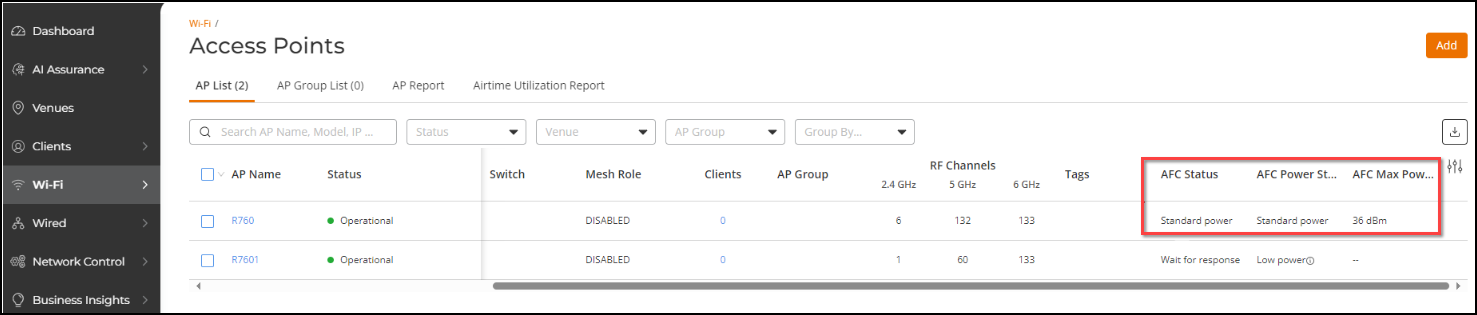
After setting the GPS coordinates for an AP, log in to RUCKUS One. From the main menu, go to Wi-Fi > AP List and check the AFC status.
Did you find what you were looking for?