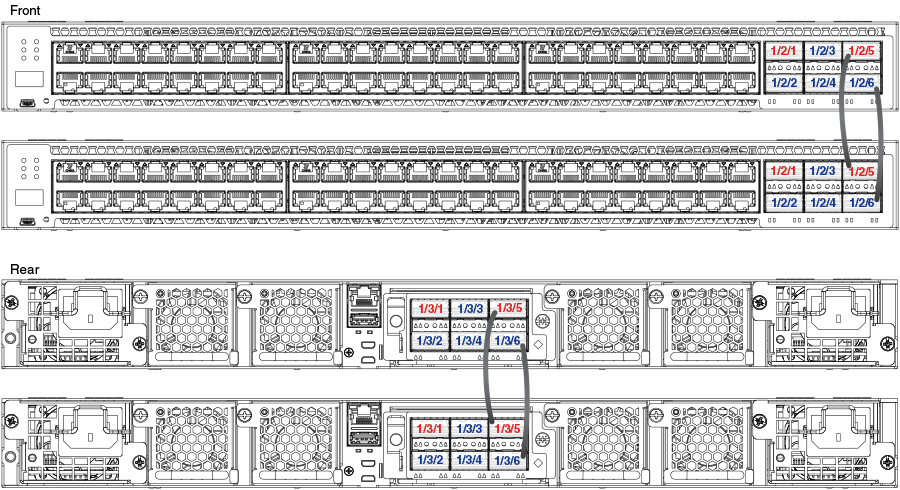
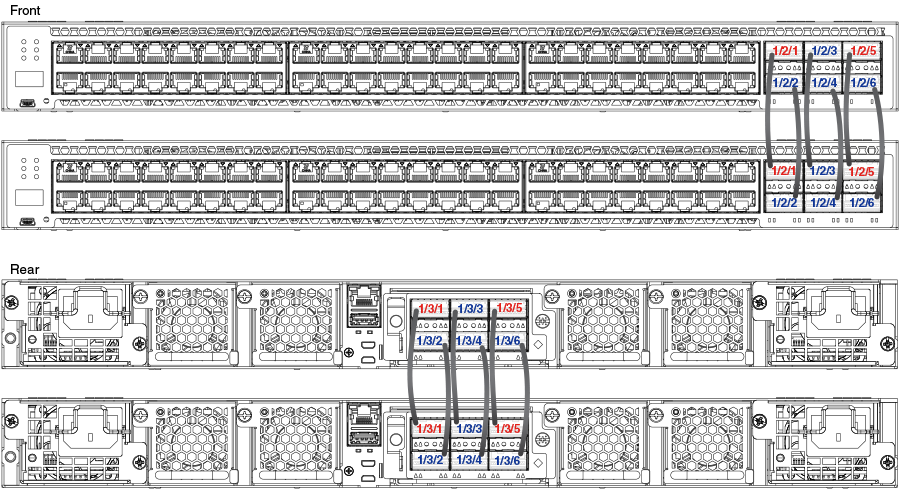
ICX 7750 Stacking Topologies
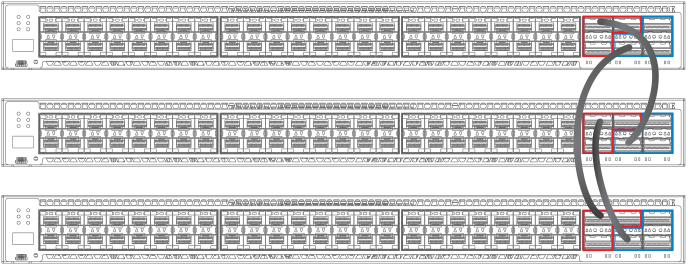
The following figures show available ICX 7750 stacking ports on the front and rear panel. Available front panel stacking ports are 1/2/1 through 1/2/6. Valid-stack-ports are 1/2/1 and 1/2/4.

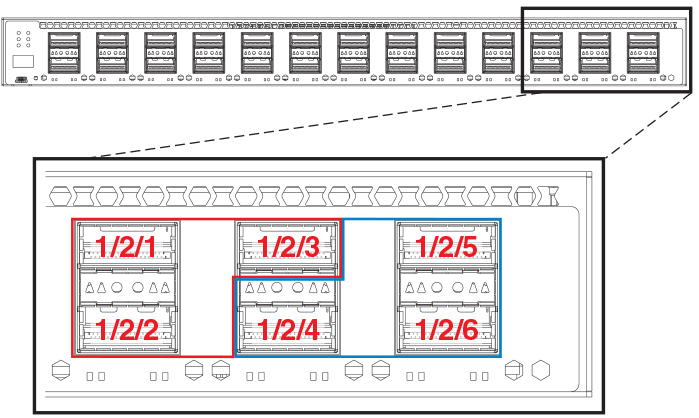
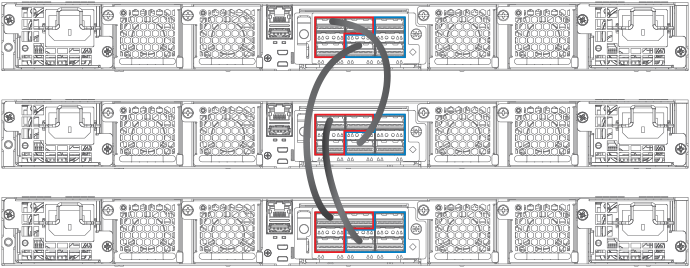
Available stacking ports on the ICX 7750 rear panel are ports 1/3/1 through 1/3/6.

The following figure shows an ICX 7750 linear stack.
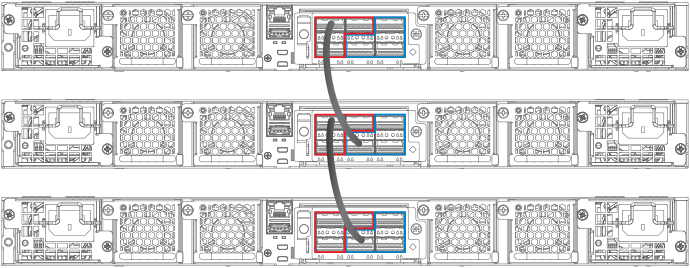
The following figures show ICX 7750 ring stacks from the front and rear panels. Default
valid-stack-ports are located on the front panel, but they can be changed to the rear
panel using the
stack-port or
stack-trunk command.
ICX 7750 Two-unit Stacks with Linear-topology Trunks
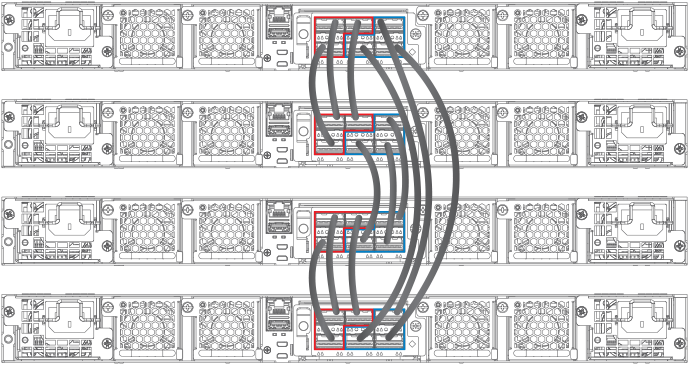
The following figures depict ICX 7750 two-unit stacks with linear-topology trunks, for a four-port trunk configuration and a twelve-port trunk configuration. All ICX 7750 models (ICX 7750-48C shown, ICX 7750-48F, and ICX 7750-32Q) support this type of trunk, which improves redundancy and bandwidth. For more information, refer to Support for two-unit stack linear trunks.