Activating and Editing the BaaS Beacons (iBeacon, Eddystone, and Custom)
Activate the plugin to manage iBeacons.
The RUCKUS IoT Controller securely routes all beacon data to the configured
endpoints.
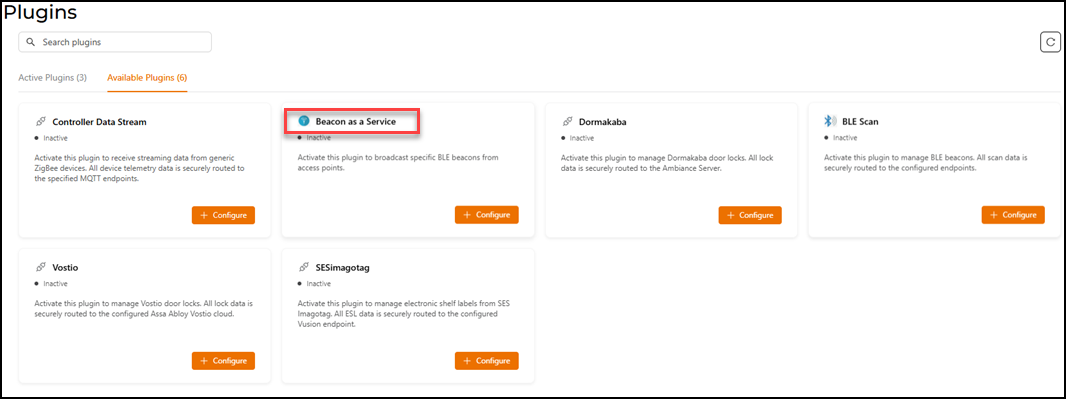
- From the main menu, click Admin.
- Click Plugins.
- Click the Available Plugins tab.
- In the Beacon as a Service tile, click + Configure to activate the plugin.
- Configure the following
configuration parameters.
- For Advertisement Interval, set the time interval to send the advertisement packets. The advertisement interval ranges from 100 through 1000 milliseconds. The default interval is 100 milliseconds.
- In the Beacon Type list, select the type of beacon.
- Provide relevant values for given fields based on Beacon Type.
- Click Activate to save the changes.
- (Optional) Click Configure to edit the existing configuration. You can view the connection status of the plugin in the Status field.
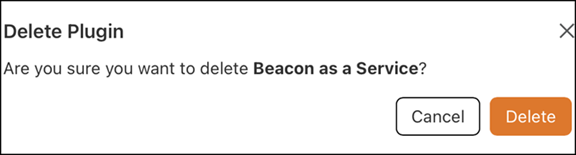
- (Optional) Click Delete to delete the plugin.