Viewing and Managing IoT AP Radios
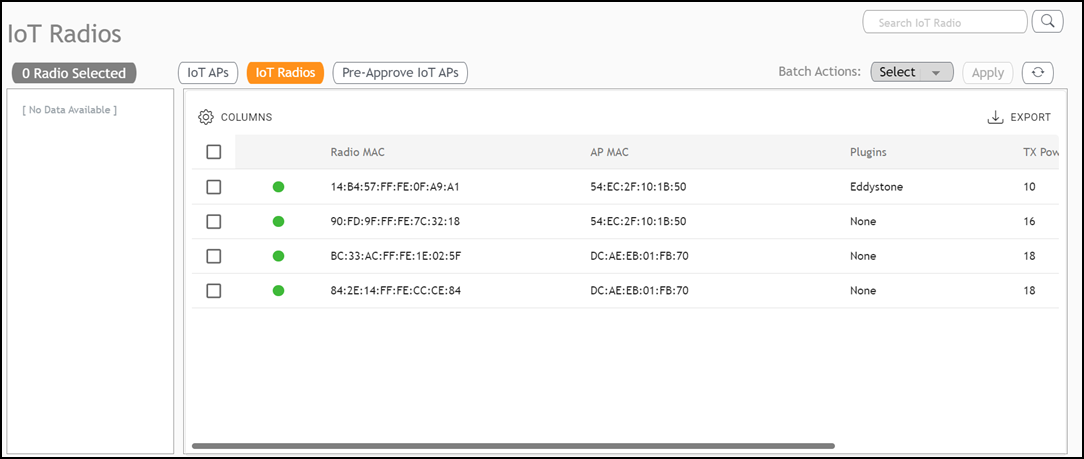
The IoT Radios tab is designed to
provide a centralized page for viewing, managing, and configuring individual radios
connected to the IoT controller.
- From the main menu, click IoT APs.
- Click the IoT Radios tab.
- (Optional) Configure or modify a specific radio. Click on a specific radio entry in the table list; the sidebar appears, displaying comprehensive information and control options specific to that radio.
- (Optional) Search for specific
radios within the table. Enter the search criteria and click the
 icon; the page refreshes displaying only the radios matching the search
criteria.
- (Optional) Click Export to download the details of the listed radios into a CSV file.
- (Optional) Perform a Batch Action, which runs on selected action on multiple radios simultaneously.