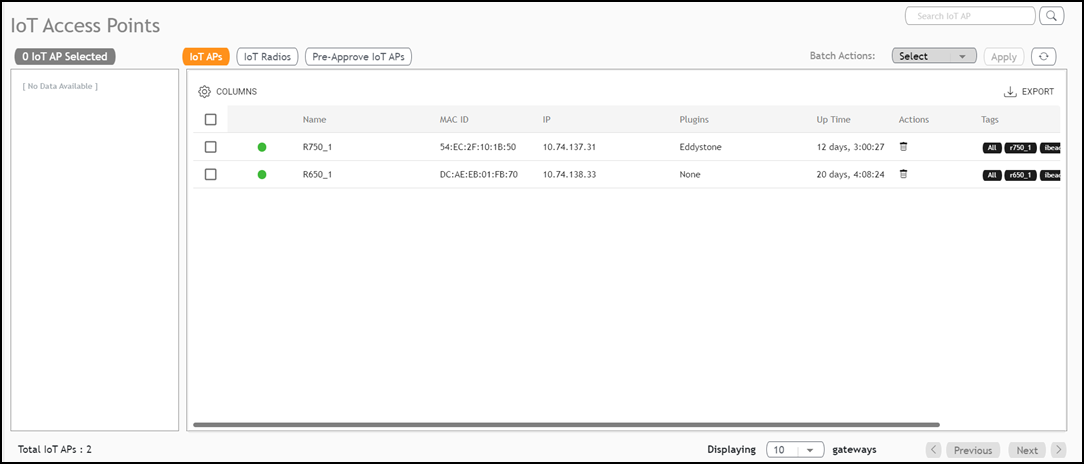
IoT APs
The IoT APs page
allows you to view, manage and configure IoT Access Points.
Complete the following steps to view and edit IoT AP configurations.
- From the main menu, click IoT APs.
- (Optional) Configure or modify a specific IoT AP. Click on a specific IoT AP in the table list; the sidebar appears, displaying IoT AP Settings, Radio Info and Other Info.
- (Optional) Search for specific
IoT APs within the table. Enter the search criteria and click the
 icon; the page refreshes displaying only the IoT APs matching the search
criteria.
- (Optional) Click Export to download the details of the listed IoT APs into a CSV file.
- (Optional) Perform a Batch Action,
which runs on selected action on multiple IoT APs simultaneously.
- Click the checkboxes for all the IoT APs for which you want to perform the action.
- Click Select in the Batch Actions drop-down list.
- Select an option from the drop-down list and click Apply. The batch operation is applied to the selected group of radios. For example, refer to Adding Tags to an AP.