Restarting, Rebooting, or Resetting the System
- From the main menu, go to .
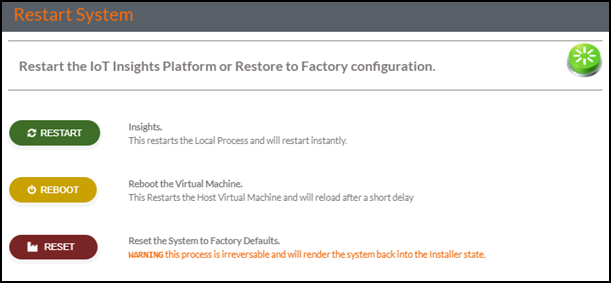
- Click RESTART,
REBOOT, or RESET depending
upon the need.
RESTART provides the administrator the ability to manage the system to perform a soft or hard restart of the insights installation or to restore or reset the system to factory defaults. A restart performs a soft reset of the software and returns the system back to an operational state within a few seconds.
REBOOT provides system-level VM reboot. A reboot restarts the host VM and completely restart the System. This process takes longer to operate and return.
RESET removes the user data and returns the database settings and values to the original factory settings. A reset is performed when an installation must be restarted or the data is no longer valid for a client or user. A reset is irreversible and cannot be undone..
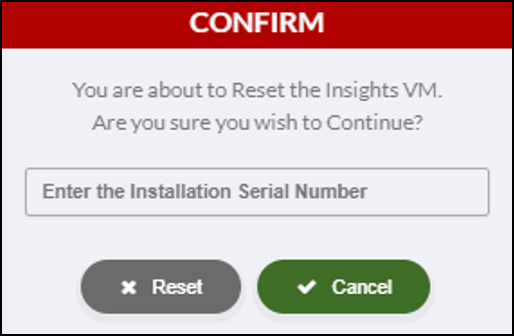
- If you click RESET to reset the system, a confirmation dialog box is displayed. The administrator must enter the installation serial number to confirm the reset is intended.