Setting Up the Walled Garden
New controller screens below. Added Unleashed.
Added Wes's base list - see below. Also added Nate's info.
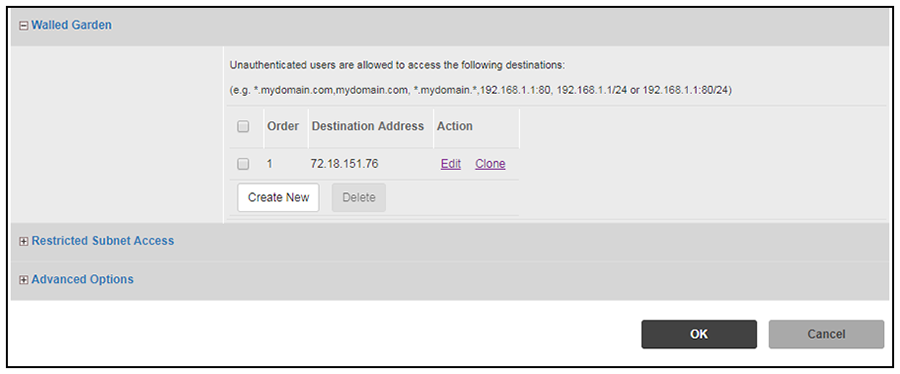
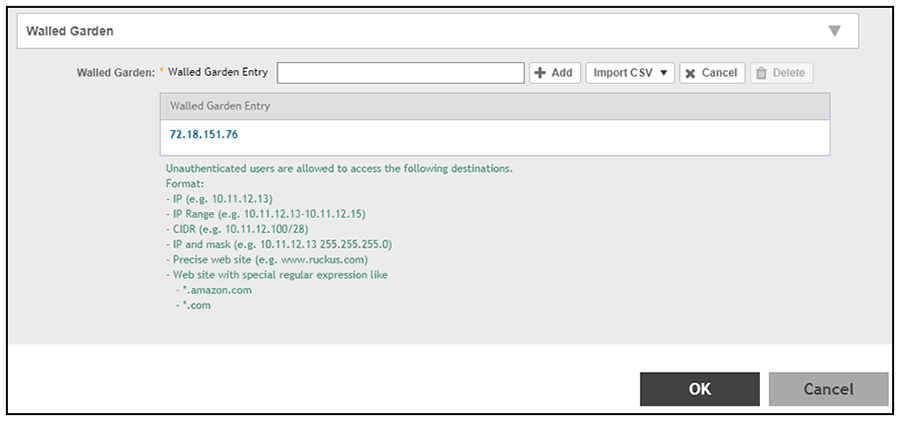
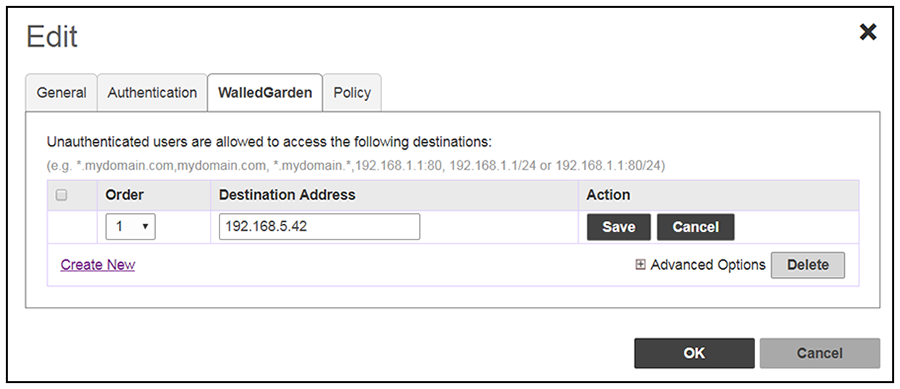
- Navigate to: For ZoneDirector, go to Services & Profiles > Hotspot Services. For SmartZone, go to Services & Profiles > Hotspots & Portals > Hotspot WISPr. For Unleashed, go to Admin & Services > Services > Hotspot Services.
- For ZoneDirector and SmartZone, use the edit function on the existing Hotspot Services configuration, then scroll to the Walled Garden section and expand this section. For Unleashed, click the WalledGarden on the existing Hotspot Services configuration.
- Include the DNS or IP address of the Cloudpath system, then click OK.
- Optionally, there are some domains that you can add to the walled garden on all controllers
to:
- Prevent the Apple CNA mini-browser from appearing on Apple devices.
- Avoid being blocked or slowed when attempting to download the Cloudpath wizard.
Note: There will still be about a 15-to-20-second delay when the full application is 33 percent complete (about 40 MB) in its download.
The recommended destinations to add for the walled garden are:
Info below has been updated with new info provided by Nate Crimmel.*.ggpht.com *.play.googleapis.com *.googleapis.com *.play.google.com android.clients.google.com *.gvt1.com connectivitycheck.android.com connectivitiycheck.google.com *.gstatic.com *.clients3.google.com *.thawte.com
- If you are still experiencing issues, you can try adding the following destinations to the walled garden: