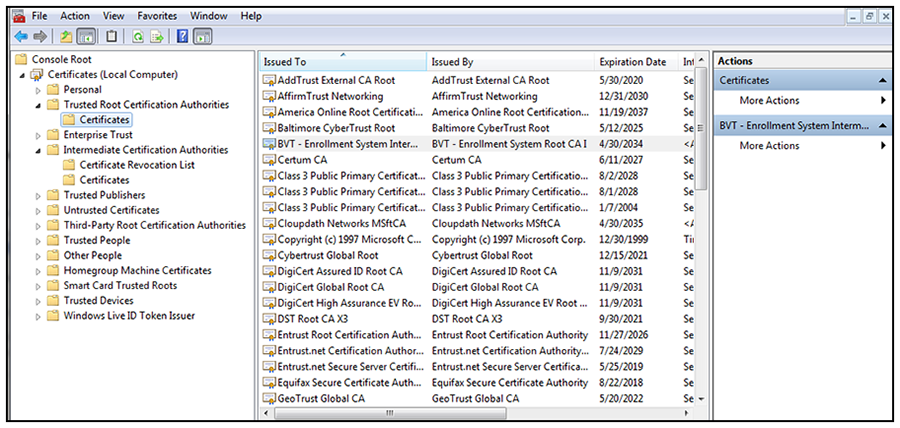
Import the Public Key of the Intermediate CA
The public key of the Intermediate CA (onboard CA) establishes the proper trust chain
of the RADIUS server certificate.
Note: By default, the Intermediate CA (onboard CA) signs the user certificate. If your environment
is set up to have the Root CA sign the client certificate, you must download and install
the public key of the Root CA.
- On the Console window, expand Certificate (Local Computer) to locate the Enterprise Trust/Certificates folder.
- Go to to start the Certificate Import Wizard.
- Browse to locate the public key of the Cloudpath on-board Intermediate CA, and click Open.
- On the Certificate Import Wizard, click Next.
- Import the public key of the Intermediate CA in the
Certificate (Local Computer) Trusted Root Certificate Authorities store, and click
Next.
Note: You will encounter fewer issues when you import into the Trusted Root CA store. However, if you import the public key of the onboard Intermediate CA into the Intermediate CA store, this should also work.
- Review the imported certificate, and click Finish.