Download the Public Key of the Intermediate CA

The Public Key of the Intermediate CA is used to establish the proper chaining of the RADIUS server certificate. Proper chaining is necessary for the wireless end-points to establish a ‘trust’ for the RADIUS server certificate to the Intermediate CA, which is used to sign the client certificates.
Note: By default, the Intermediate CA (onboard CA) signs the user certificate. If your environment is set up to have the Root CA sign the client certificate, you must download and install the public key of the Root CA.

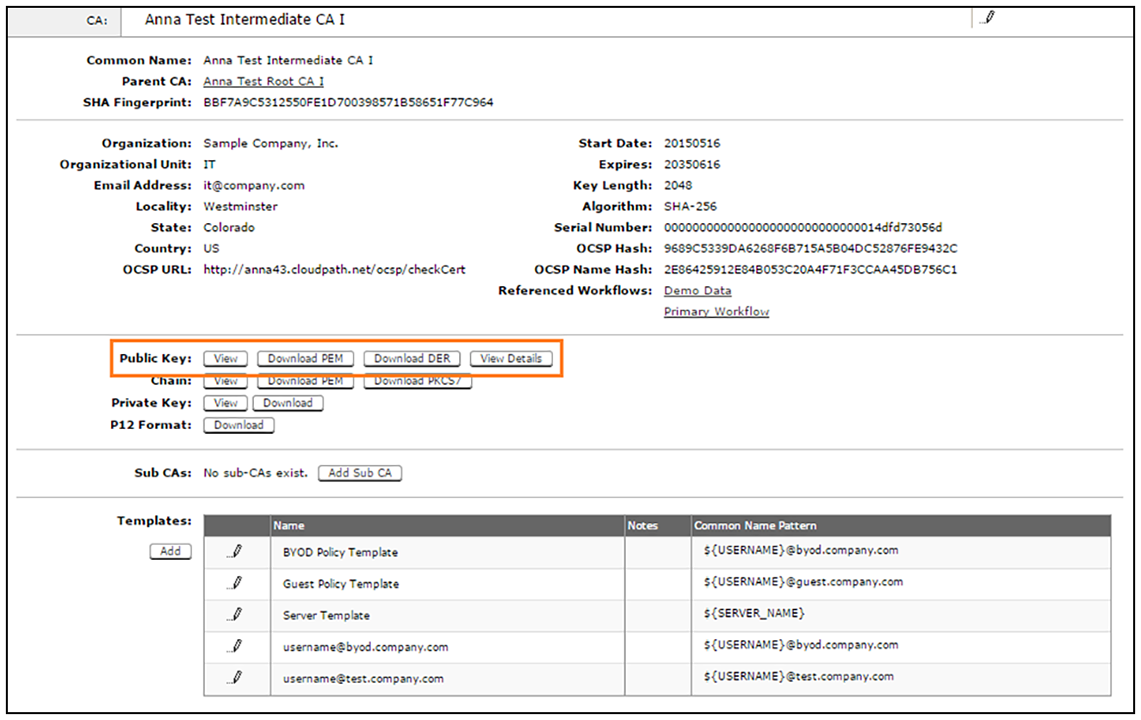
To download the public key of the Intermediate CA, perform the following steps:

  1. From the Cloudpath left menu, navigate to Certificate Authority > Manage CA. Expand the onboard CA you previously created.
  2. Expand the onboard CA.
  3. In the Sub CAs section, click the link to open the Intermediate CA page.
  4. Download the Public Key of the Intermediate CA.

    Download Public Key of Intermediate CA