Create the Certificate Authority
To set up a standalone certificate authority in Cloudpath, perform the following steps:
- From the Cloudpath left menu, select .
- Click Add/Upload CA.
- Select Generate New Certificate Authority.
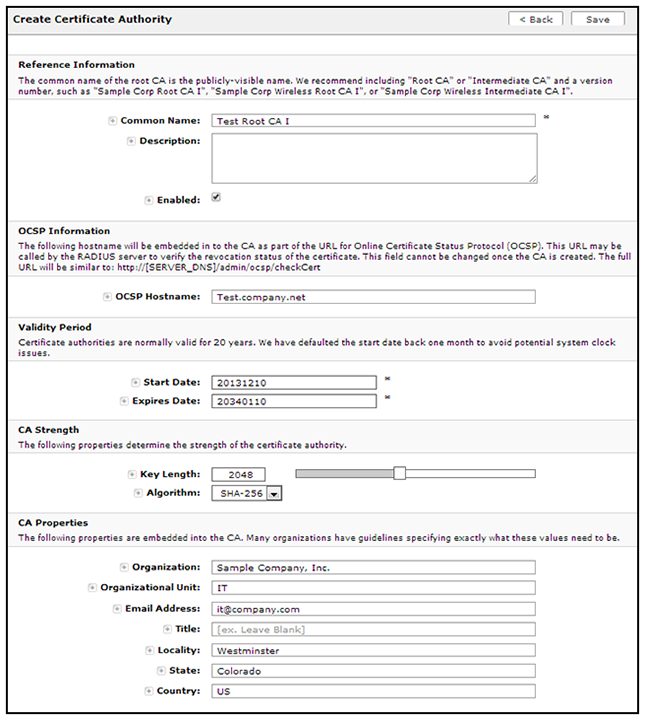
- On the
Create Root CA page, enter the following information:
- Common Name: The publicly visible name of the root CA. It is recommended that you use the word "Root" in the name and include a version number.
- Description: Enter a description useful to other administrators.
- Enabled: The default is enabled. Be sure this box is checked.
- OSCP Host Name: The host name embedded into the CA as part of the URL for the OCSP.
- Validity Period: Retain the default, or specify the Start and Expires dates.
- CA Strength: Configure the strength of the CA by specifying the Key Length and Algorithm.
- CAP Properties: Properties embedded into the CA. Enter the appropriate information as required by your network policy.
- Click Save to save the CA.