Switching Pre-Release-5.9R4 MAC Registration Lists to Policy-Assigned MAC Registration Lists
MAC Registration Lists are created
differently in Release 5.9R4 and later from prior releases. If you have older MAC
Registration lists in your system, you can continue to use them the same way in
5.9R4 or
later, or you can convert them to the policy-type 5.9R4 lists that are created in
Release
5.9R4 going forward. Once you switch an old MAC registration list to the new policy-type
format, you cannot revert back to the pre-5.9R4 configuration.
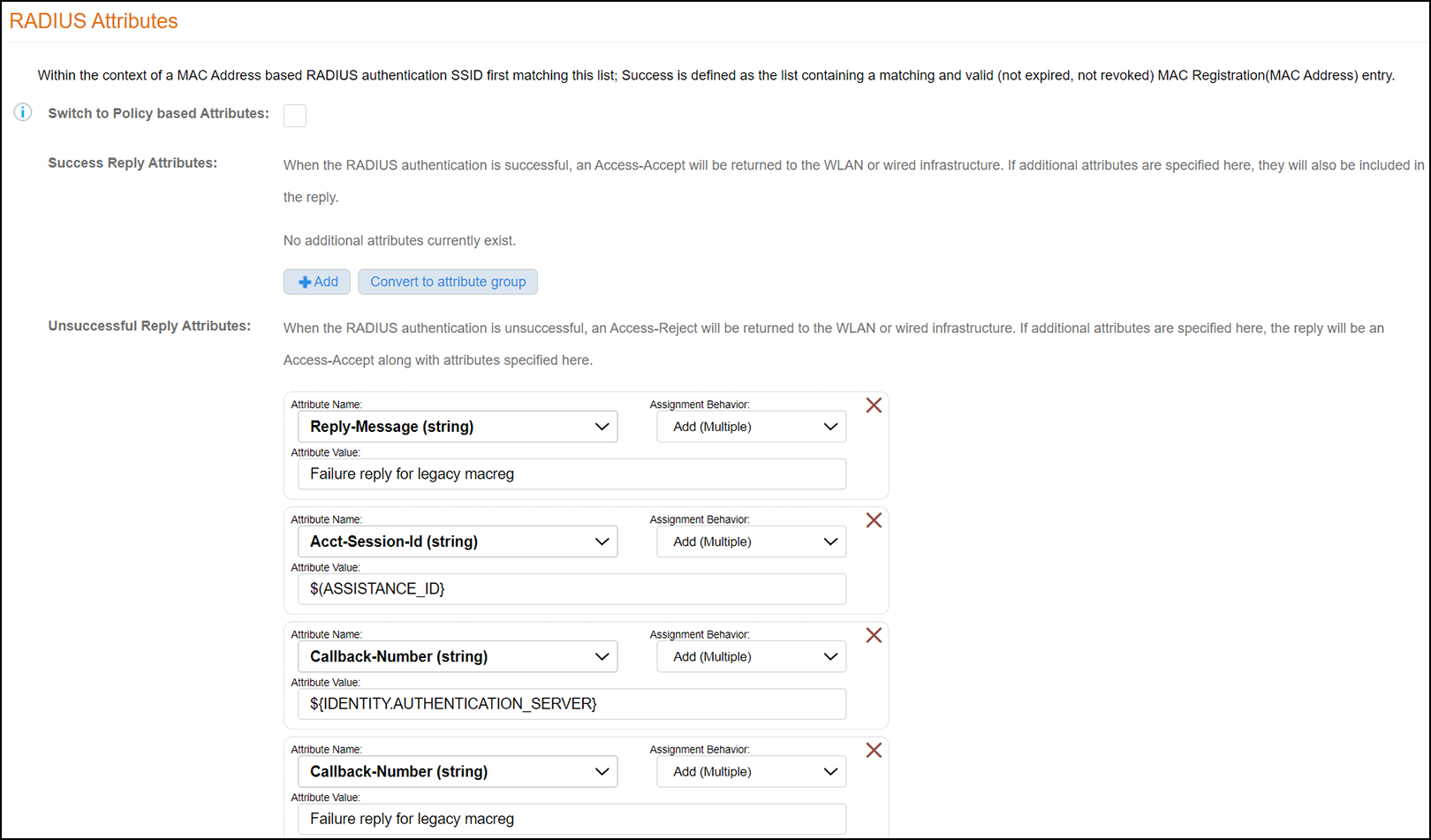
The figure below shows an example of the RADIUS Attributes portion of a MAC registration list configured from a release prior to 5.9R4:
new screen for 5.11R2.
If you want to proceed with switching to the policy model, follow these steps:
- You can convert the existing attributes to a RADIUS attribute group by clicking the respective Convert to attribute group button on the screen shown above.
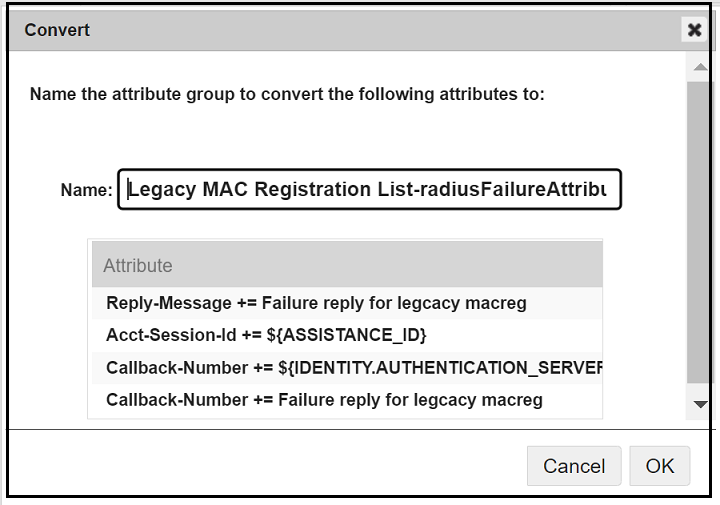
- In the popup that follows, you can name the attribute group, as shown in the example below for the failure reply attributes:
- Click OK.
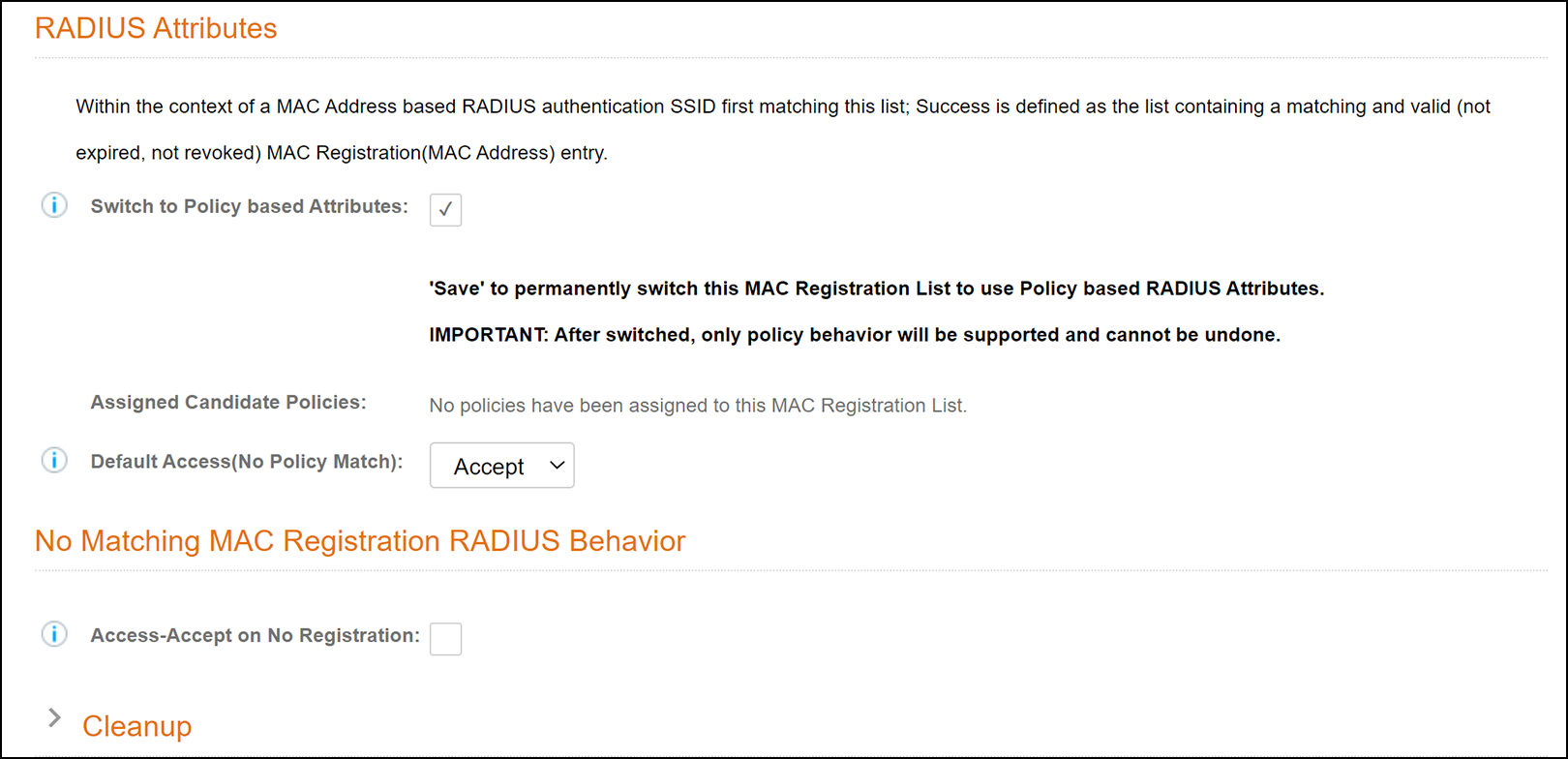
- Check the "Switch to Policy-based Atttributes" box
(refer to Pre-Release 5.9R4 MAC Registration
List Configuration Screen - RADIUS Attributes Section to view the location of the checkbox). The following screen is displayed:
new screen for 5.11R2
- You have the option of customizing a RADIUS reply when
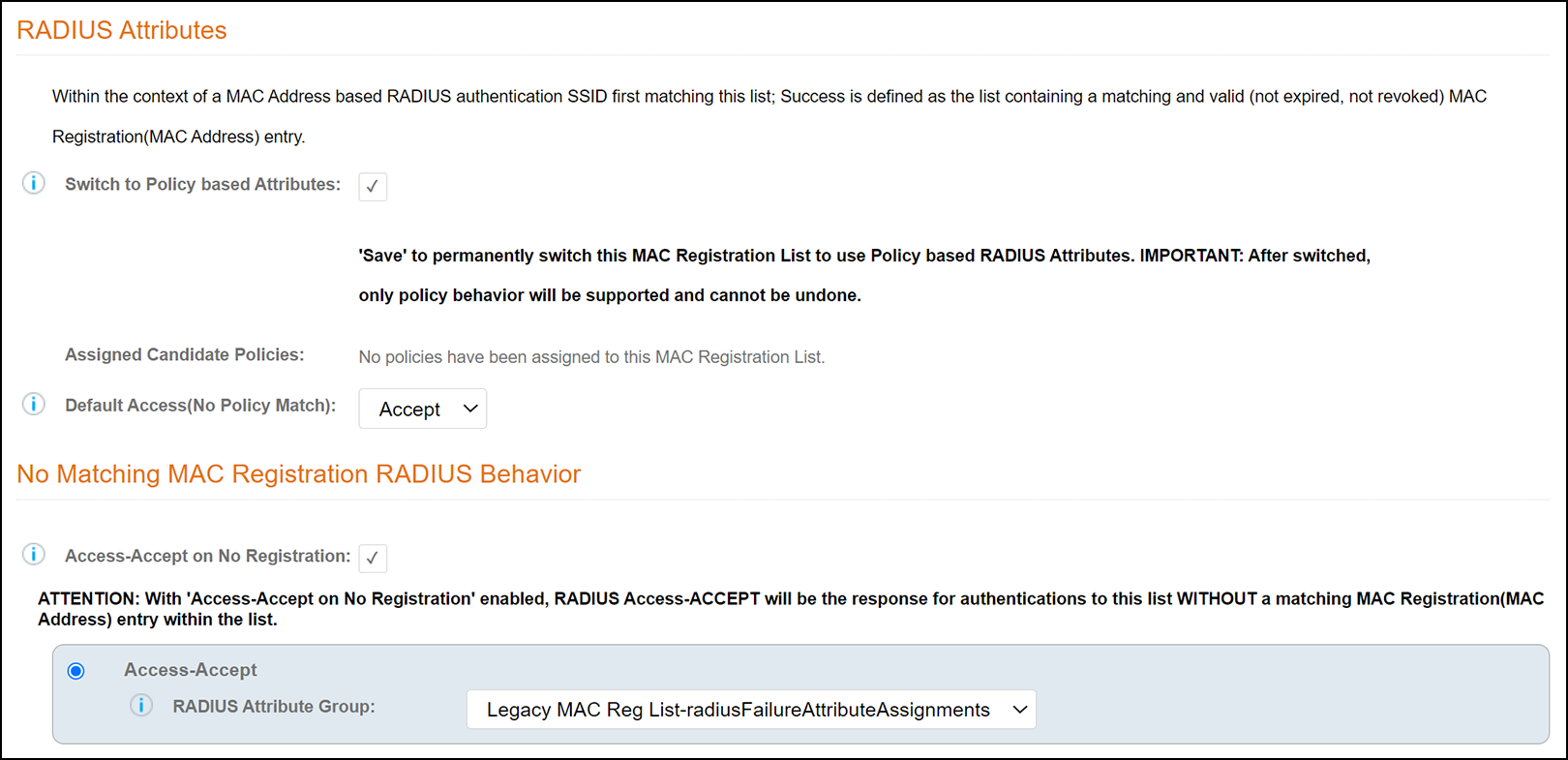
authentication fails. To do so, check the "Access-Accept on No Registration" box
(shown in the screen above).
new wording for 5.11R2
- From the ensuing drop-down list, select the RADIUS attribute group, as shown in the example below.
- Click Save.
- Once the conversion is complete, you can select the RADIUS Policies tab and add any desired policies. For instructions on adding policies, see Adding Policies to a MAC Registration List.