Configuring a Cisco Controller for MAC Registration
- On the wireless controller, go to the WLANs tab and select the WLAN for MAC registration.
- Select the General tab. In the Interface/Interface Group field, select the interface to which the WLAN is mapped.
- Select tab.
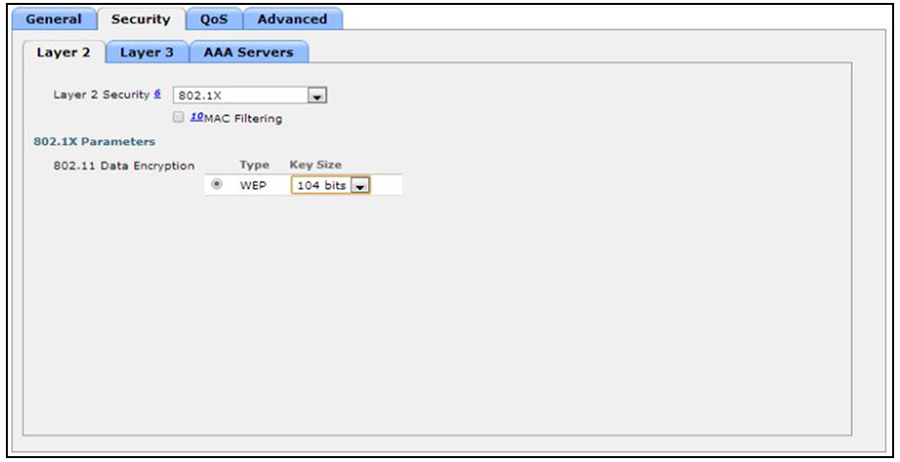
- In the Layer 2 Security section:
- Enable Mac Filtering. This enables MAC authentication for the WLAN.
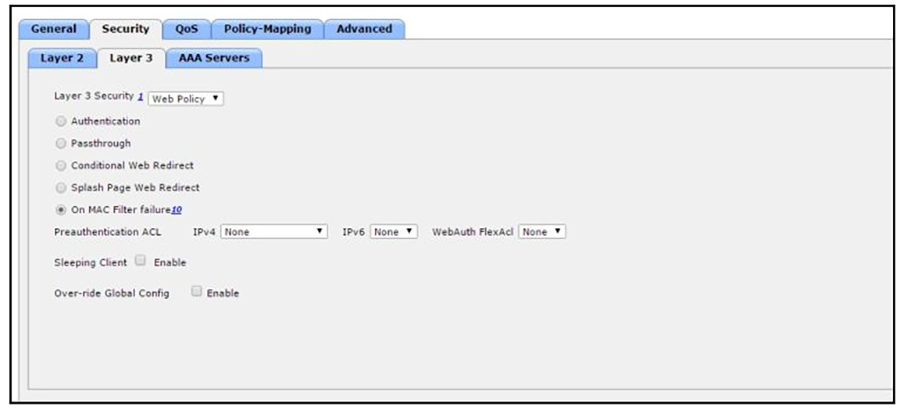
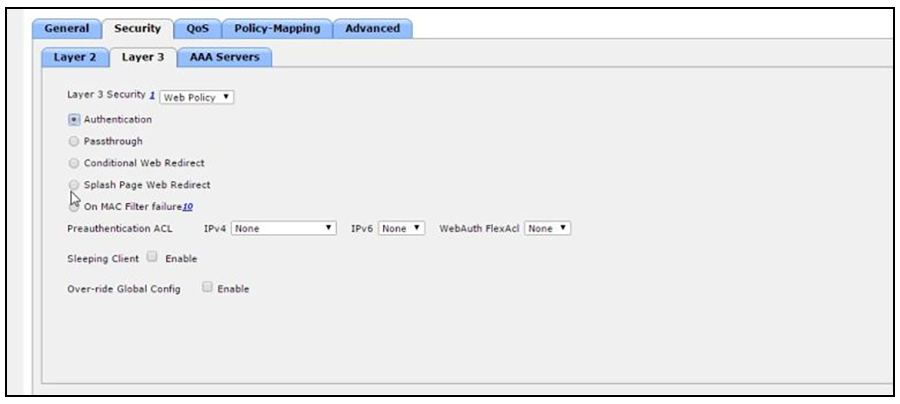
- Layer 3 Settings:
- Layer 2 Mac Filtering - Select to filter clients by MAC address. Locally configure clients by MAC address in the MAC Filters > New page. Otherwise, configure the clients on a RADIUS server.
- When using Layer 2 Mac Filtering: Web Policy - On MAC Filter failure - Enables web authentication MAC filter failures.
- When NOT using Layer 2 Mac Filtering: Web Policy - Authentication - If you select this option, the user is prompted for username and password while connecting the client to the wireless network.
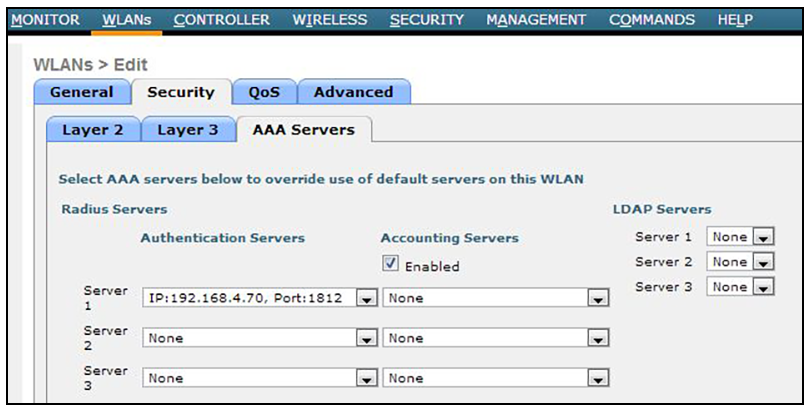
- Select the tab. In the Authentication Servers section, select the RADIUS server that will be used for MAC authentication.
- Apply changes.