Resetting Link Warning for ICX Switch Ports

When Cyclic Redundancy Check (CRC) errors occur on ICX switch ports, warning messages such as 'Connected with Warning' are displayed, which may cause confusion about the actual port status. You can clear the persistent link status warning condition on the port using the Reset Link Warning option. However, if new CRC errors occur, the warning will reappear.
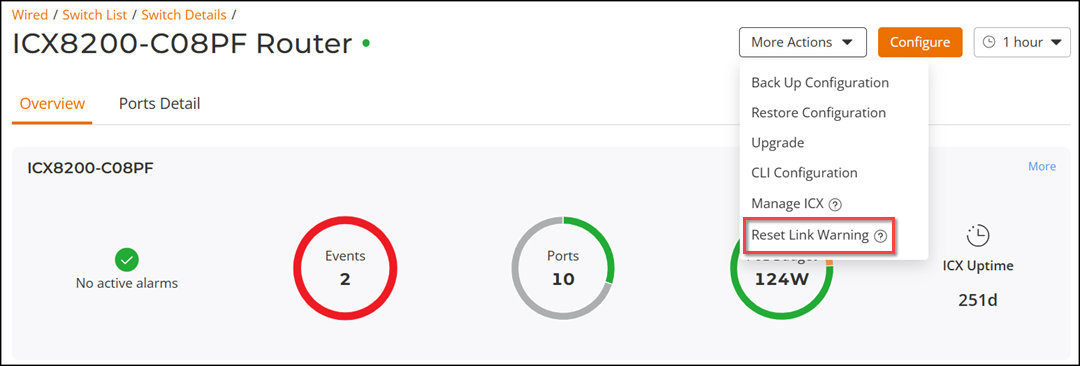
Complete the following steps to reset link warning for ICX switch ports.
  1. From the main menu, select Wired > Switch List. In the Switches page, click a connected switch from the device list. The Overview page is displayed.
  2. Click More Actions > Reset Link Warning.
    A confirmation dialog box is displayed. Click OK to confirm.

    Resetting Link Warning for ICX Switch Ports

    This action clears the interface statistics for all ports on the switch, which clears the CRC counter. The link status will reset to either 'UP' or 'DOWN'.

    Note: This action does not resolve the root cause of the CRC problem. If new CRC errors occur, the warning will reappear.