Setting User Preferences
You can configure the language in which
the user interface must appear, and also customize the session time for the interface.
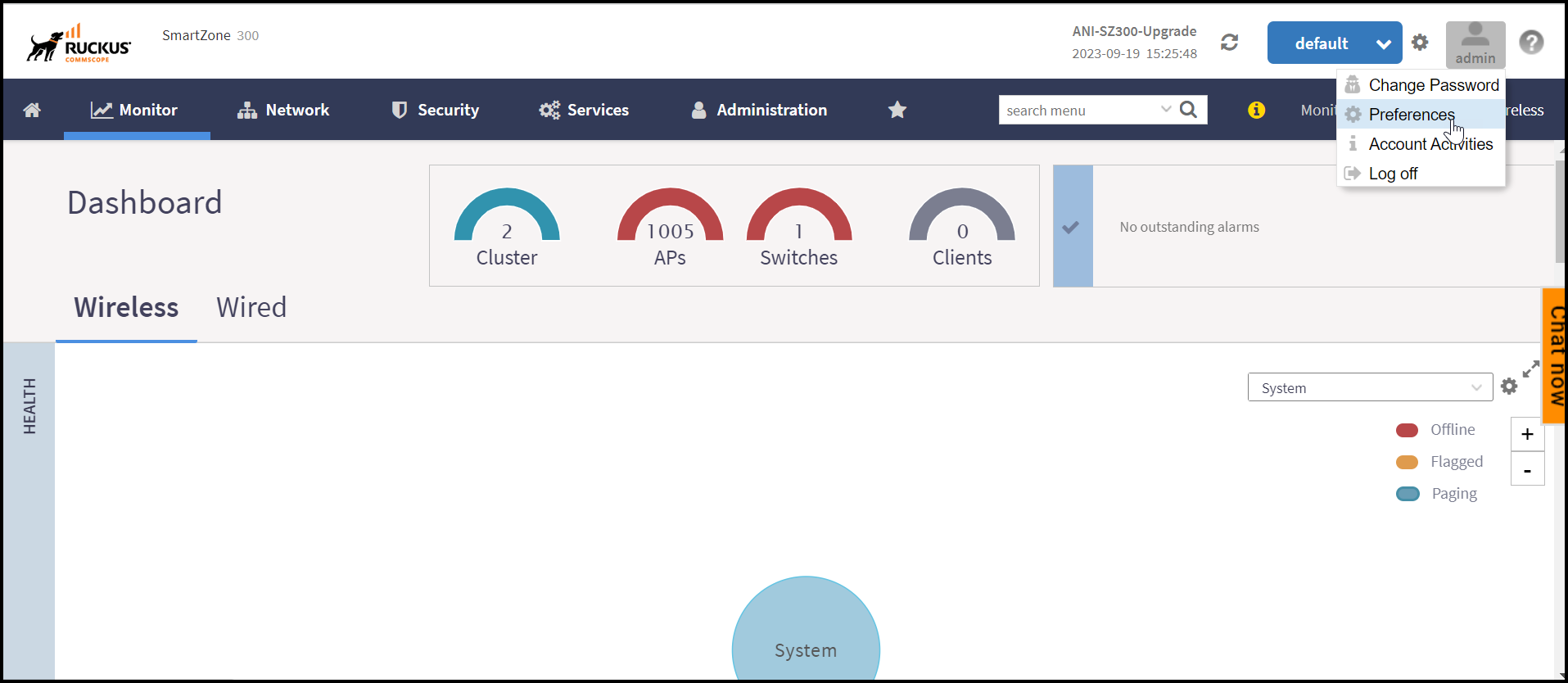
- In the controller web interface, click on the user profile and click Preferences.
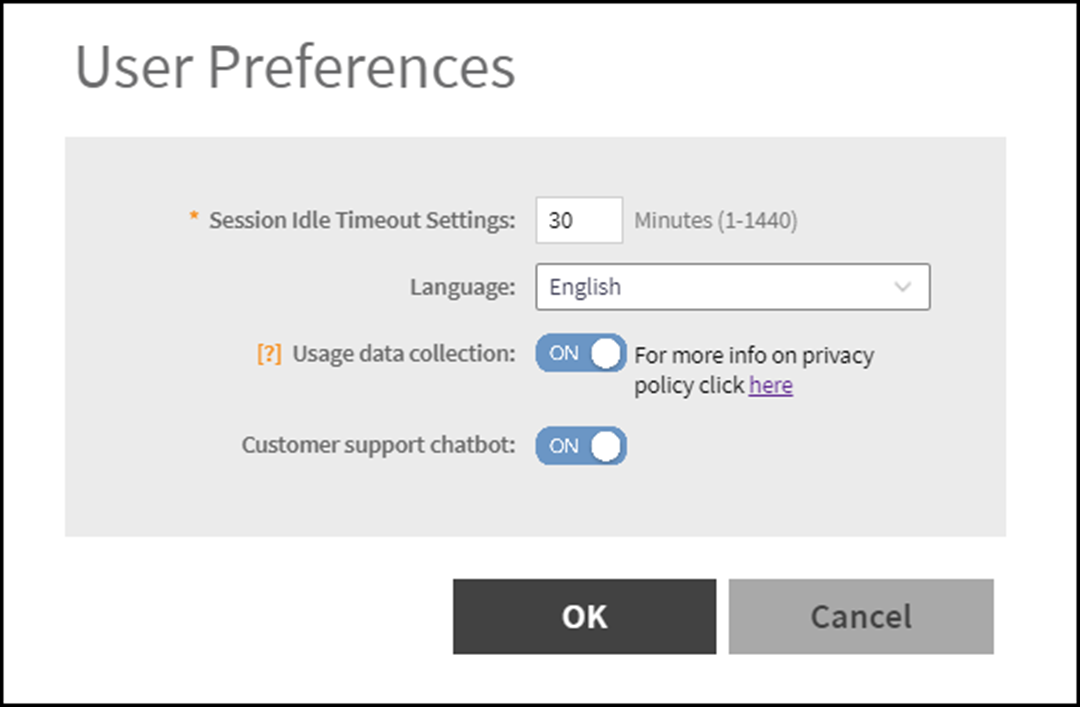
- In the User Preferences page, enter the following details.
- Session Idle Timeout Setting - Enter the duration in minutes for the web interface session to refresh.
- Language - Select the language of your choice from the drop-down list to view the web interface content. The following languages are supported in the application -
- Usage Data Collection - By default this button is Off, enable this button to collect data for analytics. For more information on data collection, click on the link corresponding to the field.
- Customer Support Chat Bot - By default this button is On, this button enables the chat support feature, which is available in the main screen.