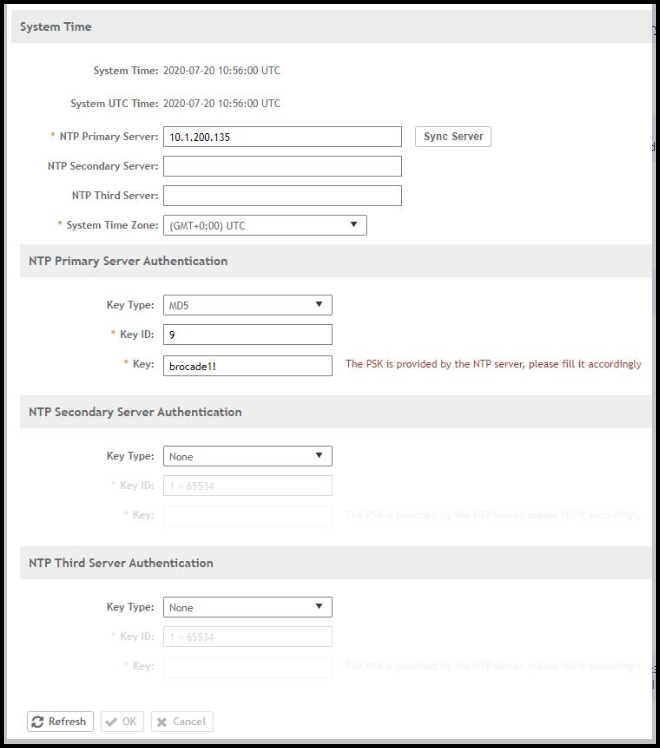
Configuring the System Time
The controller has three external Network
Time Protocol (NTP) servers that are used to synchronize the time across access
points,
cluster nodes, and virtual data planes.
Note: The controller supports NTP version 4.2.6p5.
The controller and access points do not accept broadcast and multicast NTP packets
that
would result in a timestamp. These packets are ignored by default.
Perform the following steps to edit the system time:
- From the main menu, navigate to .
- Configure the following options:
- NTP Primary Server: Enter the primary NTP server address.
- Sync Server: Click this button to enable the controller to sync with the configured NTP server, and then sync the cluster-follower nodes, APs, and vDPs with the controller time.
- System Time Zone: Select the time zone from the drop-down. The default time zone is (GMT +0:00) UTC.
- You can achieve secured
communication with NTP servers after configuring them.
To establish this communication, in the NTP Server Authentication field, configure the following:
- Click OK.