Controller User Interface (UI)
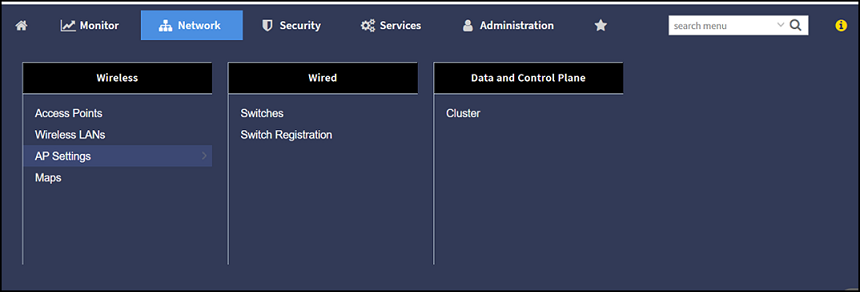
- Category - The menu items
are organized into distinct categories or groups making it easier to find and
access specific functionalities. The various categories are Monitor,
Network, Security,
Services and Administration.
For example, the menu items under the category Network are displayed as per the screenshot below.
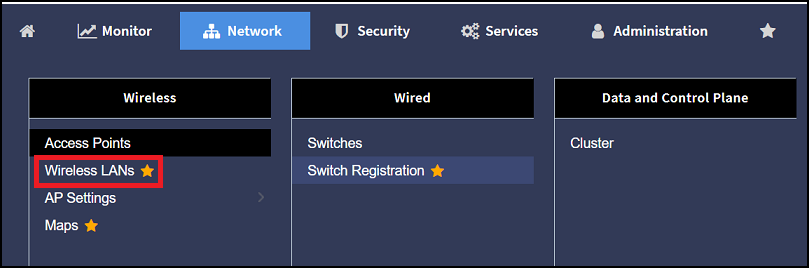
- Favorite - The Star icon allows you to mark certain menu items as their favorites or frequently accessed options. This feature saves time by providing quick access to the functions you use most often. The star icon acts like a toggle allowing you to add or remove menu item from your favorite list.
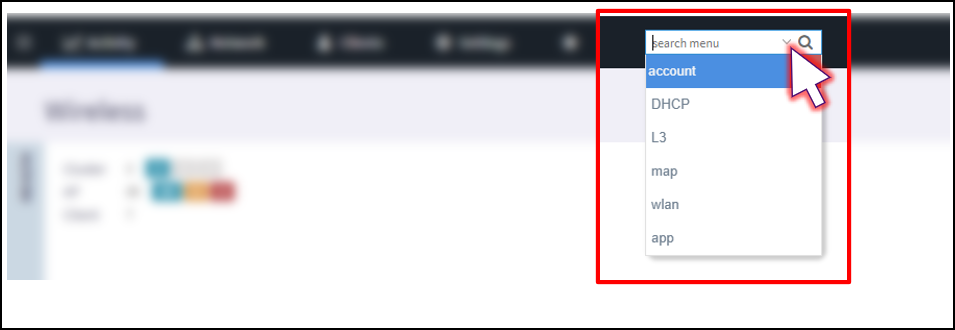
- Search - The Search menu increases the usability by allowing you to input keywords specific terms to find relevant information. When you use a search option, it queries the system and returns results that match your input, making it easier to locate specific content or data. It helps you in quickly find what you are looking for.
- Breadcrumb - The Breadcrumb is a navigation aid that shows your current location within the menu hierarchy. This allows you to see where you are and easily navigate back to previous levels.
- Search History - The Search History typically refers to a record of the searches you've conducted. It can include the keywords or phrases you entered when searching for information.
- i icon - Starting with the 7.0 release, clicking the i icon displays the RUCKUS AI Free Trial offer page, allowing you to avail of this offer. In earlier releases, the RUCKUS Analytics Free Trial offer page was displayed.