Using the Edge Ports Tab to View or Remove a Switch Port Assignment
You can use the Edge Ports tab of the
Managed Access > Network Segmentation portion of the Cloudpath UI to view switch
port assignments to units or to remove a port assignment from a unit.
To navigate to the desired edge port in the Cloudpath UI:
- Go to Managed Access > Network Segmentation.
- Click the wrench icon for the network segmentation group.
- Click the Distribution Switches tab.
- Click the magnifying glass for the distribution switch.
- Click the Edge Switches tab.
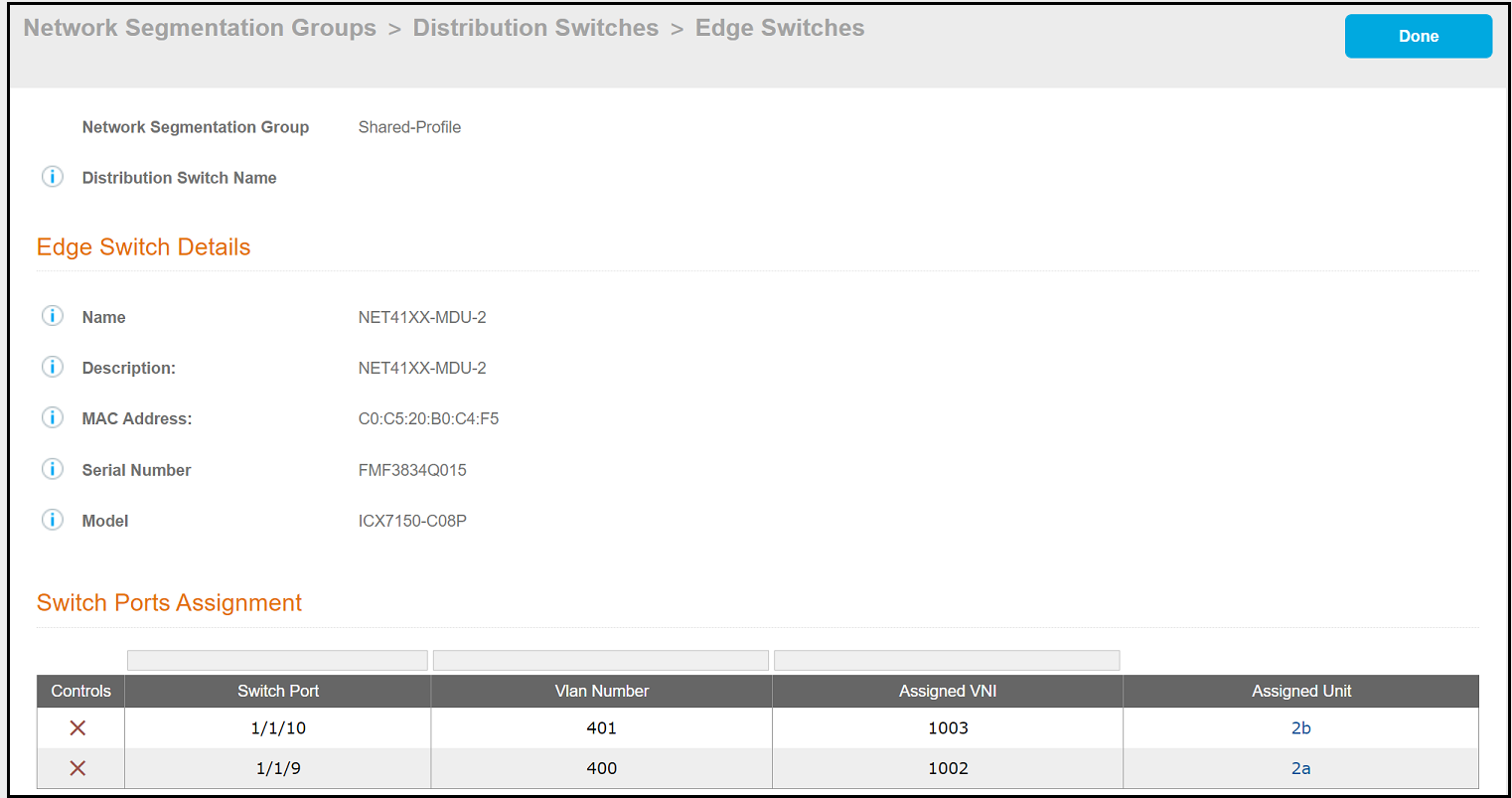
- Click the magnifying glass for the desired edge switch. The screen for that edge
switch is displayed, and includes information about its current port
assignments, as shown in the example below:
If you wish to remove a port assignment, you can do so either from here or from the Unit Information screen for the desired unit.