Creating an AP Group
Creating an AP group means creating a
configuration profile that defines channels, radio settings, Ethernet ports, network
segmentation groups, and other configurable settings for all members of the group
or for all
APs of a specific model in the group.
.
Follow these steps to create an AP group.
- On the main menu, click .
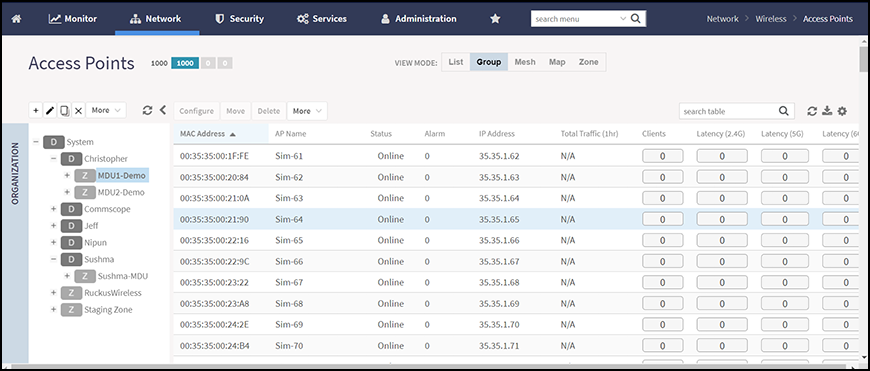
The Access Point page is displayed.
- From the System tree hierarchy,
select the location (for example: System, Domain, Zone) and click
 .
The following figure appears.
.
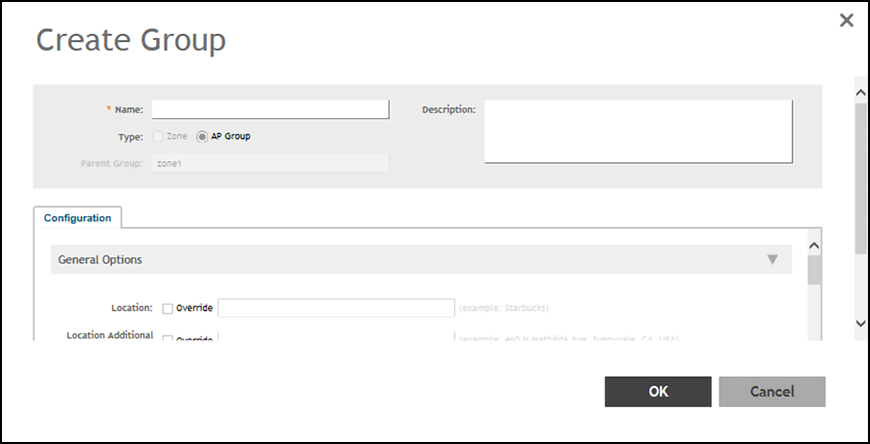
The following figure appears.
- Enter the details as explained in the following table.
- Click OK.
- Select the APs that will be used in the Network Segmentation and move them into the created AP Group(s).
 icon.
icon.  , Clone
 or
Delete
or
Delete  respectively, from the