Internal Services Network
10.254.0.0/16 for internal
services. Attention: The command set
internal-network should be used before enrolling the RUCKUS Virtual Edge device with RUCKUS
One. If the device is already enrolled with RUCKUS One, executing
this command is rejected to prevent configuration and data loss.
It is recommended to execute the
command set
internal-network from the console. If the system is rebooting,
then the network is terminated.
If the internal network has to be
changed after the device is enrolled with RUCKUS One, you should
first delete the device from RUCKUS One. This
restores the device to the deployment state, allowing you to change the internal
network using the command set
internal-network.
To change the internal network address, perform the following:
- Enter the
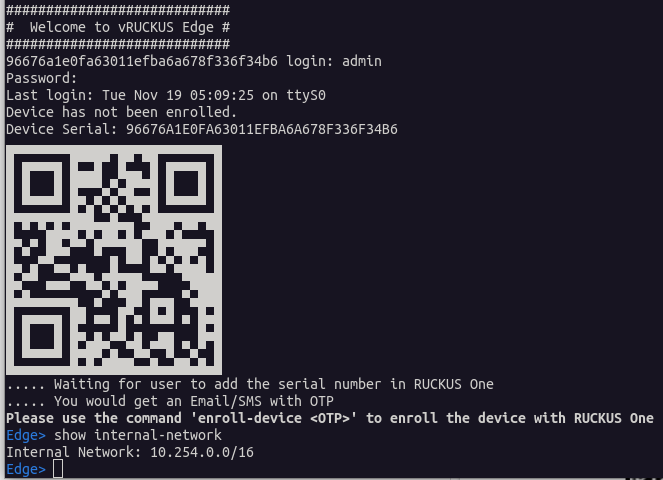
show internal-networkcommand to view the internal network IP address. By default, the RUCKUS Virtual Edge uses10.254.0.0/16for the internal services. - Enter the
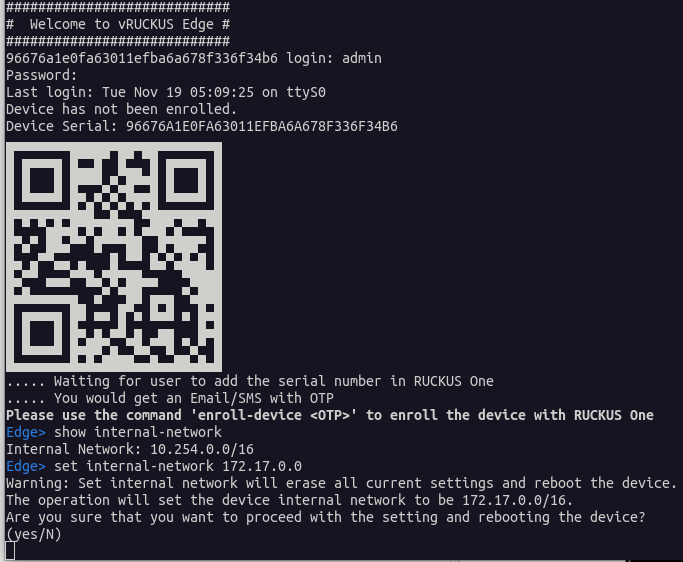
set internal-network <ipv4-address>to change the internal services network, if the RUCKUS Virtual Edge environment is deployed on the same network. When prompted to confirm the operation, typeyes. The RUCKUS Virtual Edge device will reboot. - After the reboot, log in with
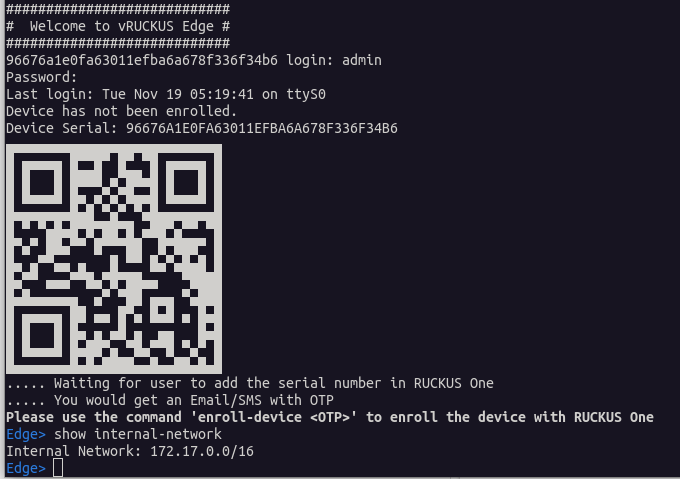
your credentials into the console and enter the command
show internal-networkto check settings.