Configuring Static Routes

Device-level static route configuration is supported at the device level.
If you are using a static IP, make sure the DNS server IP address is entered. Refer to Configuring the DNS Server for details.
  1. On the navigation bar, click Gateway > RUCKUS Edge.
    This displays the RUCKUS Edge page.
  2. Select a RUCKUS Edge from the list and click Configure.
    This displays the General Settings tab, by default.
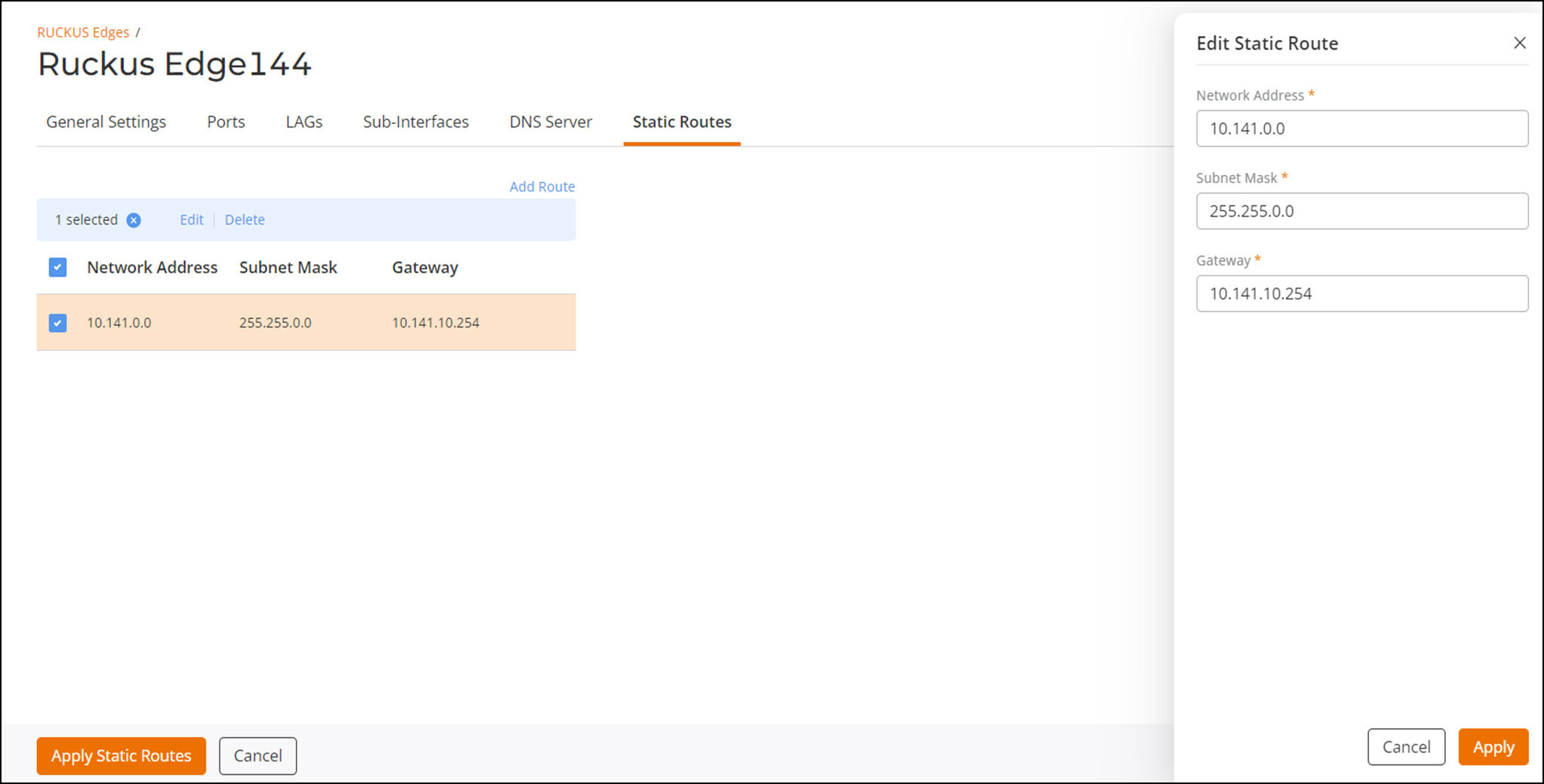
  3. Select the Static Routes tab and click Add Route.
    This displays Add Static Route sidebar window.. In this window, enter the following:
    • Network Address: Is a host on a communication network. Enter the network IP address.
    • Subnet Mask: Is a 32-bit number created by the host. Enter a valid subnet mask.
    • Gateway: Is a system between two different networks. Enter a valid gateway address.

    Add Static Route

  4. Click Add.
  5. Click Apply Static Routes.