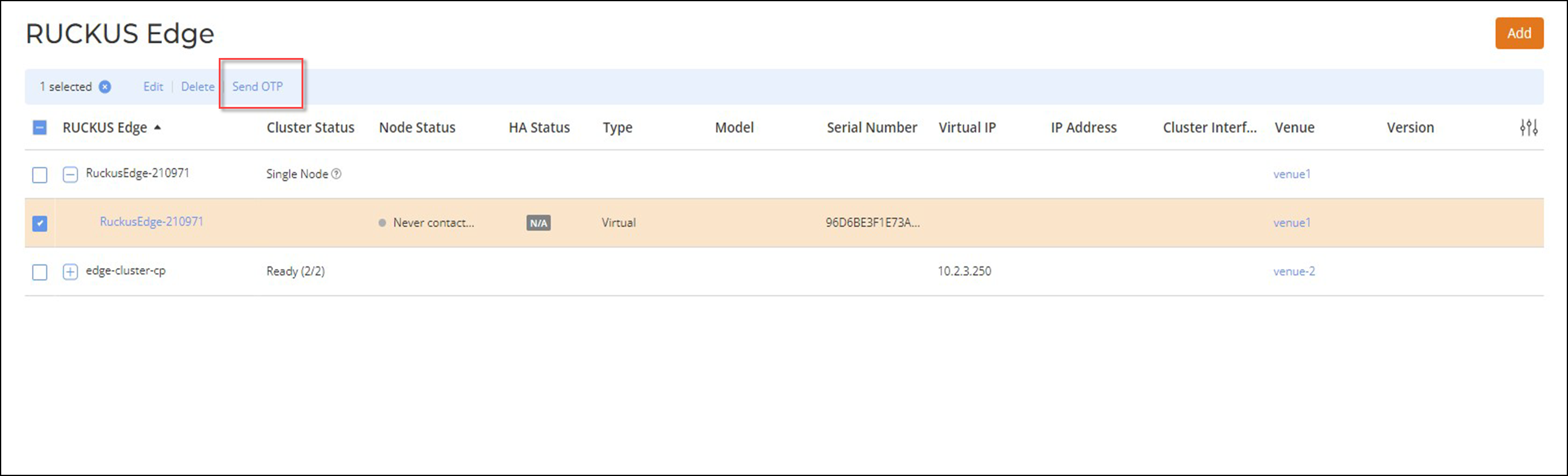
Regenerating the OTP You have to regenerate the one-time password (OTP) if you have not used the OTP within 10 minutes or if it was entered incorrectly five times. To regenerate the OTP, perform the following: On the RUCKUS One web UI navigation bar, click Gateway > RUCKUS Edge.The RUCKUS Edge page is displayed. In the RUCKUS Edge page, click the checkbox for the RUCKUS Edge device. Send OTP Click Send OTP.An OTP is sent to your registered email address and mobile number. Parent topic: Authenticating the RUCKUS Virtual Edge Using the OTP