Installing the RUCKUS Virtual Edge on a Kernel-based Virtual Machine Hypervisor
- Download the
vRUCKUS-Edge-2.2.0.xxxx.binfile that includes the QCOW2 and tool script. - Copy the image to the KVM.
- Open the terminal window.
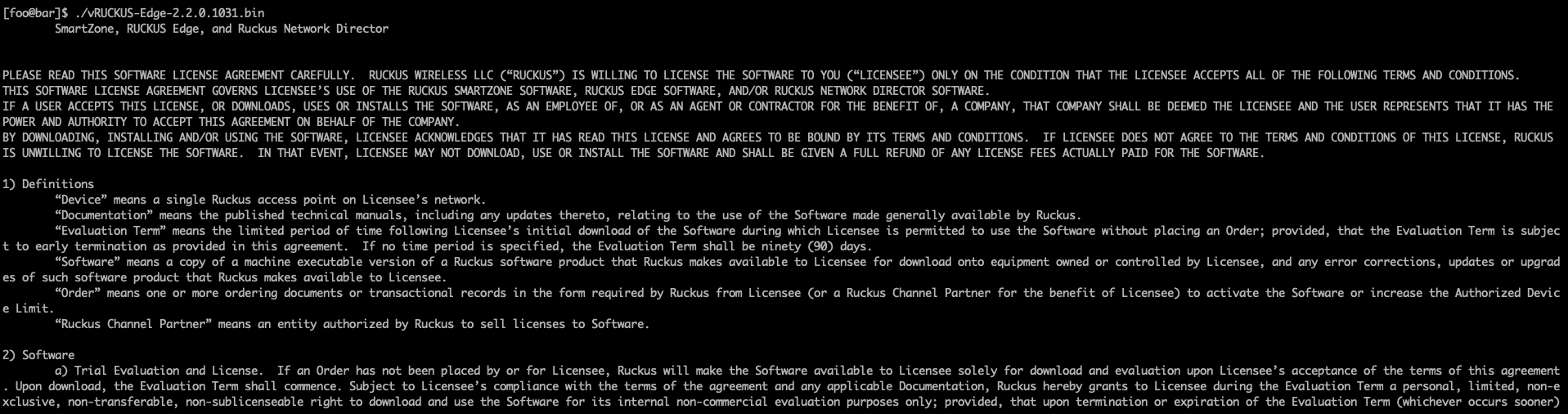
- Make the image bin file
executable by entering the following command:
./vRUCKUS-Edge-2.2.0.xxxx.bin. For example: use 2.2.0.924 version. - After checking the EULA, enter
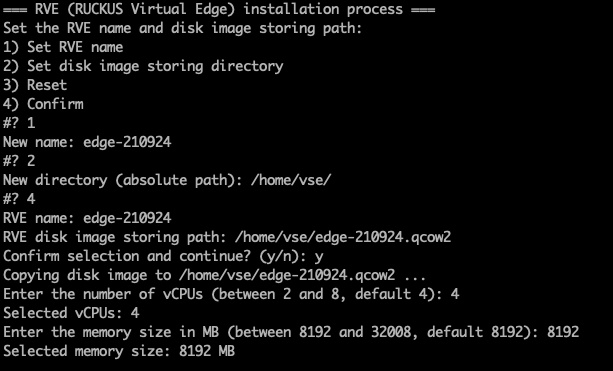
yto accept the agreement. - In the new RUCKUS Virtual Edge, configure the following:
- Enter Y to confirm select and continue.
- Configure the number virtual CPUs and memory size required for the RUCKUS Virtual Edge VM host.
- (Optional) You must configure at
least one network interface for RUCKUS Virtual
Edge to operate. The interface can either be a PCI or a virtio
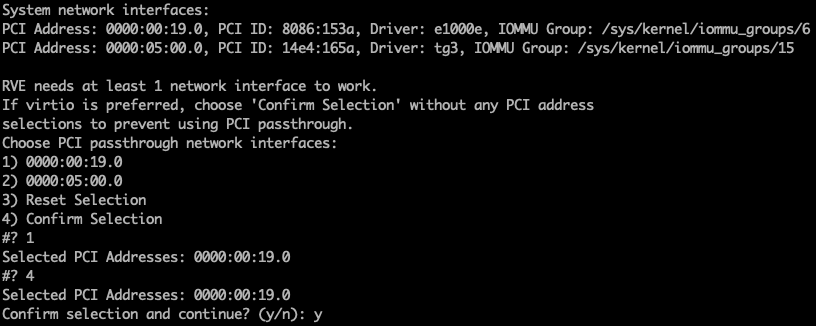
interface, or a combination of both. To configure a PCI interface, enter the PCI
ID corresponding to the selected PCI passthrough interface.The address of the selected PCI interface is displayed.
- Enter the PCI interface ID and enter 4 at the Confirm Selection prompt.
- Enter
yto Confirm selection and continue. - (Optional) If you choose to add
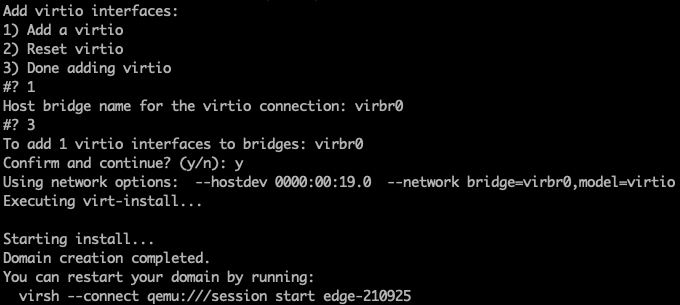
a virtio interface, type
1and press enter. Else, proceed to Step 14. - At the
Host bridge name
                     for the virtio connection
prompt, type the bridge name and press enter. - Type
3and press enter. - At the
 Confirm and
                     continue?
prompt, type y and press enter. - (Optional) Rebind network device
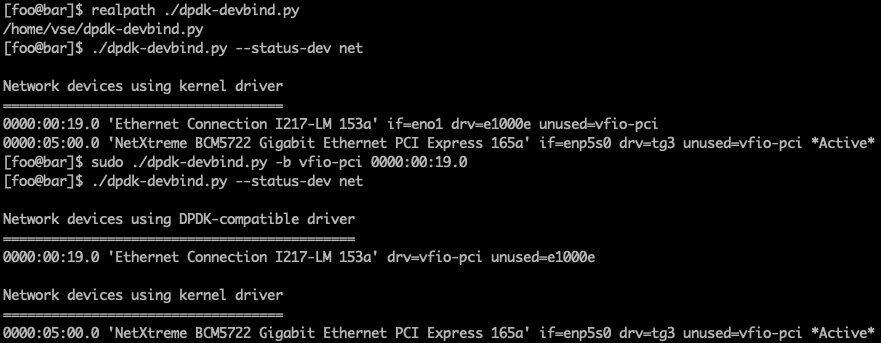
drivers. Enter
./dpdk-devbind.py --status-dev netto view the status of the PCI passthrough devices.Note: Skip Step 16 and Step 17 if no PCI passthrough interface was selected in Step 9. - Enter
sudo ./dpdk-devbind.py -b
                     vfio-pci
<PCI device ID> to rebind the selected PCI passthrough device to the vfio-pci usage. - Manually power on the virtual
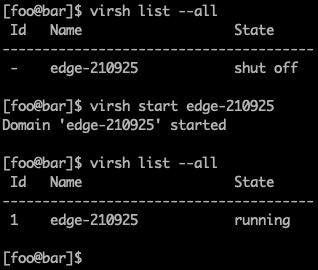
machine using the command:
virsh start[<VSE_NAME>].